Free Next Business Day Delivery On Orders Over £36
10% Off Inks, Toners, Tapes & Labels With Printer - Code: CONS10
Thumbs up icon

Rated 4.8 out of 5 on Trustpilot

Headset icon

Need help or advice? Call 0161 308 5800

Offline mode
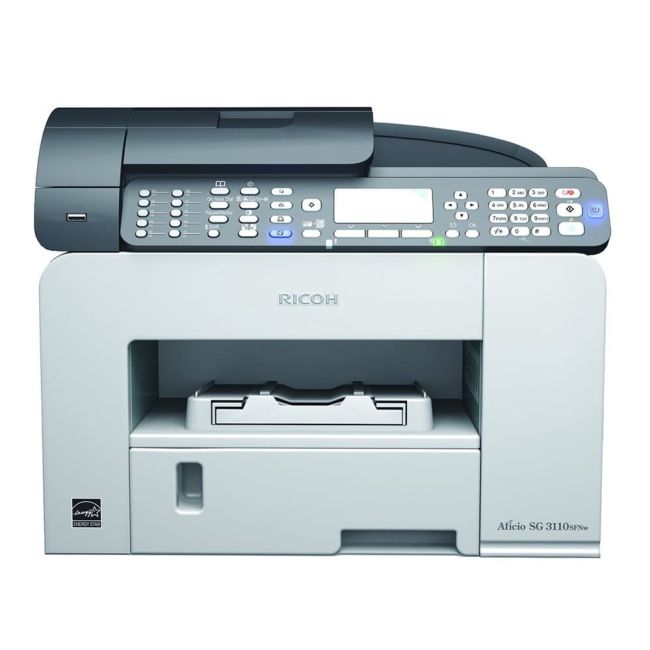
Ricoh SG 3110SFNw A4 Colour Gel MFP with Fax

Ricoh SG 3110SFNw A4 Colour Gel MFP with Fax - DISCONTINUED

Part No: 980668
Compact space-saving design means it can fit in the smallest of spaces
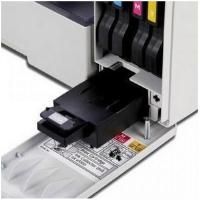
Easy front access to everything you need
Network and Wi-Fi connectivity so you can easily share the device with everyone
The useful 'one touch' solution key allows you to personalise your routine jobs
ECOnomy Colour mode retains print quality while saving on ink

The Ricoh SG 3110SFNW is now discontinued 

Order now for delivery on 5th January 2026

Product Spec
Disc Printing:
No
Borderless Printing:
No
Duplex Scan:
No
Barcode Printing:
No
Functions:
Print/Scan/Copy
GTIN:
04961311866616
BarCode:
4961311866616
Mono or Colour:
Colour
Print From:
AirPrint, Google Cloud Print
Print Speed:
29
Double Sided:
Print
Compatibility:
Linux, Mac, Windows
Connectivity:
Network, USB, Wireless
Printer Type:
Inkjet
Max Paper Size:
A4
Manufacturer:
Ricoh
Product Description

Print - Copy - Scan - Fax


Simplify everyday tasks with a GELJET 4 -in-1 MFP


The Ricoh SG 3110SFNw GELGET multifunction printer is a compact device that can save you space. This is because everything is easily accessible from the front, so you can slide it into the smallest of spaces. Get fast output thanks to an extra wide print head, allowing for print and copy speeds up to a rapid 29 ppm. Quickly fax your documents with the built-in Super G3 modem. Wi-Fi connection is standard, enabling easy printing from virtually anywhere. Using Ricoh's unique ECOnomy Colour mode allows the device to distinguish between text and images, which means you get quality colour documents at virtually the cost of black and white.

What's in the box
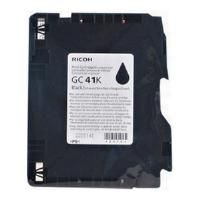
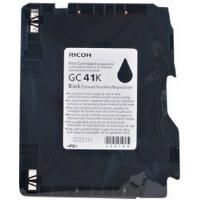
  • Black Starter Toner Cartridge - Up to 400 pages*
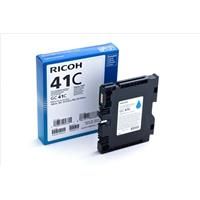
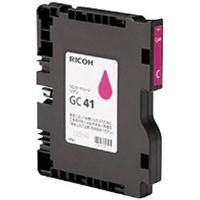
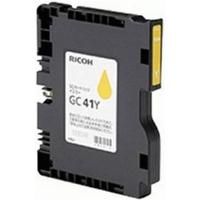
  • CMY Starter Toner Cartridges - Up to 400 pages*
  • Quick Setup Guide
  • Software & Documentation CD
  • Power Cable
Reviews

3.653 reviews

  • Quality

    26.09.2015

    I bought this printer yesterday and set it up on my wireless network no problem at all. Do not listen to the previous reviews it is obvious that they have not set up a wireless printer before. You just load the driver on to the computer, tell the printer that you want it to connect to the wireless network and enter the pin code from the printer on to your computer and away you go. Do not connect the USB cable. What is the problem? The print quality is good as laser jet on the quality setting and the prints do not smudge. And it is fast! This should save me a lot of time and money. There are less moving parts than a laser jet, so less to go wrong. I bought this machine due to my experience with a Ricoh machine that I use at work and have had for a year. I love this machine. Buy it

  • Quality

    17.11.2014

    Trying to do basics with this machine takes hours of your time. I could not get this machine to work via WiFi, I even had my mate from IBM trying to work with the drivers supplied to no avail, so I got on to Ricoh who I must say really tried after many hours we got our Windows XP working, but not Windows 7 nor our Apple Macs. Try sending a fax without the user manual to hand you have no chance nor any of the other functions. This is a Pure illogical machine, and I have been working with computers and printers since 1980 and this one has beaten us all. print quality very good and speed is very good, you only have a problem getting it to work.

  • Quality

    8.04.2014

    Great

Delivery Information

Free next business day delivery on all orders over £36

Terms & Conditions

  • Resellers: We only sell goods to end users whether that is a private user or a business user. We reserve the right to cancel orders that we believe have been purchased for the purpose of resale. This includes but is not limited to any individual or business who are managed print providers, IT resellers, Amazon sellers or eBay sellers who do not qualify as end users.
  • Free Next Business Day Delivery on all orders over £30 ex VAT / £36 inc VAT.
  • For all orders under £30 ex VAT / £36 inc VAT there is a £4.95 ex VAT delivery charge.
  • Next Business Day Delivery only includes orders being shipped to mainland Great Britain.
  • Delivers to AB postcode area, the higher parts of Scotland and Scottish Isles may be a 'Two Day' service and not 'Next Day'
  • Next Business Day Delivery is available for all orders placed before 4.30pm Monday to Friday. Orders placed after 4.30pm on Friday or at the weekend will be processed on the next business day (see delivery estimates).
  • Our standard delivery service is a one man to the ground floor service - customer assistance may be required. Non ground floor deliveries may require a two man delivery and/or on-site installation. Please call our sales team for more information on 0161 308 5800.
  • All public holidays and bank holidays are classed as non-business days.
  • Whilst we will endeavour to ensure your order is sent on a next business day service we can not be held responsible for delays incurred by our couriers or delays due to bad weather or any other circumstance that is beyond our control.
  • For all orders going to Northern Ireland there is a £25.00 ex VAT delivery charge and this can take 2-3 business days.
  • For deliveries to other areas including Isle of Man, Scottish Islands and Channel Islands please contact us for a quote.
Order PlacedExpected Delivery Date
Monday before 4:30pmTuesday
Tuesday before 4:30pmWednesday
Wednesday before 4:30pmThursday
Thursday before 4:30pmFriday
Friday before 4:30pmMonday
SaturdayTuesday
SundayTuesday
Questions & Answers
  • Is the Ricoh SG31 100 Windows 10 Compatable? Thanks Nicola Gibbons

    Thu Oct 06 2016

    Written by Nicola Gibbons

    • Hi Nicola Thank you for your question I can confirm that the Ricoh SG 3110SFNw is compatible for Windows 10 if you follow this link it will take you to the drivers for Windows 10 http://support.ricoh.com/bb/html/dr_ut_e/re2/model/sg3110sfnw/sg3110sfnw.htm If you have any other questions please do not hesitate to contact us. Many Thanks Grace Printer Expert

      Fri Oct 07 2016

      Written by Grace Dale

icon

Need help?

Speak with one of our technical gurus Bob or Chris 0161 308 5800

call for help