





Thumbs up icon

Rated 4.8 out of 5 on Trustpilot

Headset icon

Need help or advice? Call 0161 308 5800

Offline mode
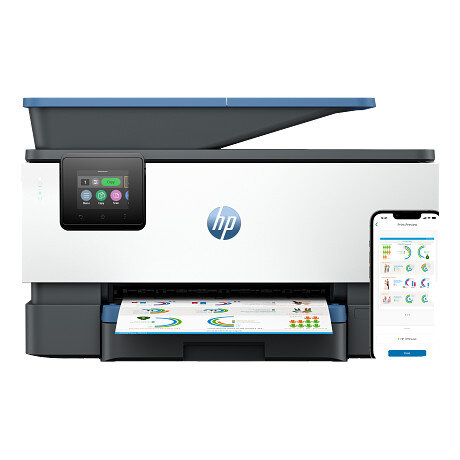
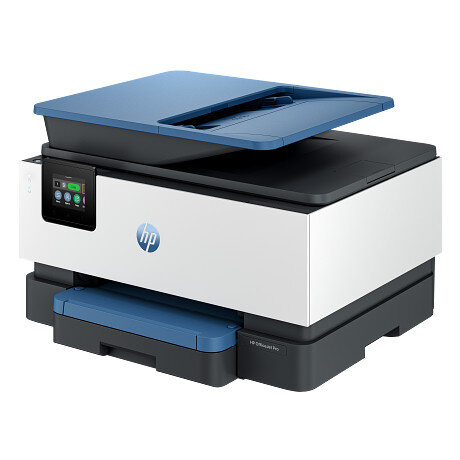
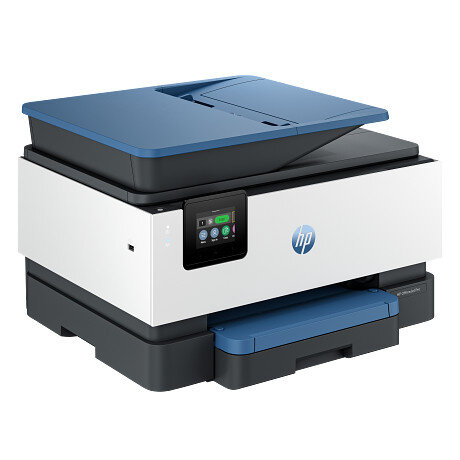
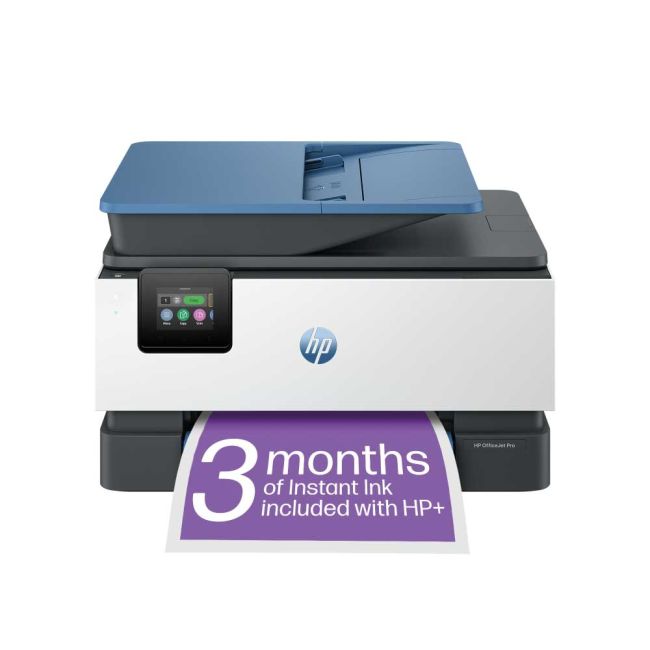
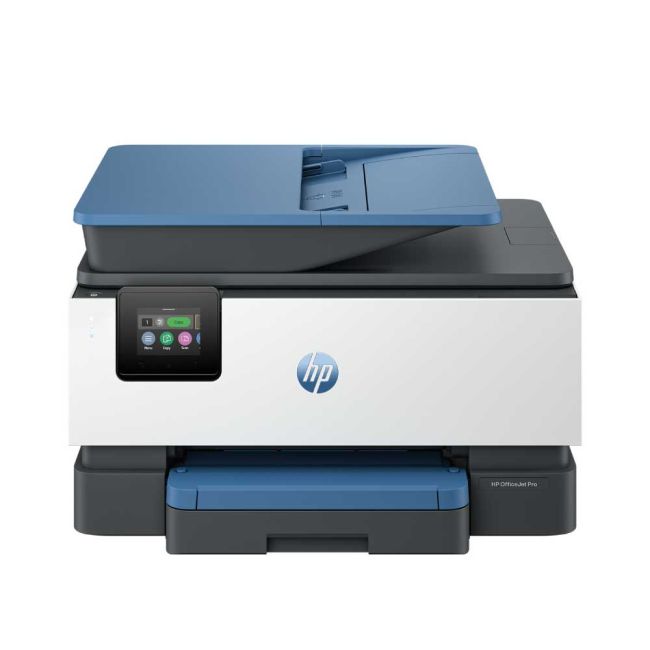
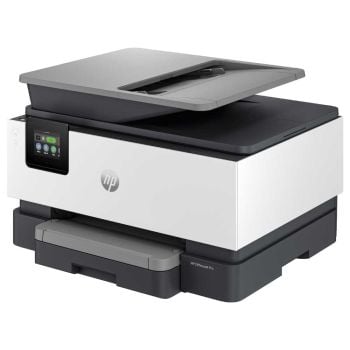
HP OfficeJet Pro 9125e (HP+) A4 Colour Multifunction Inkjet Printer

HP OfficeJet Pro 9125e (HP+) A4 Colour Multifunction Inkjet Printer

Part No: 403X5B

Promotions

Get Up To 6 Months Free HP Instant Ink

Up To Free 3 Year Warranty

3 Months Free Instant Ink + £10

+Expand to see specifications
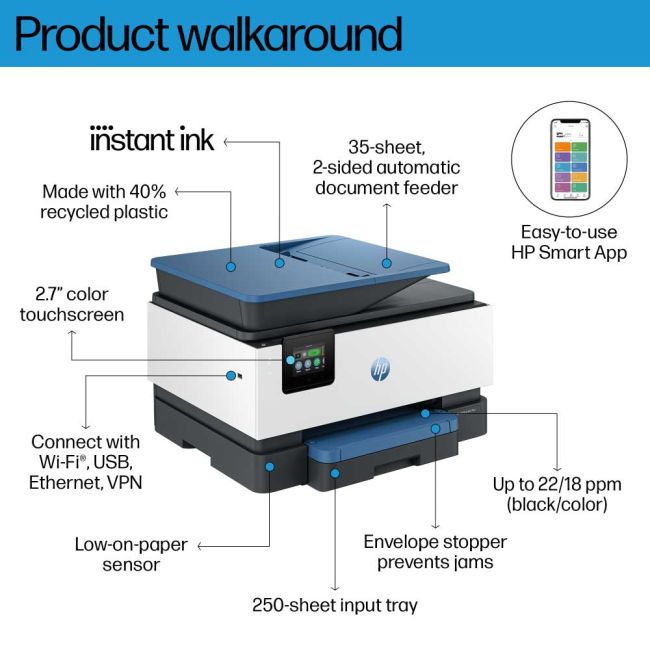
Functions Print, copy, scan, fax
Instant ink HP Instant Ink eligible. For more information visit https://www.hpinstantink.com
Print speed black (ISO) Up to 22 ppm
Print speed black (draft, A4) Up to 32 ppm
Print speed black (ISO, A4) Up to 22 ppm
Print speed black (best, A4) Up to 5 ppm
Print speed color (ISO) Up to 18 ppm
Print speed color (draft, A4) Up to 32 ppm
First page out black (A4, ready) As fast as 10 sec4
First page out color (A4, ready) As fast as 11 sec4
Duty cycle (monthly, letter) Up to 25,000 pages5 ( Duty cycle is defined as the maximum number of pages per month of imaged output. This value provides a comparison of product robustness in relation to other HP Color InkJet devices. )
Duty cycle (monthly, A4) Up to 25,000 pages5 ( Duty cycle is defined as the maximum number of pages per month of imaged output. This value provides a comparison of product robustness in relation to other HP Color InkJet devices. )
Recommended monthly page volume Up to 1500
Print quality black (best) 1200 x 1200 rendered dpi
Print quality color (best) Up to 4800 x 1200 optimized dpi on HP Advance Photo Paper 1200 x 1200 dpi input
Print languages HP PCL3 GUI
Print technology HP Thermal Inkjet
Digital sending standard features Scan-to E-mail
Scan to network folder
scan to SharePoint
Scan to thumb drive
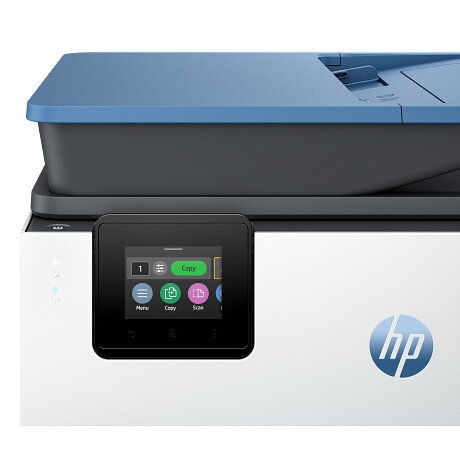
Display 2.7" (6.86 cm) Capacitive Touchscreen CGD
Processor speed 1.2 GHz
Duplex printing Automatic
Paper handling input, standard 250-sheet input tray
35-sheet ADF
Paper handling output, standard 60-sheet output tray
Finished output handling Sheet Feed
Media types Plain Paper, HP Photo Papers, HP Matte Brochure or Professional Paper, HP Matte Presentation Paper, HP Glossy Brochure or Professional Paper, Other Photo Inkjet Papers, Other Matte Inkjet Papers, Other Glossy Inkjet Papers, Thick Plain Paper, Light/Recycled Plain Paper, HP Tri-fold Brochure Paper, Glossy
Media sizes supported A4, A5, A6, B5(JIS), Card (A4, Hagaki)
Photo (13 x 18 cm, 10 x 15 cm)
Envelope (A2, C5, C6, DL. Chou #3, Chou #4)
8.5 x 13 in
Media sizes, custom Tray 1: 76.2 x 127 to 215.9 x 355.6 mm
Borderless printing Yes, on photo paper only, up to 8.5 x 11 in (US letter), 210 x 297 mm (A4)
Media weight, recommended 60 to 105 g/m² (plain)
220 to 280 g/m² (photo)
75 to 90 g/m² (envelope)
163 to 200 g/m² (card)
Scan size (ADF), maximum 215.9 x 355.6 mm
Scan size (ADF), minimum 127 X 127 mm
Scan size, maximum 215.9 x 297 mm
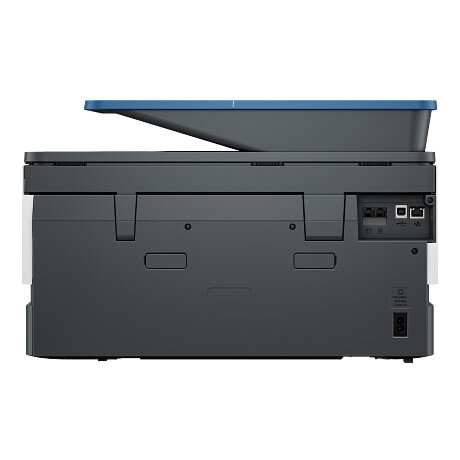
Connectivity, standard 1 Ethernet
1 Hi-Speed USB 2.0 (device)
1 Hi-Speed USB 2.0 (host)
1 Wi-Fi 802.11 a/b/g/n/ac (dual band)
2 RJ-11 Fax/Modem port/phone line
Mobile printing capability Chrome OS
HP app
Apple AirPrint
Wi-Fi® Direct Printing
Mopria certified6
Network capabilities Yes, via built-in Ethernet
Wireless 802.11a/b/g/n/ac
Wireless capability Yes, with built-in dual-band Wi-Fi 802.11 a/b/g/n/ac and a self-heal solution
Wireless technologies 802.11a/b/g/n/ac 1x1 (2.4/5GHz) with BLE
Minimum System Requirements for Macintosh macOS 11 Big Sur
macOS 12 Monterey
macOS 13 Ventura
macOS 14 Sonoma
macOS 15 Sequoia
Internet required
Minimum System Requirements Windows 11, 10: 32-bit or 64-bit, 2 GB available hard disk space, Internet connection,Internet Explorer.
Compatible Operating Systems Windows 11
Windows 10
Windows Server
macOS 11 Big Sur
macOS 12 Monterey
macOS 13 Ventura
macOS 14 Sonoma
macOS 15 Sequoia
Linux
Chrome OS ( Value is confirmedWindows Server 2016 64-bit, Windows Server 2019 64-bit, Windows Server 2022 64-bit, linux (for more information see http://developers.hp.com/hp-linux-imaging-and-printing) )
Maximum Memory 512MB
Memory 512MB
Internal Storage None
File Format Supported PDF
TIFF
JPEG
Scanner type Easy slide-off glass, dual pass 2-sided ADF
Scan file format JPG, BMP, TIFF, PDF, RTF, TXT, PNG
Enhanced scanning resolution Up to 1200 dpi
Scan resolution, optical Up to 1200 dpi
Scan speed (normal, A4) Up to 8 ipm (200 ppi, b&w)
Up to 8 ipm (200 ppi, color)
Scan speed (normal, letter) Up to 8 ipm (200 ppi, b&w)
Up to 8 ipm (200 ppi, color)
Automatic document feeder capacity Standard, 35 sheets
Scan technology Contact Image Sensor (CIS)
Copy speed black (ISO) Up to 21 cpm
Copy speed color (ISO) Up to 14 cpm
Scan speed duplex (normal, A4) Up to 4 ipm (200 ppi, b&w)
Up to 4 ipm (200 ppi, color)
Copy Speed Black (maximum, A4) Up to 28 cpm
Copy Speed Color (maximum, A4) Up to 21 cpm
Copy speed black (best, A4) Up to 5 cpm
Copy speed color (best, A4) Up to 4 cpm
Copy resolution (black text) Up to 600 dpi
Copy resolution (color text and graphics) Up to 600 dpi
Copy resolution (black graphics) Up to 600 dpi
Copies, maximum Up to 99 copies
Copy reduce / enlarge settings 25 to 400%
Copier settings Number of Copies
Two-Sided
Lighter/Darker
HP Copy Fix
ID Copy
Resize
Quality
Paper Size
Paper Type
Collate
Margin Shift
Crop
Copy Preview
Enhancements
Faxing Yes, color
Fax Transmission Speed 4 sec per page ( Based on standard ITU-T test image #1 at standard resolution. More complicated pages or higher resolution will take longer and use more memory. )
Fax Resolution Black (best) 300 x 300 dpi
Fax Broadcast Locations 20
Fax memory Up to 100 pages ( Based on standard ITU-T test image #1 at standard resolution. More complicated pages or higher resolution will take longer and use more memory. )
Fax Speed Dials, Maximum Number Not Supported
Power consumption 5.06 watts (ready), 1.22 watts (sleep), 0.14 watts (manual-off)7 ( Power requirements are based on the country/region where the printer is sold. Do not convert operating voltages. This will damage the printer and void the product warranty. )
Power Input voltage: 100 to 240 VAC (+/- 10%), 50/60 Hz
Operating humidity range 20 to 80% RH
Recommended operating humidity range 25 to 75% RH
Operating temperature range 5 to 40°C
Energy savings feature technology Schedule On and Schedule Off
Ecolabels IT ECO Declaration
EPEAT® registered
Sustainability specifications Recyclable through HP Planet Partners
Energy star certified No
Product logos Energy Star
"Works with Windows 10" logo
“Wireless
Print
Scan
Copy”
AirPrint
2-sided print
4 individual inks
Mopria-certified, WiFi certified, MFi, Works with Apple iBeacon, Download on the App Store, Get it on Google Play, Get it from Microsoft, Bluetooth Smart
Safety IEC 60950-1:2005 +A1:2009 +A2:2013
IEC 62368-1:2014
EN 62368-1:2014 +A11:2017
IEC 62368-1: 2018
EN IEC 62368-1:2020 + A11:2020
EN 62311:2008
EN 62479:2010
UL 62368-1 & CAN/CSA C22.2 No. 62368-1-14.
Security management SSL/TLS (HTTPS)
IPP over TLS
WPA2-Enterprise
WPA2-Personal
WPA3
Certificates configuration
Password protect EWS
Signed firmware
Dimensions (W x D x H) 439.3 x 342.5 x 278 mm (Minimum Storage Mode)8
Maximum dimensions (W x D x H) 439.3 x 519.8 x 278 mm (Output Tray Extend)
Weight ~ 9.29 kg ( Weight varies as per configuration )
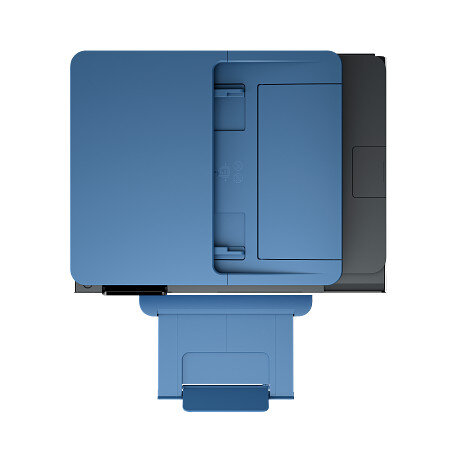
Product color Crater Lake Blue
What's in the box HP OfficeJet Pro 9125e All-in-One Printer
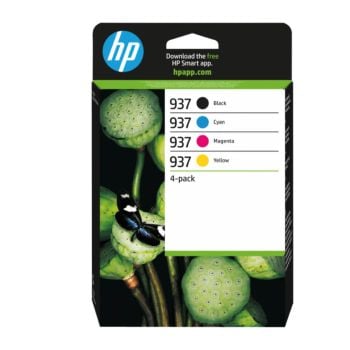
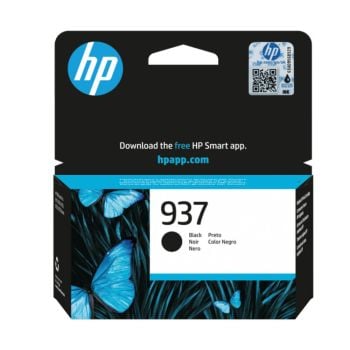
HP 937 Setup Black Ink Cartridge
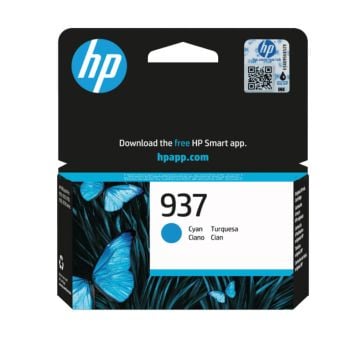
HP 937 Setup Cyan Ink Cartridge
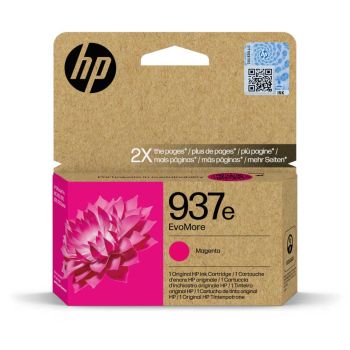
HP 937 Setup Magenta Ink Cartridge
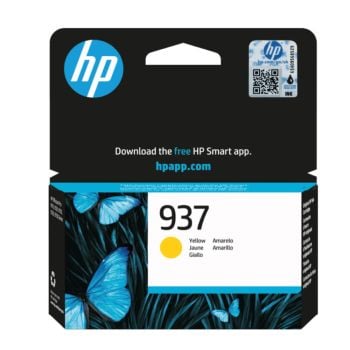
HP 937 Setup Yellow Ink Cartridge
Regulatory Flyer
Ink Caution Flyer
Power Cord
Setup Poster
Reference Guide For more information about fill and yield, see http://www.hp.com/go/learnaboutsupplies
Print Cartridges/Bottle, Number 4 (1 each black, cyan, magenta, yellow)
Replacement cartridges HP 937 Black Original Ink Cartridge (~1,250 pages) 4S6W5N
HP 937 Cyan Original Ink Cartridge (~800 pages) 4S6W2N
HP 937 Magenta Original Ink Cartridge (~800 pages) 4S6W3N
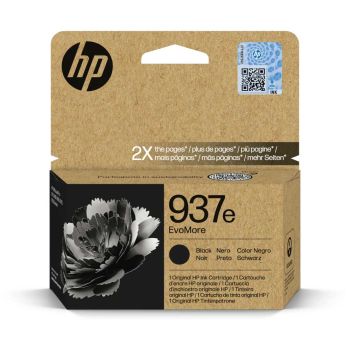
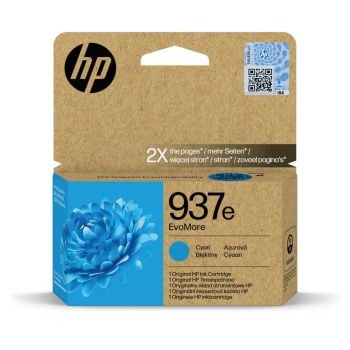
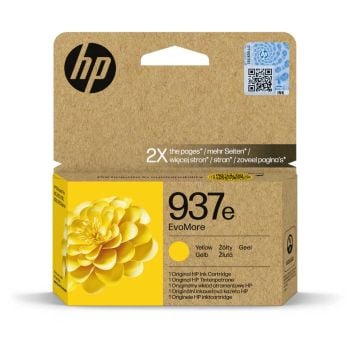
HP 937 Yellow Original Ink Cartridge (~800 pages) 4S6W4N. HP EvoMore planned to be available April 2024: HP 937e EvoMore Black Original Ink Cartridge (~2,500 pages) 4S6W9N
HP 937e EvoMore Cyan Original Ink Cartridge (~1,650 pages) 4S6W6N
HP 937e EvoMore Magenta Original Ink Cartridge (~1,650 pages) 4S6W7N
HP 937e EvoMore Yellow Original Ink Cartridge (~1,650 pages) 4S6W8N.  Actual yield varies considerably based on content of printed pages and other factors. For details, see https://www.hp.com/go/learnaboutsupplies
Manufacturer Warranty Standard one-year HP commercial hardware warranty. One-year extra HP warranty through HP+ activation at setup
and (3) One year bonus HP warranty through separate online registration, which must be completed at www.hp.com/eu/bonuswarranty/ within 60 days of printer purchase. For up to 3 years of warranty. Warranty and support options vary by product, country, and local legal requirements. See: http://www.hp.com/limitedwarranty.
Acoustic power emissions (active, printing) 6.8 B(A) (printing at 20ppm)
Acoustic pressure emissions 61 dB(A) (printing at 20ppm)
Operating altitude 3,000 m
Bit depth 24-bit
Package dimensions (W x D x H) 487 x 325 x 409 mm
Electromagnetic compatibility CISPR 32:2015 + AMD1:2019 / EN 55032:2015 + A11:2020 Class B
CISPR 24:2010 / EN 55024:2010
CISPR 35:2016 / EN 55035:2017+A11:2020
EN 61000-3-2:2014 / IEC 61000-3-2:2014
EN 61000-3-3:2013 / IEC 61000-3-3:2013
EN 301 489-1 V2.2.3
EN 301 489-17 V3.2.4
FCC CFR 47 Part 15 Class B
ICES-003, Issue 7 Class B
VCCI-CISPR 32:2016 Class B
Ink types Pigment-based (black and color)
Printer drivers included Windows HP Driver (PCL3), Linux, UNIX, SAP
Print head nozzles Total Print Head nozzles 6272
Print heads 4 (1 each black, cyan, magenta, yellow)
Scanner advanced features OCR (Optical Character Recognition applicable via HP app)
Smart Tasks shortcuts: 1-click customizable scan to cloud destinations, email, and print, create editable, searchable documents by scanning from phone or printer
Smart Tasks destinations: Dropbox, Google Drive, One drive, email recipients
Scan input modes Front-panel scan, copy, HP Software, EWS, Mobile apps
Software included HP Printer Software
Storage temperature range -40 to 60°C
Package weight 12.11kg
Documents HP OfficeJet Pro 9125e All-in-One Printer

  • Print / Scan / Copy / Fax
  • 1200 x 1200 DPI Print Resolution
  • Up To 32 PPM Print Speed
  • USB, Network & Wireless Connection
  • Automatic Double Sided Print, Scan & Copy
  • 3 Months of Instant Ink & Up to 3 Years Extended Warranty Included with HP+

Order now for delivery on Wednesday

SAVE £40.81 | Was £178.80 inc VAT
£114.99ex VAT£137.99inc VAT

Qty:
99+ in stock
Product Spec
Memory:
512 MB
Display Screen:
6.8cm Touchscreen LCD Display
Disc Printing:
No
Dimensions W x D x H:
439 x 342 x 278mm
Weight (Kg):
9.29Kg
Max Paper Weight:
280gsm
Emulation:
HP PCL3 GUI
Borderless Printing:
No
Fax Speed:
33.6Kbps
ADF:
35 Sheet
Input Capacity:
250 Sheet
Paper Handling Output:
60 Sheet
Mono or Colour:
Colour
Duplex Scan:
Yes
Scan DPI:
600 x 600
Scanner Type:
Flatbed with ADF
Barcode Printing:
No
Functions:
Print/Scan/Copy
GTIN:
00196337284852
BarCode:
0196337284852
Print From:
AirPrint, Google Cloud Print, Mobile
Double Sided:
Print/Scan/Copy
Compatibility:
Mac, Windows
Connectivity:
Network, USB, Wireless
Printer Type:
Inkjet
Max Paper Size:
A4
Print DPI:
1200 x 1200
Pages Per Min Mono:
32 PPM
Pages Per Min Colour:
32 ppm
First Page Out (Seconds):
10
Manufacturer:
HP
Product Description

The HP OfficeJet Pro 9125e is an all-in-one printer designed for small to medium-sized businesses with high-quality printing, scanning, copying, and faxing capabilities. This includes fast print speeds and a variety of connectivity options including USB, network, wireless and HP Smart mobile printing. The 9125e features an intuitive touchscreen interface, automatic two-sided printing, and a 35-page auto document feeder to enhance productivity.

This HP+-enabled printer includes 3 months of Instant Ink for hassle-free ink delivery

Free HP Instant Ink When You Sign Up:

Get free 3 months HP Instant Ink when you sign up to *HP+ within 7 days of setting up your "Instant Ink"-enabled printer. You can still get FREE 2 months subscription of HP Instant Ink if you don't sign up to HP+. Sign up for HP Instant Ink.

What Is HP Instant Ink?

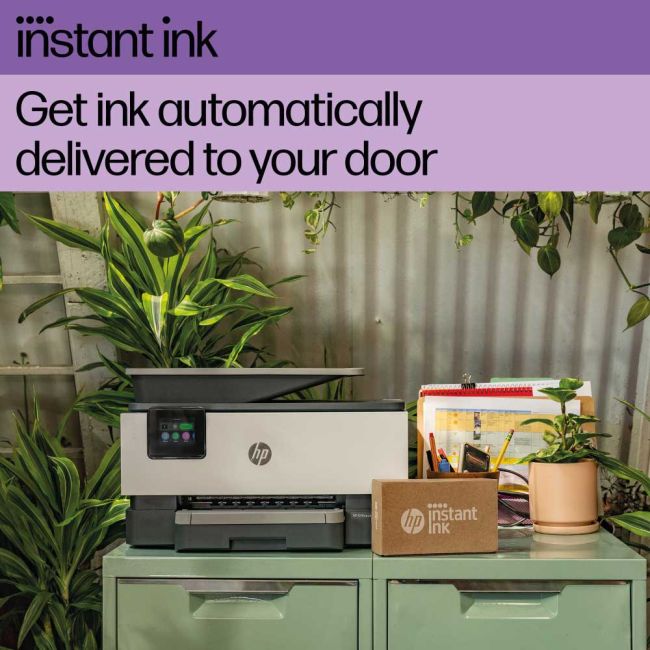
HP Instant Ink is an ink subscription service that automatically delivers ink to your door when you're running low.

Once enrolled, you will receive a welcome kit which includes ink delivered to your days within 7-10 days. Once setup, your printer detects when you're running low and automatically delivers more.

Plans start from as little as £1.79 per month for 10 pages. But you can also choose other plans based on the number of pages you would like to print monthly. Your monthly fee allows you to use HP subscription ink cartridges to print your plan pages and includes ink, delivery, and recycling.

What Is HP+?

HP+ is a free printer upgrade that you can choose to activate when setting up your printer.

  • Access to free 3 months of HP Instant Ink Cloud-based connectivity and security
  • Get access to the Advanced HP Smart App for 24 months
  • Sustainability – For every page you print, HP takes action to protect forests with HP+
  • Get 1 additional year of free HP warranty

HP Instant Ink Facts:

  • High-yield inks delivered automatically
  • Shipped when you need it and not monthly
  • If you don't use all of your pages, they automatically roll over to the following month Subscription includes Ink, Shipping and Recycling
  • Cancel or change your plan at any time
  • You need to create a HP account to sign up for HP+. Please note, this is not the same as a HP Instant Ink account.
  • If you decide not to activate HP+, you still have access to 2 months of Instant Ink for free

Dynamic Security Enabled Printer

Certain HP printers are intended to work only with cartridges that have a new or reused HP chip or electronic circuitry. These printers use dynamic security measures to block cartridges using a non-HP chip or electronic circuitry. Periodic firmware updates will maintain the effectiveness of these measures and block cartridges that previously worked. Reused HP chips and electronic circuitry enable the use of reused, remanufactured, and refilled cartridges. Learn more about HP Dynamic Printer Security

Manufacturer's Description

Manufacturer Description

HP OfficeJet Pro 9125e All-in-One Printer

HP OfficeJet Pro 9125e All-in-One Printer

Dynamic security enabled printer

Certain HP printers are intended to work only with cartridges that have a new or reused HP chip or electronic circuitry. These printers use dynamic security measures to block cartridges using a non-HP chip or electronic circuitry. Periodic firmware updates will maintain the effectiveness of these measures and block cartridges that previously worked. Reused HP chips and electronic circuitry enable the use of reused, remanufactured, and refilled cartridges.
HP OfficeJet Pro 9120e Printer Series Product Video DM - English for EMEA 0:51

Empower your team with a productivity powerhouse

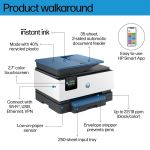
Always ready for high volumes, get an HP OfficeJet Pro printer equipped with a 250-page input tray.

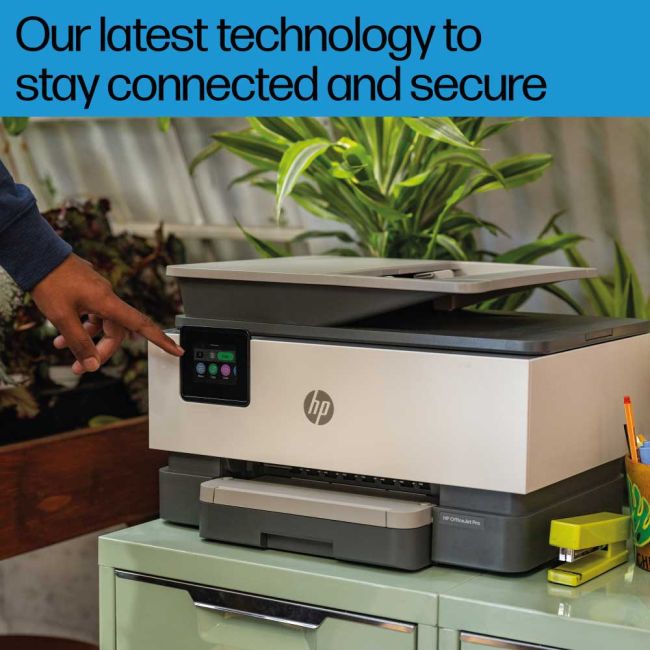
Our best technology to stay connected and secure1

Stay connected with our most reliable Wi-Fi® - dual-band, self-healing - that automatically reconnects.1

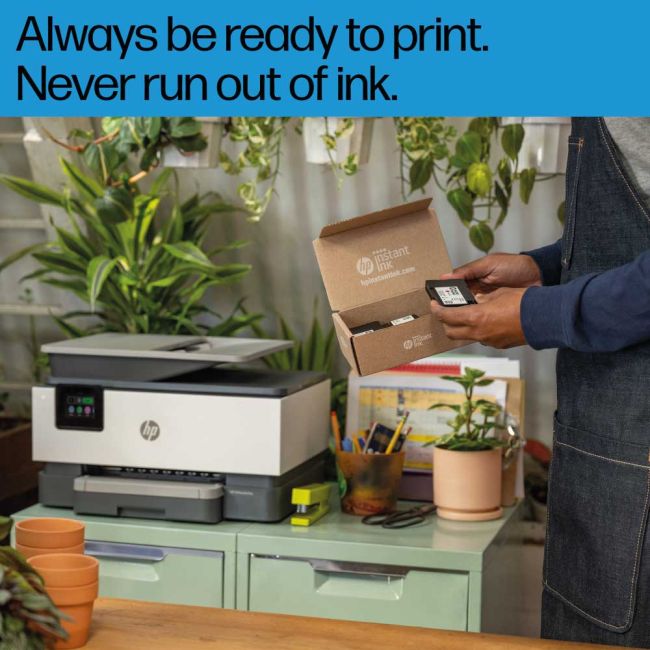
Always be ready to print. Never run out of ink.2

With an Instant Ink subscription, you can get ink delivered directly to your door before you run out.2

Driving innovation with 40% recycled plastic3

Choose printers made with at least 40% recycled plastic.3

Reliable printer design.

Made with reliability at the core, it's designed to meet the demands of small and medium-sized offices.

Always be ready to print. Never run out of ink.

Join 12 million+ people enjoying the world's first smart ink delivery service and never run out of ink

Get 6 months of ink included and more-HP+.

Get 6 months of Instant Ink included, extra warranty and time-saving features on the HP app with HP+.

Help protect forests with every page you print.

For every page you print, HP protects, restores and manages forests in equal measure.

Recycle your cartridges for free.

Recycle your HP Original ink cartridges after use for free through the HP Planet Partners program.
Color Printing
Touchscreen display
Copy / Scan
Mobile printing
WiFi
Wolf Security

HP Instant Ink

HP Instant Ink

Save up to 70% on ink* and never run out.**

The affordable way to print.*

Buy a Printer
plus"
Enrol in plan
equals"
Start Saving
What's in the box
  • HP OfficeJet Pro 9125e Printer

  • User Guide
  • Power Cable
  • HP 937 Black, Cyan, Yellow & Magenta Inks
Reviews

5.001 reviews

  • Quality

    28/08/2025

    Very pleased with the product and the service.

Promo Terms

Get Up To 6 Months Free HP Instant Ink

Get up to 6 Months FREE HP Instant Ink subscription when you sign up to HP+ within 7 days of setting up your "Instant Ink" enabled printer. If you decide not to activate HP+, you will still get 2 months of Instant Ink for free.

What Is HP Instant Ink?

HP Instant Ink is an ink subscription service that automatically delivers ink to your door when you're running low. Once enrolled, you will receive a welcome kit, which includes ink delivered to your door within 7-10 days. Once set up, your printer detects when you're running low and automatically delivers more.

HP Instant Ink Plans

Plans start from as little as £1.79 per month for 10 pages. But you can also choose other plans based on the number of pages you would like to print monthly. Your monthly fee allows you to use HP subscription ink cartridges to print your plan pages and includes ink, delivery, and recycling.

Find out more or sign up to HP Instant Ink.

Up To Free 3 Year Warranty

Claim up to "Free 3 Year Warranty" from HP when you purchase this product.

Terms & conditions and how to Claim (UK & IRE):
Please visit the HP Promotions website to register your warranty. (For (IRE) Ireland, please change country/region on claim page)

End Date: 30th April 2027

Please Note:
Three years warranty consists of the following:
1. One year HP Warranty as standard (No registration required)
2. One year extra HP warranty when setting up HP+
3. One year additional HP warranty, which can be registered here

Registration must be submitted to HP within 60 days of the purchase date.

3 Months Free Instant Ink + £10

Get free HP Instant Ink for 3 months, plus £10 credit, when you sign up to HP+ within 7 days of setting up your "Instant Ink" enabled printer. If you decide not to activate HP+, you will still get 2 months of Instant Ink for free

£10 Instant Ink Offer

Save £10 when you sign up with free credit on your HP Instant Ink account. £10 credit will appear during the checkout, after selecting your HP Instant Ink plan.

What Is HP Instant Ink?

HP Instant Ink is an ink subscription service that automatically delivers ink to your door when you're running low. Once enrolled, you will receive a welcome kit, which includes ink delivered to your door within 7-10 days. Once set up, your printer detects when you're running low and automatically delivers more.

HP Intant Ink Plans

Plans start from as little as £1.79 per month for 10 pages. But you can also choose other plans based on the number of pages you would like to print monthly. Your monthly fee allows you to use HP subscription ink cartridges to print your plan pages and includes ink, delivery, and recycling.

Find out more or sign up to HP Instant Ink.

Delivery Information

Free next business day delivery on all orders over £36

Terms & Conditions

  • Resellers: We only sell goods to end users whether that is a private user or a business user. We reserve the right to cancel orders that we believe have been purchased for the purpose of resale. This includes but is not limited to any individual or business who are managed print providers, IT resellers, Amazon sellers or eBay sellers who do not qualify as end users.
  • Free Next Business Day Delivery on all orders over £30 ex VAT / £36 inc VAT.
  • For all orders under £30 ex VAT / £36 inc VAT there is a £4.95 ex VAT delivery charge.
  • Next Business Day Delivery only includes orders being shipped to mainland Great Britain.
  • Delivers to AB postcode area, the higher parts of Scotland and Scottish Isles may be a 'Two Day' service and not 'Next Day'
  • Next Business Day Delivery is available for all orders placed before 4.30pm Monday to Friday. Orders placed after 4.30pm on Friday or at the weekend will be processed on the next business day (see delivery estimates).
  • Our standard delivery service is a one man to the ground floor service - customer assistance may be required. Non ground floor deliveries may require a two man delivery and/or on-site installation. Please call our sales team for more information on 0161 308 5800.
  • All public holidays and bank holidays are classed as non-business days.
  • Whilst we will endeavour to ensure your order is sent on a next business day service we can not be held responsible for delays incurred by our couriers or delays due to bad weather or any other circumstance that is beyond our control.
  • For all orders going to Northern Ireland there is a £25.00 ex VAT delivery charge and this can take 2-3 business days.
  • For deliveries to other areas including Isle of Man, Scottish Islands and Channel Islands please contact us for a quote.
Order PlacedExpected Delivery Date
Monday before 4:30pmTuesday
Tuesday before 4:30pmWednesday
Wednesday before 4:30pmThursday
Thursday before 4:30pmFriday
Friday before 4:30pmMonday
SaturdayTuesday
SundayTuesday
Questions & Answers

No questions yet. Be the first one to ask!

icon

Need help?

Speak with one of our technical gurus Bob or Chris 0161 308 5800

call for help