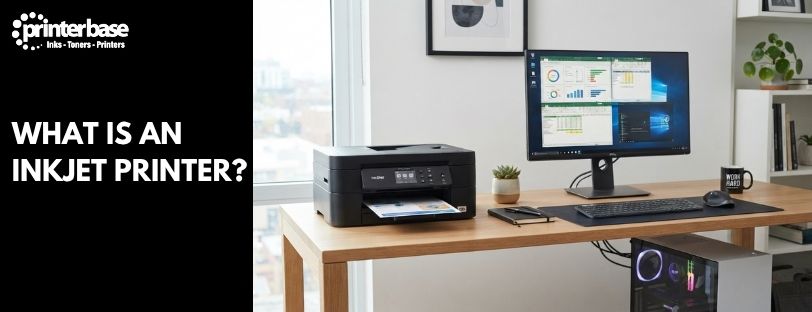
Inkjet printers are among the most common printers in homes, schools and small offices. They print a school project one minute and a holiday photo the next, and they’ve been doing it for decades. Behind that everyday job sits a clever process: a printhead firing droplets of liquid ink onto paper, each far too small to see.
This guide explains what an inkjet printer is, how it works and how the main types differ. That includes traditional cartridge models and refillable ink tank systems such as Epson EcoTank, Canon MegaTank and Brother TankBenefit. We also compare inkjets with laser printers and help you decide whether one suits you. If you’d like the wider picture first, our guide on How Does A Printer Work? covers every printer technology in one place.
What Is An Inkjet Printer?
Inkjet printers use liquid ink instead of toner. The ink is water-based and sits in a cartridge or refillable tank until the printer needs it. When you press print, the printhead sprays that ink onto the page as microscopic droplets. Thousands of droplets join up to form letters, lines and photographs.
By contrast, toner is a dry powder that laser printers melt onto the page with heat. Ink never needs melting. Instead, it soaks into the paper and dries, which is why inkjets start printing quickly and handle colour so well.
Inkjets cope with text and colour equally well, and they come in versions for the home, the office, photography and specialist work. People choose them for their versatility and strong colour reproduction. One machine can print an invoice, a birthday card and a 6×4 photo in the same afternoon, provided you load the right paper.
How Does An Inkjet Printer Work?
Every inkjet follows the same basic routine, whatever its price or brand. Here is what happens between pressing print and picking up the page.
- The printer receives the print job from your computer, phone or tablet. The data describes every dot of colour on the page.
- Paper feed rollers pull a sheet from the tray and hold it in position.
- The printhead, mounted on a sliding carriage, moves back and forth across the sheet.
- Tiny nozzles fire microscopic droplets of ink as the printhead moves.
- The rollers advance the paper a fraction, the printhead makes another pass, and the finished page exits into the output tray.
Some business inkjets skip the sliding carriage. They use a fixed printhead as wide as the page, so the paper moves underneath it in one pass.
How small is small? Educational material from the Society for Imaging Science and Technology puts a single droplet at roughly 1 to 5 picolitres. A picolitre is a millionth of a millionth of a litre. Each droplet lands as a dot around 10 to 20 micrometres wide, which is thinner than a human hair. In short, the printer controls where every one lands, and that precision gives you sharp text and detailed images.
How Inkjets Create Colour
Most inkjets use four inks: cyan, magenta, yellow and black, known as CMYK. The printer doesn’t mix colours before printing. Instead, it places differently coloured dots next to each other and your eye blends them. A green leaf, for instance, comes from yellow and cyan dots sitting side by side. Photo printers add extra inks, which we cover in the types section below.
How The Printhead Fires Ink
Two technologies dominate. Thermal printheads, used by Canon and HP, heat a tiny element that boils a sliver of ink. The expanding vapour bubble pushes a droplet out of the nozzle. Piezoelectric printheads, such as Epson’s Micro Piezo technology, apply voltage to a crystal that flexes and squeezes a droplet out. It uses no heat at all. In fact, both fire thousands of times a second, and both produce sharp text and good colour.
Dye Ink Vs Pigment Ink
Inkjet ink comes in two main forms. Dye ink dissolves in the liquid, soaks into the paper and gives vivid, glossy colour that suits photos. Pigment ink uses tiny solid particles that sit on the paper’s surface. As a result, text stays crisper and resists smudging and fading for longer. Many printers pair dye colours with a pigment black for documents. If you want more engineering detail, the Society for Imaging Science and Technology inkjet tutorial and Brother UK inkjet explainer both go further.
What Is Inside An Inkjet Printer?
You don’t need to know every part, but a handful of components do most of the work.
- Printhead: holds the nozzles that fire the ink. On some cartridge models it’s built into the cartridge, so you replace it with each new one. On others it’s a permanent part of the printer.
- Ink cartridges or ink tanks: store the ink and feed it to the printhead. Cartridges come sealed, and you replace them when empty. Tanks sit inside the printer, and you refill them from bottles.
- Paper feed rollers: pick up each sheet and move it through the printer in small, exact steps.
- Carriage and belt: carry the printhead across the page and back.
- Maintenance station: wipes and caps the printhead to keep the nozzles clear. It also collects waste ink from cleaning cycles.
- Control board: the printer’s brain. It turns your print job into instructions for the printhead, motors and rollers.
Types Of Inkjet Printer
Inkjet is a broad category. All four types below use the same basic idea of spraying liquid ink through a printhead. They differ in how the printer gets its ink and what job it handles best.
Cartridge-Based Inkjet Printers
These are the traditional home printers most people picture. The ink comes in sealed cartridges that clip into the printer, either as one black and one colour cartridge or as separate cartridges for each colour. When one runs out, you swap it for a new one.
Entry-level cartridge models are usually among the cheapest printers you can buy, and replacement cartridges are easy to find online and in shops. The trade-off is that small cartridges run out quickly. Standard cartridges typically manage somewhere between 150 and 700 pages, depending on the model and what you print. Browse our inkjet printers to see what’s available.
Ink Tank Printers
Ink tank printers replace cartridges with tanks inside the printer that you refill from bottles. Examples include Epson EcoTank, Canon MegaTank, HP Smart Tank and Brother Inkbenefit Tank. They are still inkjet printers. The printhead and the way it fires ink work the same way. So only the way the printer gets its ink is different.
They cost more to buy than a cartridge model, but a full set of ink bottles prints thousands of pages. That makes each page far cheaper, so they suit people who print regularly. Our guide, What Is An Ink Tank Inkjet Printer?, covers them in depth, and you can see the range in our ink tank printers category.
Photo Inkjet Printers
Photo printers are built for photographic output. They use more ink colours than a standard printer, typically six, eight or even twelve. The extra inks include lighter shades of cyan and magenta, which smooth out gradients and reduce visible grain. Some add grey or other specialist inks for deeper blacks and a wider colour range.
In addition, many take larger paper, up to A3+, and glossy or lustre photo media. If prints are your priority, see our photo printers or read Best Printers For Printing Photographs.
Business Inkjet Printers
Manufacturers design business inkjets for office life. They handle higher print volumes than home models, hold more paper and carry larger ink supplies. You also get faster connectivity, automatic double-sided printing and security features for shared use. Models with page-wide printheads close much of the speed gap with laser printers.
Here is how the four types compare at a glance.
| Type | Ink Supply | Best For | Running Costs |
|---|---|---|---|
| Cartridge-Based | Replaceable cartridges | Occasional home printing | Higher per page |
| Ink Tank | Refillable tanks and bottles | Regular home and office printing | Very low per page |
| Photo | Multiple ink colours, cartridge or tank | Photographers and creative work | Varies with ink count and paper |
| Business | Large cartridges or tanks | Busy offices and workgroups | Lower per page than home models |
Advantages Of Inkjet Printers
Excellent Colour Printing
Inkjets have a strong reputation for colour reproduction and photo quality. Dye inks in particular give rich, smooth tones, and photo models widen the range further.
Lower Purchase Costs
Many entry-level inkjets cost noticeably less than a comparable laser printer, so they’re an easy way into home printing.
Versatility
One inkjet can print a wide range of jobs, including:
- Documents and reports
- Photos
- Greetings cards
- Marketing materials
- Labels
- Glossy, matte, textured and card media
Compact Sizes
Inkjets are generally smaller than laser printers, which makes them a good fit for homes and small workspaces. They also warm up quickly and run quietly.
Disadvantages Of Inkjet Printers
Ink Can Dry Out
Liquid ink can dry in the nozzles if a printer sits unused for weeks or months. Printers that stay switched on and print now and then tend to cope better than those left idle.
Slower Than Many Laser Printers
Most inkjets print more slowly than a laser, especially on long, text-heavy jobs. For a few pages at a time you won’t notice. However, for hundreds of pages, you will.
Running Costs Can Vary
Cartridge-based models can be expensive to run if you print a lot, because small cartridges need replacing often. However, modern ink tank printers have addressed most of this. Their low cost per page has changed the picture for anyone who prints regularly.
Inkjet Printer Vs Laser Printer
Neither technology is better in every situation. Laser printers fuse dry toner onto the page with heat, while inkjets spray liquid ink. That single difference shapes their speed, costs and strengths.
| Feature | Inkjet | Laser |
|---|---|---|
| Uses | Liquid ink | Toner powder |
| Best For | Colour and photos | Text documents |
| Purchase Cost | Generally lower | Generally higher |
| Running Costs | Variable, very low on ink tank models | Often lower for high volumes |
| Speed | Moderate | Fast |
| Paper Types | Plain, photo, card and specialist media | Mainly plain paper and light card |
| Typical Users | Home users, students and creatives | Offices and busy workgroups |
If you print mostly black text in large quantities, a laser is hard to beat. If you print colour, photos or a mix of jobs, an inkjet is usually the better fit. For a closer look, read Laser Printers Vs Inkjet Printers: Choosing The Right One and Epson EcoTank Inkjet Vs Laser Printers. Our guide, What Is A Laser Printer?, covers the other side. You can also browse our laser printers to compare.
Common Uses For Inkjet Printers
Home Printing
School work, family documents, travel tickets and the odd recipe all suit an inkjet. Home printing is often occasional, and inkjets are built for exactly that.
Photography
Photo inkjets reproduce images with smooth tones and accurate colour. They’re a favourite with keen amateurs and professionals who want prints they can frame.
Creative Projects
Posters, cards, invitations and craft projects all rely on good colour and a choice of media. Inkjets print on everything from textured card to glossy photo paper.
Small Business Use
Marketing materials, presentations and reports look sharp on an inkjet. Many small businesses also use one for labels and short-run flyers, without the cost of an outsourced print job.
Who Should Buy An Inkjet Printer?
The best choice depends on how much you print and what you print. Inkjets suit these users particularly well:
- Families: one printer covers homework, forms and photos.
- Students: low purchase cost and compact size suit a desk or a shared house.
- Home office users: a wireless multifunction model prints, scans and copies in one box.
- Photographers: photo inkjets offer a wide colour range and support for quality media.
- Creative professionals: designers, crafters and artists get colour accuracy and media choice.
- Small businesses: a business inkjet or ink tank model handles marketing and everyday paperwork.
As a rough guide, a cartridge model works if you print a few pages a week. Meanwhile, an ink tank model pays off once you print regularly. On the other hand, a laser may make more sense if you print hundreds of black-and-white pages every day. Our list of The 10 Best Inkjet Printers is a good place to start shortlisting.
Conclusion
Inkjet printers remain one of the most versatile and popular printing technologies around. They spray microscopic droplets of liquid ink through a printhead, and thousands of those droplets build up crisp text and detailed colour images. That process suits everything from a child’s homework to a framed photograph.
The main choice today is how the printer gets its ink. Cartridge models cost less to buy and suit occasional printing, while ink tank printers cost more upfront but slash the cost of each page. Photo and business inkjets stretch the technology further for people who need extra colour range or higher volumes. Compared with laser printers, inkjets give up some speed but gain flexibility and colour quality. So work out how much you print and what you print, then pick the type that matches. When you’re ready, browse our inkjet printers to compare models.
Frequently Asked Questions
Do Inkjet Printers Use Toner?
No. Inkjet printers use liquid ink, which they spray onto the page through a printhead. Toner is a dry powder used by laser printers, and it’s fused to the paper with heat.
What Is The Difference Between An Inkjet And An Ink Tank Printer?
An ink tank printer is a type of inkjet. Both spray ink through a printhead. A standard inkjet uses replaceable cartridges, while an ink tank model has tanks inside the printer that you refill from bottles. Our guide, What Is An Ink Tank Inkjet Printer?, explains the difference in more detail.
Are Inkjet Printers Better Than Laser Printers?
It depends on what you print. Inkjets are usually better for colour, photos and mixed jobs, and they cost less to buy. However, lasers are usually faster and cheaper per page for large volumes of black text.
Can An Inkjet Printer Print Photos?
Yes. Inkjets are widely regarded as the best choice for photo printing. For the best results, use photo paper and consider a dedicated photo inkjet, which uses extra ink colours for smoother tones.
How Many Pages Does An Inkjet Cartridge Print?
It varies with the model and your documents. Standard cartridges typically manage around 150 to 700 pages. A full set of ink tank bottles prints several thousand pages.
Do Inkjet Printers Need To Be Used Regularly?
Ideally, yes. Ink can dry in the nozzles if a printer sits idle for a long time. In practice, printing a page or two now and then helps keep the ink flowing.
Is An Inkjet Printer Good For Home Use?
Yes. Inkjets are compact, affordable and flexible, so they suit homework, documents and photos. If you print often, an ink tank model keeps running costs low.
Need Help or More Information ?
If you need any further help or more information, reach out to us by leaving a comment below or through one of the many ways on our Contact Us page.
Alternatively you can contact us by Phone on 0161 308 5800 or by Live Chat on our main Website Monday to Friday and our team will be happy to help or answer with any questions you might have.
You can also find all the various ways to connect with Us at the bottom of this page. Please share this post if you found it helpful.