
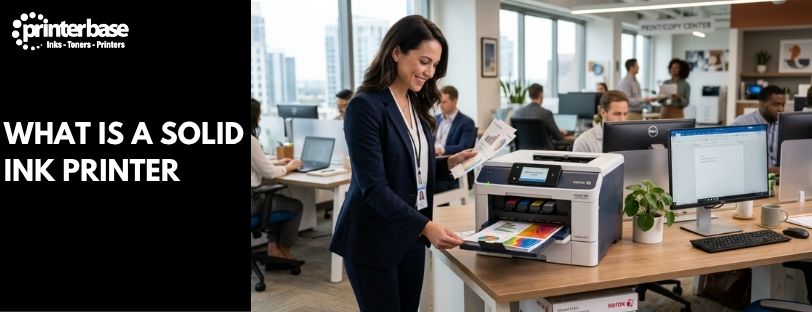
Solid ink printers replaced liquid cartridges and toner powder with solid blocks of coloured wax. Xerox was the only manufacturer that ever built them, and by the first half of 2016 it had discontinued the line for good, moving customers across to its VersaLink range instead. While they were around, though, solid ink machines built a loyal following for one simple reason: nothing else on the market produced colour quite like them.
This guide explains what a solid ink printer actually was, how the technology worked, and why so many offices rated it above laser and inkjet on colour, waste and running costs.
How Solid Ink Printers Worked
Instead of a toner cartridge or an ink tank, a solid ink printer took four wax sticks, one each in cyan, magenta, yellow and black, and dropped them into a loading tray much like you’d load a cartridge into any other machine. The sticks themselves were solid at room temperature, non-toxic, and safe enough to handle with bare hands. Nothing could leak or spill in transit, because there was nothing liquid to leak.
Once a print job started, the printer heated the sticks to around 135°C, melting them into liquid ink. That ink was jetted through a printhead onto a rotating drum, which stayed at a cooler temperature of roughly 65°C. The drum had already been coated with a thin layer of silicone release oil by a maintenance unit, which cleared away any ink left over from the previous job. The molten ink hit the drum and set into a semi-solid state almost immediately, building up the full page image in one place before a single sheet of paper had even moved.
Paper then ran through a heated preheater and into a pressure nip, where the image transferred from drum to page in a single pass, similar in principle to offset litho printing. The moment ink touched the paper it froze solid, so there was no drying time and no risk of smudging, even seconds after a page left the tray.
Why Solid Ink Beat Laser And Inkjet On Colour
Colour was where solid ink printers earned their reputation. Because the whole image was built on the drum before transfer, colour-to-colour registration was engineered into the printhead itself rather than calibrated print by print, so colours lined up consistently instead of drifting as a laser drum aged. The technology could also place ink pixels individually, to within half a pixel of accuracy, rather than clustering them the way toner-based systems had to.
The result was noticeably brighter, more saturated colour, particularly in oranges, yellows and reds that laser toner tends to render flat. Ink fused to the surface of the page rather than soaking into the fibres the way inkjet does, which gave prints a glossy finish and a wider colour gamut. It’s also why solid ink held up well on ordinary recycled paper, where inkjet and laser output can look thin or patchy: the ink didn’t need a coated or specialist stock to look good.
The Environmental Case For Solid Ink
Solid ink’s other big selling point was waste, and the numbers were genuinely striking. Xerox’s own figures put solid ink printing at around 90 to 95% less waste during use than a comparable colour laser printer. Scaled up, that meant roughly 2.5kg of waste per 100,000 pages printed on solid ink, against around 70kg for a typical colour laser over the same run.
Three things drove that gap:
- Minimal packaging. A wax stick is a small, dense block. It needs nowhere near the plastic and cardboard that a laser toner cartridge does.
- No cartridges to bin. Once a stick had melted down, there was nothing left to dispose of, no drum unit, no empty cartridge shell, no plastic housing.
- Near-total ink transfer. Solid ink achieved close to 100% ink-to-page transfer efficiency, where conventional laser toner loses a meaningful share to waste during the print process.
Sticks also didn’t dry out on the shelf. A half-used inkjet cartridge left in a drawer for six months is often unusable by the time you come back to it; a solid ink stick could sit indefinitely and still perform exactly as it had on day one. Businesses that printed high volumes of colour reported total cost of ownership savings of up to 70% against laser, once you accounted for both the lower running cost and the reduced waste-handling overhead.
Consistent Print Quality, Page After Page
Consistency was the other quiet advantage. A laser printer’s output can shift subtly as a drum wears or toner runs low, and an inkjet’s nozzles can begin to clog or misfire the longer it sits idle. Solid ink largely avoided both problems. There was no liquid ink sitting in a nozzle to dry out between jobs, so print heads didn’t clog the way inkjet heads can. And because colour registration was fixed in the printhead design rather than adjusted on the fly, page 1 of a 500-page run looked the same as page 500.
That reliability made solid ink popular in design studios, print rooms and any office where colour accuracy mattered from one job to the next, not just on the first proof.
The Trade-Offs
Solid ink wasn’t without its downsides, and it’s worth being honest about them. A cold start took 12 to 15 minutes to warm the wax to working temperature, and the printer generally needed to stay in a low-power sleep state rather than switching off completely, or it faced the same long warm-up on every print job. Hot lamination wasn’t possible on solid ink output, though cold laminating worked fine without affecting quality. The printers themselves also cost more upfront than an equivalent laser or inkjet model, and because Xerox was the only manufacturer, there was never any competition to bring that price down.
Why Xerox Discontinued Solid Ink Printers
Solid ink technology actually predates Xerox’s involvement. Tektronix developed it in 1986 and launched the first commercial solid ink printer, the Phaser III, in 1991. Xerox bought the division in 2000 and carried the technology forward under the Phaser and, later, ColorQube brand names.
By the first half of 2016, Xerox had discontinued its solid ink printer line entirely. The company pointed customers toward its VersaLink range as the replacement, built on laser technology rather than wax. Xerox has never brought solid ink back to market, and no other manufacturer ever built a competing product, so if you’re reading this looking for a new solid ink printer to buy, you won’t find one. Existing ColorQube machines are still supported for as long as parts and consumables remain available, but the technology itself has reached the end of its road.
What To Buy Instead
If you valued a Xerox solid ink printer for its colour output and low running costs, the closest modern equivalent is Xerox’s current colour laser range, including the VersaLink and PrimeLink families the company positioned as the direct replacement. They won’t melt wax sticks, but they carry forward Xerox’s focus on consistent colour and lower running costs. You can browse the current lineup on our Xerox printers page.
If you’re weighing up printer technologies more broadly, our guide to how a printer works breaks down inkjet, laser, dot matrix and thermal printing alongside solid ink, so you can see exactly how each one compares.
Solid Ink Vs Laser Vs Inkjet At A Glance
| Feature | Solid Ink | Laser | Inkjet |
|---|---|---|---|
| Print Waste | Up to 90-95% less than laser | Highest, cartridges and drum units to dispose of | Moderate, cartridges to dispose of |
| Colour Output | Vivid, glossy, wide gamut | Flatter, especially oranges and reds | Good, but can soak into paper fibres |
| Cost Per Page (High Volume Colour) | Low, up to 70% cheaper than laser | Moderate to high | High for colour |
| Dry Time | Instant, ink freezes on contact | Instant, toner is fused | Can smudge if handled too soon |
| Warm-Up Time | 12-15 minutes from cold | Seconds to a few minutes | Seconds |
| Consumable Shelf Life | Effectively indefinite | Long, toner doesn’t dry out | Cartridges can dry out unused |
Frequently Asked Questions
Are solid ink printers still made?
No. Xerox was the only manufacturer to build solid ink printers, and it discontinued the entire line in the first half of 2016. No other company ever brought a competing product to market, so there’s no current source for new solid ink hardware.
What company made solid ink printers?
Xerox, under the Phaser and later ColorQube brand names. The underlying technology was originally developed by Tektronix in 1986, which launched the first commercial solid ink printer, the Phaser III, in 1991. Xerox bought the division in 2000 and continued developing it.
When did Xerox stop making solid ink printers?
Xerox discontinued its solid ink range in the first half of 2016, directing customers toward its laser-based VersaLink printers as the replacement.
How is solid ink different from laser toner?
Laser printers use fine toner powder that’s fused to the page with heat. Solid ink printers melt wax sticks into liquid ink, jet it onto a rotating drum, then transfer the whole image to paper in a single pass under heat and pressure. Solid ink generally produces more vivid colour and less waste, though it needs a longer warm-up time.
Can I still buy ink sticks for a Xerox ColorQube printer?
Availability has become limited since Xerox stopped production. Genuine Xerox sticks are increasingly hard to source, and stock levels vary by supplier, so it’s worth checking current availability before relying on a ColorQube printer for ongoing use.
Are solid ink printers better for the environment than laser printers?
By Xerox’s own figures, yes. Solid ink generated around 90 to 95% less waste during use than a comparable colour laser printer, largely because the wax sticks need minimal packaging and there are no cartridges or drum units to dispose of.
What should I buy instead of a solid ink printer now?
Xerox’s current colour laser range, including the VersaLink and PrimeLink families, is the manufacturer’s own recommended replacement. They don’t use wax-based ink, but they carry forward Xerox’s focus on strong colour output and lower running costs. Browse the current Xerox printer range to compare models.
Need Help or More Information ?
If you need any further help or more information, reach out to us by leaving a comment below or through one of the many ways on our Contact Us page. Alternatively you can contact us by Phone on 0800 170 7234 and 0161 308 5800 or by Live Chat on our main Website Monday to Friday and our team will be happy to help or answer with any questions you might have.
