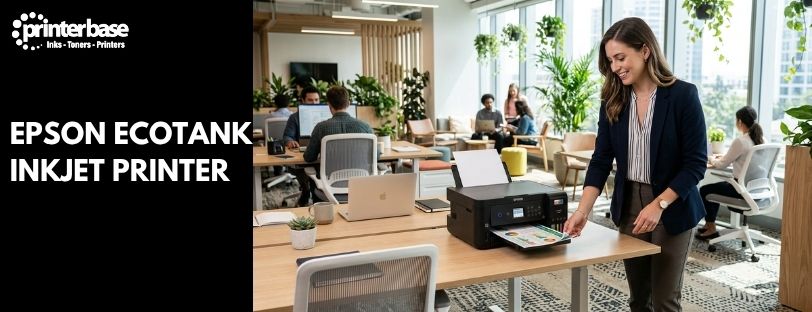
An Epson EcoTank inkjet printer costs more than a basic cartridge printer on the day you buy it. It also stops costing you money almost straight away. Most printers get you with the ink. You pay a low price for the machine, then hand over a small fortune for replacement cartridges. EcoTank turns that around with refillable tanks, bottles that cost a fraction of the cartridge equivalent, and enough ink in the box for up to three years of typical home use.
This guide covers why that makes EcoTank a sound investment, what to weigh up before you buy, and which model series suits a home, a home office or a business. If you’re new to the idea, our guide to what an ink tank inkjet printer is is a good place to start.
How An Epson EcoTank Inkjet Printer Works
An EcoTank has no cartridges. Instead, the ink sits in large tanks built into the printer, and you fill them from bottles. The bottles are keyed and colour-coded, so each one only fits its own tank.
The scale is what matters. Epson says one set of bottles is worth up to 63 cartridges of ink. On the newer ET-2950 series, the ink supplied with the printer is good for around 6,600 black and 5,500 colour pages. The ET-3950 and ET-4950 stretch to 15,100 black pages. Epson bases its three-year claim on 100 A4 pages a month.
The other half of the story is the print head. EcoTank printers use Epson’s Heat-Free PrecisionCore technology, which pushes ink out mechanically rather than boiling it. That’s the reason they use so little power and stay reliable across thousands of pages. Our EcoTank inkjet vs laser printers guide goes deeper on how it works.
Seven Reasons An EcoTank Is A Good Investment
Low Running Costs
Epson claims savings of up to 90% to 95% on ink compared with cartridge printers, depending on the model. Treat that as a best case. Even a fraction of it adds up quickly, because ink is where a cartridge printer takes your money. With an EcoTank, the cost per page is a fraction of a penny for black and only slightly higher for colour.
Ink In The Box
Most cartridge printers ship with half-empty starter cartridges. EcoTank models ship with a full set of bottles. For a household printing the odd school project and a few forms, that can mean up to three years before you buy any more ink. However, that figure assumes light use. Print heavily and you’ll refill sooner, which is still far cheaper than replacing cartridges.
Refilling Is Simple
Refilling takes about 30 seconds. Match the bottle to its tank, tip it up and let gravity do the work. The nozzles are drip-free and the caps reseal, so you’re not left with stained fingers. Our guide on how to refill ink on Epson EcoTank printers shows every step.
Sharp Print Quality
Running costs don’t mean a drop in quality. EcoTank text is crisp enough for reports and invoices, and colour graphics look bright on plain paper. The photo models, the ET-8500 and ET-8550, add a sixth ink colour for glossy prints with richer tones.
Lower Energy Use
Because there’s no heating element, EcoTank printers draw far less power than laser machines. Epson puts the saving at up to 90% compared with colour laser printers. For an office that leaves printers switched on all day, that shows up on the electricity bill.
Less Plastic Waste
A cartridge printer generates a steady stream of empty plastic cartridges. An EcoTank replaces them with a handful of bottles a year. If sustainability is part of your buying decision, that’s a genuine difference and not just a marketing line.
Easy Wireless And Mobile Printing
Every EcoTank connects over Wi-Fi, and most also offer Wi-Fi Direct. The Epson Smart Panel app lets you print and scan from a phone or tablet. AirPrint and Mopria cover Apple and Android devices without extra software. Higher-spec models add Ethernet for a wired office network.
What To Weigh Up Before You Buy
EcoTank isn’t right for everyone, so here are the trade-offs. First, the purchase price is higher than a basic cartridge printer. You get it back through ink savings, but only if you print regularly. If you print a handful of pages a year, a cheap printer might still work out cheaper.
Second, you need to keep using it. Print at least one page a week so the ink keeps moving through the print head. Third, speed depends on the class of model. The everyday ET-2950 series prints at 15 pages a minute in mono and 8 in colour, which is fine at home but slow for a busy team.
Finally, Epson is updating its range. The ET-2850 has been succeeded by the ET-2950 series, and the ET-3850 by the ET-3950. Check which model is currently in stock before you compare prices. If upfront cost is the sticking point, Epson also offers a ReadyPrint Max subscription that bundles the printer and ink into a monthly fee.
Which Epson EcoTank Series Suits Your Setup
Epson’s range looks confusing until you sort it by who uses the printer. These are the series we’d point each type of buyer towards.
Best Epson EcoTank For Home Use
For everyday family printing, look at the ET-2800 series, which covers the ET-2850, ET-2856 and ET-2860. Epson quotes savings of up to 90% on ink for these models. The newer ET-2950 series replaces the ET-2850. It prints, copies and scans over dual-band Wi-Fi, with ink for around three years of typical use in the box.
If your household prints photos, take a look at the ET-8500 instead. It uses six inks for glossy, vibrant photos. Need A3 for crafts or posters? The ET-8550 is the A3 version.
Best Epson EcoTank For Home Office
Working from home changes the job description. You need a printer that scans multi-page contracts, prints both sides and keeps up with a busy morning. The ET-3850 and its successor, the ET-3950, fit that brief. The ET-3950 prints at 18 pages a minute in mono and 9 in colour. It has a 30-page automatic document feeder, automatic duplex printing, Ethernet and 15,100 black pages of ink in the box.
The ET-4950 goes a step further with a touchscreen. If you want to keep costs down instead, the ET-2850 stays a capable entry point. When you regularly print larger documents, the ET-15000 is an A3 option built for home offices.
Best Epson EcoTank For Business
Once a whole team shares the printer, step up to the EcoTank Pro business range. Epson lists three main lines on its UK site: the ET-5100 series, the ET-5800 series and the ET-16600 series. All three print at up to 25 pages a minute in both mono and colour.
The ET-5880 is the workhorse of the range. It adds a 50-page automatic document feeder with double-sided scanning, up to 550 sheets of paper capacity, Ethernet, and PCL and PostScript support for business software. Epson recommends 200 to 3,300 pages a month. The ET-16680 gives you the same speed in an A3+ format, with A3 duplex printing. Replacement bottles on these models yield 7,500 black and 6,000 colour pages.
Business users should also read our guide on why a Canon ink tank printer is a good investment for your business. It’s a useful benchmark if you’re comparing brands.
Quick Comparison Table
| Setting | Model Series | Print Speed | Best For |
|---|---|---|---|
| Home | ET-2800 series (ET-2850, ET-2856, ET-2860), ET-2950 series | Up to 15 ppm mono, 8 ppm colour (ET-2950) | Families, students and light everyday printing |
| Home (Photo) | ET-8500, ET-8550 (A3) | See Epson specifications | Photos, crafts and creative projects with six-colour ink |
| Home Office | ET-3850 and ET-3950, ET-4950, ET-15000 (A3) | Up to 18 ppm mono, 9 ppm colour (ET-3950) | Remote workers who scan, print double-sided and print daily |
| Business | EcoTank Pro: ET-5100 series, ET-5880, ET-16680 (A3+) | Up to 25 ppm mono and colour | Small teams and offices with shared, regular printing |
How To Tell The Home, Home Office And Business Models Apart
Once you know the series names, the differences come down to a handful of features. The table below shows what changes as you move up.
| Feature | Home | Home Office | Business |
|---|---|---|---|
| Speed | 15 ppm mono, 8 ppm colour | 18 ppm mono, 9 ppm colour | Up to 25 ppm mono and colour |
| Paper Size | A4 (A3 with ET-8550) | A4 (A3 with ET-15000) | A4 or A3+ (ET-16680) |
| Scanning | Basic print, copy and scan | 30-page document feeder | 50-page feeder, double-sided scanning |
| Networking | Wi-Fi and Wi-Fi Direct | Adds Ethernet | Ethernet, plus PCL and PostScript |
| Paper Capacity | Single tray | 250-sheet tray | Up to 550 sheets |
| Ink Yield | 6,600 black and 5,500 colour pages in the box (ET-2950) | 15,100 black pages in the box (ET-3950, ET-4950) | 7,500 black and 6,000 colour pages per replacement set |
| Suggested Volume | Around 100 pages a month | Regular daily printing | 200 to 3,300 pages a month (ET-5880 and ET-16680) |
Three questions make the choice easier. How many pages do you print in a month? Do you need to scan multi-page documents regularly? Will more than a couple of people share the printer? If you answered yes to the last two, skip the home range and look at a home office or business model. A printer that’s too small for the job wears out sooner and wastes the savings you bought it for.
Conclusion
An Epson EcoTank inkjet printer is a good investment when you print often enough to notice what ink costs. You pay more at the start, then you save on every page for years. The ink in the box covers up to three years of typical home use, refills take half a minute, and the heat-free print head keeps power use well below a laser printer’s.
Fit matters as much as price. A home user is well served by the ET-2800 or ET-2950 series, and photo fans should look at the ET-8500 or ET-8550. Home offices get the most from the ET-3950 and ET-4950, with their document feeders and duplex printing. Teams that share a printer should go straight to the EcoTank Pro range, where the ET-5880 and ET-16680 add speed, capacity and business-grade features. Whichever you choose, print regularly, keep spare ink to hand and check which model is currently in stock. Our team can help you compare them if you’re not sure.
Frequently Asked Questions
How Much Money Can An Epson EcoTank Save?
Epson claims savings of up to 90% to 95% on ink compared with cartridge printers, depending on the model. Your real saving depends on how much you print. The more pages you print, the faster the higher purchase price pays for itself.
How Long Does The Ink Last?
Epson says the ink in the box can last up to three years, based on 100 A4 pages a month. Heavier use will empty the tanks sooner. A replacement set on the newer ET-2950, ET-3950 and ET-4950 series yields 8,500 black and 6,500 colour pages.
Is An EcoTank Good For A Small Business?
Yes, provided you pick the right range. The EcoTank Pro models, such as the ET-5880 and ET-16680, print at up to 25 pages a minute. They also add Ethernet, a 50-page document feeder and support for PCL and PostScript. Lower-cost home models suit very small teams with light workloads.
Will The Ink Dry Out If I Don’t Print Often?
Ink in any inkjet printer can dry out if the printer sits idle for long periods. We recommend printing at least one page a week to keep the print head clear. That habit costs almost nothing on an EcoTank.
Can I Use Non-Epson Ink?
Epson designs its bottles to fit each tank, so you can’t mix up colours. We recommend genuine Epson ink to protect print quality. Check your warranty terms before you use anything else.
Is EcoTank Better Than A Laser Printer?
It depends on what you print. EcoTank has lower running costs on colour and much lower power use, while laser printers are quicker on large volumes of text. Our guide comparing EcoTank inkjet and laser printers covers the differences in detail.
What’s The Difference Between EcoTank And EcoTank Pro?
EcoTank Pro is Epson’s business range. Compared with the home and home office models, it prints faster, holds more paper and adds Ethernet, PCL and PostScript support. It also comes with a recommended monthly page volume of 200 to 3,300 pages.
Can I Pay For An EcoTank Monthly?
Epson offers a ReadyPrint Max subscription on selected models. It bundles the printer and ink into a monthly fee with no upfront cost. Availability and terms change, so check the current offer before you commit.
Need Help or More Information ?
If you need any further help or more information, reach out to us by leaving a comment below or through one of the many ways on our Contact Us page.
Alternatively you can contact us by Phone on 0161 308 5800 or by Live Chat on our main Website Monday to Friday and our team will be happy to help or answer with any questions you might have.
You can also find all the various ways to connect with Us at the bottom of this page. Please share this post if you found it helpful.