
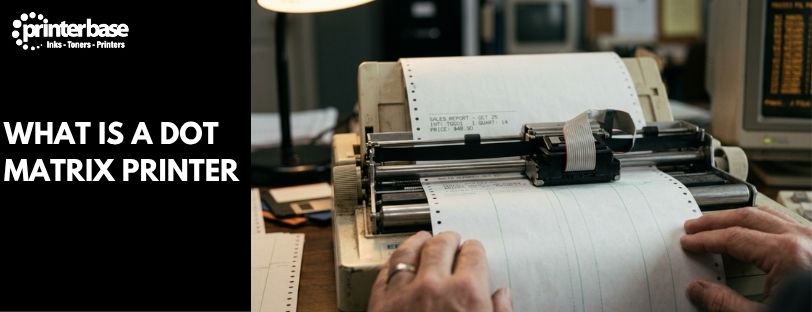
Open up a garage’s back office or a busy warehouse dispatch desk and there’s a good chance you’ll still hear one. It’s that unmistakable buzzing rattle of a dot matrix printer, chewing through a job card or a stack of delivery notes. Laser and inkjet printers took over the office decades ago, but dot matrix printers never fully disappeared. They’re mechanical, not digital in the way modern printers are. That mechanical nature is exactly why certain trades still won’t give them up.
Here’s how a dot matrix printer actually produces a page. We’ll cover why it can print several copies of a document in a single pass, and why you’ll still find one bolted to a workbench in 2026.
How A Dot Matrix Printer Actually Works
A dot matrix printer builds text and images the same way an old typewriter does, just automated. Inside the print head sits a vertical row of metal pins, anywhere from 9 to 24 depending on the model. As the head travels left to right across the page, electromagnets or solenoids fire individual pins forward at high speed. Each pin punches through an ink-soaked ribbon and strikes the paper underneath, leaving a single dot.
String enough of those dots together in the right pattern and you get a letter, a number or a simple graphic. It’s genuinely a matrix of dots, which is where the name comes from. Once the head finishes a pass, a platen roller advances the paper and the head starts the next line.
The pins themselves move fast, but not infinitely fast. Mechanically, they can’t strike much more than around 3,000 times a second. Beyond that they generate too much heat, which is why some models need a heatsink or a small cooling fan built into the print head. It’s also why dot matrix printers measure their speed in characters per second (CPS) rather than pages per minute. That’s unlike almost every printer that replaced them.
9-Pin Vs 24-Pin: Draft Quality Vs Near Letter Quality
Pin count decides what a dot matrix printer is good at. A 9-pin printer fires fewer pins per pass, so it’s faster, often quoted between 50 and 400 CPS. The resulting text looks rougher though, with visible gaps between dots. That’s called draft quality, and it’s still perfectly readable for a receipt or an internal picking slip.
A 24-pin printer packs more pins into the same head, so it lays down more dots per character. Switch it into near letter quality (NLQ) mode and it makes two passes over the same line. That doubles the dot density for smoother, more legible characters. It’s slower than draft mode, but the output starts to resemble typed text rather than a dot pattern. Resolution on a typical dot matrix printer runs from around 72 dpi in draft mode up to roughly 240 dpi in NLQ. A handful of manufacturers pushed print heads to 48 pins in pursuit of around 300 dpi. The finer pins were fragile and wore out quickly, though, so the idea never really caught on.
The Real Benefit: Printing Carbon Copies And Duplicates
This is the feature that keeps dot matrix printers in business long after everything else moved to toner and ink cartridges. Because the print head physically strikes the paper, it can punch straight through several layers at once. Load a multi-part form, with carbon paper or a carbonless (NCR) equivalent sandwiched between each sheet. One pass of the print head then produces two, three or four identical copies at once.
An inkjet or laser printer can’t do this. Both lay ink or toner onto the surface of a single sheet. Producing three copies of an invoice this way means printing it three separate times. A dot matrix printer does it in one. That matters if you’re issuing a customer copy, an office copy and an accounts copy of the same job card before the customer leaves the counter.
That’s why multi-part stationery is still built around dot matrix printers. Garage job cards, delivery notes and goods-received forms all rely on it. So do till rolls with a duplicate audit copy, and government or council forms that need a receipt and a retained copy created at the same moment.
Why Garages And Other Industries Still Rely On Them
Print quality was never the selling point. Reliability is. A dot matrix printer’s mechanism is built to survive conditions that would kill an inkjet or laser printer within weeks: dust, oil, metal filings, damp, extreme heat or cold. That’s precisely the environment inside a working garage or vehicle workshop. It’s one of the main reasons the technology has stuck around there specifically.
Running costs help too. A ribbon lasts a long time and costs a fraction of an ink or toner cartridge. There’s no drum, fuser or print head to replace every few thousand pages either. Add continuous, fanfold paper into the mix and a dot matrix printer can run through a long, unbroken print job, such as a full day’s transaction log. Nobody needs to reload individual sheets partway through.
Beyond garages and workshops, you’ll still find dot matrix printers doing the same job elsewhere. Warehouses and logistics operations use them for packing slips and shipping documentation. Manufacturing plants use them to log production and maintenance records. Till points use them for receipts with a built-in duplicate, and banking, utilities and government back offices use them wherever a physical, carbon-backed paper trail still matters for compliance.
A Brief History Of The Dot Matrix Printer
OKI built the first true dot matrix printer, the Wiredot, in 1968. Digital Equipment Corporation followed in 1970 with the LA30, then refined the idea into the LA36. It became something of an industry standard through the 1970s. Epson changed the market completely in 1979 with the MX-80, a dot matrix printer affordable enough for home and small business use. It sold in huge numbers.
Dot matrix printers dominated computer printing through the 1980s and into the early 1990s. Epson, OKI, Brother and Canon all competed for a share of the market. Laser and inkjet technology eventually became cheap enough to take over general office printing during the late 1990s. Manufacturers such as Epson and OKI never stopped building dot matrix models, though. They’re still manufactured new today, precisely because the jobs described above haven’t gone away.
Dot Matrix Vs Inkjet And Laser Printers
Our guide to how a printer works covers inkjet, laser and thermal technology alongside dot matrix printing, if you want the fuller picture. The short version: inkjet and laser printers win comfortably on speed, quality and quiet operation for everyday office documents. A dot matrix printer wins the moment you need genuine carbon copies, continuous paper, or a machine that will still switch on after years in a workshop. Neither is really trying to replace the other any more. They’ve simply settled into different jobs.
Frequently Asked Questions
What Is A Dot Matrix Printer?
A dot matrix printer is an impact printer, similar to a typewriter. It forms text and images by striking pins through an inked ribbon onto paper, building each character as a pattern, or matrix, of small dots rather than printing with liquid ink or toner.
How Does A Dot Matrix Printer Create Text On The Page?
A print head containing 9 or 24 vertical pins moves across the paper. Electromagnets fire individual pins forward to strike an ink ribbon, transferring a dot onto the page underneath. Enough dots in the right positions form a letter, number or simple image. A platen roller then advances the paper for the next line.
What Is The Difference Between A 9-Pin And 24-Pin Dot Matrix Printer?
A 9-pin printer prints faster but at lower quality, since fewer dots make up each character. A 24-pin printer prints more slowly but produces noticeably smoother, more legible text. That’s particularly true in near letter quality mode, because it fires more dots per character.
Can A Dot Matrix Printer Print Multiple Carbon Copies At Once?
Yes, and it’s the main reason the technology is still used. The print head physically strikes through the paper, so loading a multi-part form with carbon or carbonless sheets lets it produce several identical copies in a single pass. Inkjet and laser printers can’t do this. They only print onto the surface of one sheet at a time.
Why Do Garages And Workshops Still Use Dot Matrix Printers?
Garages need job cards and invoices with instant carbon copies. They also operate in dusty, oily, high-wear environments that would quickly damage a standard inkjet or laser printer. Dot matrix printers are mechanically robust, cheap to run and built to keep working in exactly those conditions.
Are Dot Matrix Printers Still Made And Sold Today?
Yes. Manufacturers including Epson and OKI still produce new dot matrix printers. They’re built largely for the businesses described above, which depend on carbon copies, continuous paper or rugged reliability rather than print quality.
What Is The Difference Between Draft Quality And Near Letter Quality (NLQ)?
Draft quality uses fewer dots per character for faster, rougher-looking print, suited to internal documents and receipts. Near letter quality makes a second pass over each line to add more dots, producing smoother, more polished text at a slower print speed.
Need Help or More Information ?
If you have any questions about dot matrix printers or need help choosing the right model for your business, get in touch with our team via our Contact Us page, call us on 0161 308 5800, or use Live Chat during office hours.

7 comments
good
not bad
very nice
Comment fantastic and enthusiastic
there was less info about how it works
Hi Arriaty,
Thanks for getting in touch. Sorry you weren’t satisfied by the information in this post. Please let us know what information you’d like and we’ll do our best to help you.
Many thanks,
Kate
Printerbase
this is a test post