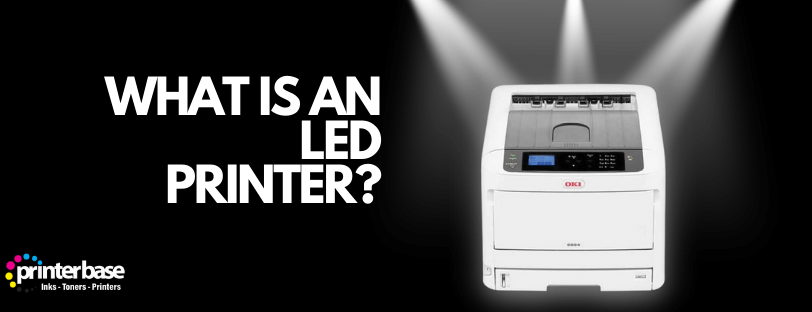
Open up an LED printer and you’ll find almost the same machine as a laser printer. The drum, the toner and the fuser are all there. The one thing missing is the laser.
An LED printer uses a fixed row of tiny light-emitting diodes to draw the page onto the drum, instead of a laser beam bounced around by a spinning mirror. That single swap changes how the printer is built, how big it is and how much noise it makes. It changes far less about what lands on the paper.
This guide covers how an LED printer works, how it differs from a traditional laser printer, and where it sits against inkjet and other printer types. By the end you’ll know whether one suits your desk or your office.
How An LED Printer Works
LED printers follow the same electrophotographic process as laser printers. A light source draws an invisible pattern of electric charge onto a drum, toner sticks to that pattern, and heat fixes it to the paper. The only stage that differs is the light source.
The Six Stages Of A Print
- Charging. A roller gives the light-sensitive drum an even electric charge across its whole surface.
- Exposure. The LED array switches its diodes on and off, line by line, as the drum turns. Wherever light hits the drum, the charge drains away. What’s left is an invisible copy of the page, known as the latent image.
- Developing. Fine toner powder is attracted to the charged parts of the drum, so the image becomes visible.
- Transfer. The paper passes the drum, and a transfer roller or belt pulls the toner across onto the sheet.
- Fusing. Heated rollers melt the toner and press it into the paper. This is why pages come out of a laser or LED printer warm and dry.
- Cleaning. The drum is wiped and discharged, ready for the next page.
What Is Inside The LED Array
The array is a strip of LEDs that runs the full width of the drum. It needs one diode for every dot across the page. At 600 dpi on an A4 sheet, that works out at roughly 5,000 LEDs in a row. A line of small lenses sits between the diodes and the drum to focus each point of light into a sharp dot.
Colour models repeat the set-up. Most use four drums side by side, one each for cyan, magenta, yellow and black, with an array over each. The page picks up all four colours in a single pass, which is a big part of why colour LED printers can be quick.
How LED Printers Differ From Laser Printers
A laser printer fires a single laser beam at a rotating, multi-sided mirror. The mirror sweeps the beam across the drum, and a set of lenses keeps it in focus. The beam is switched on and off very quickly to build up each line of dots. Our guide to how laser printers work covers that process in more detail.
An LED printer has no beam to steer. The diodes sit still, and each one lights up its own dot. That means no mirror, no motor to spin it and fewer lenses. Everything after the exposure stage is the same, including the toner, the drum and the fuser.
| Feature | LED Printer | Laser Printer |
|---|---|---|
| Light Source | Fixed array of LEDs | Single laser diode |
| How The Image Is Drawn | One full line exposed at once | Beam swept across the drum by a spinning mirror |
| Moving Parts In Exposure | None | Mirror, motor and lens assembly |
| Size | Often more compact | Slightly bulkier optics |
| Noise | A little quieter | Mirror motor adds a faint whirr |
| Resolution | Set by the number of diodes | Adjustable by changing how fast the beam is switched |
| Toner, Drum And Fuser | Same as a laser printer | Same as an LED printer |
| Choice Of Models | Fewer makers and models | Very wide range |
In everyday use the gap is small. Both technologies reach resolutions of up to 1,200 dpi, and both produce sharp black text. Your choice will come down to the individual model, its running costs and the size of the box, more than the light source inside it.
How LED Printers Compare With Inkjet And Other Printers
LED and laser printers put dry toner on the page and melt it in place. Inkjets spray liquid ink through tiny nozzles. Thermal printers use heat, and dot matrix printers hit an inked ribbon with pins. Each method suits a different job.
| Printer Type | How It Marks The Page | Best For | Main Drawback |
|---|---|---|---|
| LED | LED array charges a drum, toner is fused with heat | Busy offices, sharp text, compact spaces | Fewer models to choose from |
| Laser | Laser beam charges a drum, toner is fused with heat | High-volume office printing | Bulkier, higher upfront cost |
| Inkjet | Liquid ink sprayed through nozzles | Photos, home use, occasional printing | Higher cost per page, ink can smudge |
| Thermal | Heat on special paper or a transfer ribbon | Labels, receipts, barcodes | Limited to labels and receipts |
| Dot Matrix | Pins strike an inked ribbon | Multi-part forms and carbon copies | Loud, low quality |
LED Versus Inkjet
The biggest split is between toner and ink. Toner powder doesn’t dry out, so an LED printer can sit idle for weeks and still print a clean page on Monday morning. Inkjet nozzles can clog if they go unused. Toner cartridges also print more pages, which brings the cost per page down for text-heavy work.
Inkjets win on photos. They blend colours more smoothly and cope with glossy paper better. If your main job is printing family pictures, stay with inkjet. If it’s contracts, invoices and reports, an LED or laser printer will be quicker and cheaper to run.
Advantages Of LED Printers
Fewer Moving Parts
Take away the spinning mirror and its motor, and there’s less to wear out or knock out of alignment. Fewer mechanical parts mean fewer things to go wrong, although the paper path and fuser still have plenty of moving parts.
Smaller Body
The optical unit in a laser printer needs room for the beam to travel. An LED array is a thin strip, so manufacturers can build shorter, lighter machines. That helps in a small office or on a shared desk.
Quieter Running
The mirror motor in a laser printer spins at high speed and adds a faint hum. LED printers don’t have one. Most of the noise you hear from either type comes from the paper feed and the fuser, so the difference is modest but noticeable in a quiet room.
Fast First Page And Steady Speeds
Because the array exposes a whole line at once, it doesn’t have to wait for a beam to sweep across. LED printers also tend to wake and warm up quickly. Oki, for one, has built whole ranges around the technology.
Lower Power Draw
LEDs use little electricity, and makers often claim lower energy use. In practice the fuser uses most of the power in any toner printer, so the saving is real but small.
Drawbacks Of LED Printers
LED printers aren’t perfect. The range is the first limitation. Only a handful of manufacturers build around the technology, so you’ll see far fewer LED models than laser models, especially at the very top end.
Resolution is the second. The number of diodes fixes the dots across the page, so an LED printer can’t change its horizontal resolution the way a laser can. For text and business graphics that rarely matters. It can matter if you need very fine detail.
The third is upkeep of the array itself. Dust or toner on the lens strip can show up as a faint streak running down every page. The fix is usually a gentle clean, but you do need to know it’s there. Some LED models also cost a little more upfront than a laser printer of similar speed.
Who Should Buy An LED Printer
LED printers suit small offices, shared workgroups and home offices that print a lot of text. If you want a compact machine that stays quiet beside a desk, they’re a good fit. Compact colour models such as the Brother HL-L3270CDW and mono models such as the OKI B432dn are typical examples. See our range in the Brother laser printers category page and OKI printers category page.
Stick with inkjet if photo quality is your priority, or if you only print a few pages a month. Choose a traditional laser printer if you need a big, fast departmental machine and the choice of models matters more than the size. Before you buy, check the print speed, resolution, connectivity, paper handling and the cost of replacement toner.
Looking After An LED Printer
Upkeep is much the same as for a laser printer. Replace the toner and drum when the printer asks for them. Use clean, dry paper that suits the machine, because damp or dusty sheets shed fibres inside the printer. Keep the vents clear so the fuser doesn’t overheat.
Clean the LED array only as the manual describes. Many makers supply a soft pad or cleaning tool, and liquids are usually a bad idea. If streaks appear on every page, that’s the first place to check.
Conclusion
An LED printer is a laser printer with a different way of drawing the image. Swapping the laser and mirror for a fixed strip of diodes gives you a machine that’s often smaller and a little quieter, with fewer parts to fail in the exposure unit. The toner, the drum and the fusing stage all work just as they do in a laser.
The trade-off is choice. There are fewer LED models than laser models, and the array locks in the resolution. For most offices that won’t matter, so judge each printer on speed, running costs and size, not on the label. Take a look at our laser and LED printers if you’re ready to compare, and read our guide to how laser printers work for the full picture of the technology they share.
Frequently Asked Questions
Is An LED Printer The Same As A Laser Printer?
No, although they’re close relatives. Both use a drum, toner and a fuser. A laser printer draws the image with a laser beam, while an LED printer uses a fixed array of LEDs.
Is An LED Printer Better Than A Laser Printer?
Neither is better across the board. LED models tend to be more compact and quieter, while laser printers give you a much wider choice of models. For most people, the individual printer matters more than the light source.
Do LED Printers Use Ink Or Toner?
They use toner. It’s the same dry powder that laser printers use, so an LED printer won’t clog from sitting unused, unlike an inkjet.
Are LED Printers Quieter Than Laser Printers?
Slightly, yes. There’s no spinning mirror motor, so they lose one source of noise. However, the paper feed and fuser still make some sound, so it isn’t silent.
Can An LED Printer Print Photos?
It can, but it isn’t the best tool. Inkjets blend colour better and handle glossy photo paper. In other words, use an LED printer for documents and leave photos to an inkjet.
How Long Does An LED Printer Last?
The LED array itself rarely wears out before the rest of the machine. The parts you replace over time are the toner, the drum and the fuser, just as with a laser printer. Looking after the paper path and keeping the machine clean will help it last.
Need Help or More Information ?
If you need any further help or more information, reach out to us by leaving a comment below or through one of the many ways on our Contact Us page.
Alternatively you can contact us by Phone on 0161 308 5800 or by Live Chat on our main Website Monday to Friday and our team will be happy to help or answer with any questions you might have.
You can also find all the various ways to connect with Us at the bottom of this page. Please share this post if you found it helpful.