
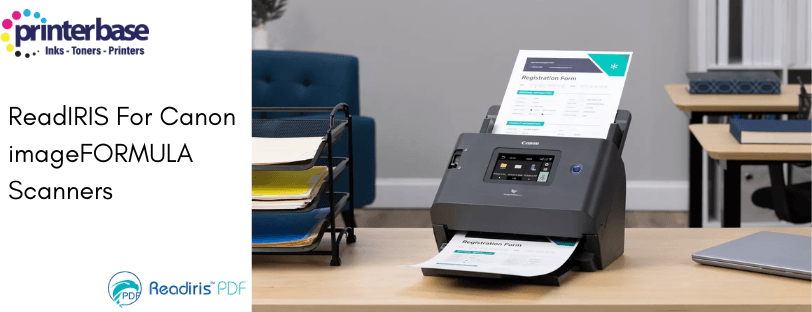
Scanning documents is only the first step in building an efficient digital workflow. While a scanner can capture an image of a page, that image is often difficult to search, edit or reuse without additional software. This is where OCR technology becomes essential.
ReadIRIS is an OCR and PDF processing solution designed to work with all Canon scanners, allowing scanned documents to be converted into searchable and editable digital files. Whether you are using a compact desktop scanner or a higher‑volume Canon imageFORMULA model, ReadIRIS adds the intelligence needed to turn scans into usable information.
In this blog post, we explain what ReadIRIS software is, what it does, how it works with Canon scanners, and the differences between the Essential and Elite versions so you can understand which option best suits your needs.
What Is ReadIRIS Software?
ReadIRIS is an OCR (Optical Character Recognition) and PDF processing application developed by IRIS, a document recognition specialist within the Canon group. It is designed to turn scanned images into usable digital documents by recognising text and analysing the structure and layout of scanned files and PDFs.
Without OCR software, scanned documents are usually saved as image-only PDFs or JPEG files. While these formats preserve the appearance of the original document, the text cannot be searched, copied or edited. ReadIRIS solves this problem by converting scanned text into machine-readable data, making documents far more practical to work with.
In everyday use, ReadIRIS allows scanned paperwork to be converted into editable and searchable formats such as Word, Excel and searchable PDF, while retaining much of the original layout. This makes it easier to reuse content, archive documents, and meet digital record-keeping requirements.
ReadIRIS also includes tools for managing PDFs after conversion. Depending on the version used, this can include editing text, adding annotations, merging files, applying security settings and organising documents for long-term storage. For organisations that regularly process invoices, contracts, reports or application forms, this significantly reduces manual retyping and improves overall efficiency.
Using ReadIRIS with Canon Scanners
Canon scanners are widely used in office and professional environments due to their image quality and reliability. ReadIRIS complements Canon hardware by adding the software intelligence needed to interpret scanned content and turn it into usable digital documents.
ReadIRIS is compatible with all Canon scanners and with any scanner that supports TWAIN. TWAIN is a widely used standard that allows scanning software to communicate with scanner hardware, which means ReadIRIS can work across different devices and manufacturers. Canon imageFORMULA scanners, in particular, are commonly used with ReadIRIS and are often recognised automatically during setup.
When paired with a Canon scanner, ReadIRIS enables scanned documents to be converted into searchable PDFs and editable files such as Word and Excel. This allows information to be retrieved quickly, reused without retyping, and stored more efficiently. Documents can also be merged, split and organised into structured files, supporting long-term archiving and day-to-day document management.
Is ReadIRIS Included with Canon Scanners?
Not all Canon scanners include ReadIRIS software as standard, and availability can vary depending on the model and bundle at the time of purchase.
Many Canon imageFORMULA scanners are designed to work seamlessly with OCR software, and some models may include ReadIRIS or similar tools as part of their software package. For example, certain scanners come bundled with capture and OCR applications to help convert documents into searchable digital files.
However, the exact software included can change over time, so it is always best to check the specifications or product listing before buying. If OCR functionality is important to your workflow, make sure the scanner you choose either includes OCR software or supports it through compatible applications.
What Is ReadIRIS Essential?
ReadIRIS PDF Essential is designed for everyday OCR and PDF tasks. It allows scanned documents, images and PDFs to be converted into searchable and editable files, making it easier to store, retrieve and reuse information without manual retyping.
It is best suited to users who scan documents regularly but do not need automation or complex workflow tools. Typical use cases include letters, invoices, reports and application forms in home offices, small businesses and education environments.
ReadIRIS Essential adds value by turning image-only scans into usable digital documents. Text can be searched, copied into other applications and archived as searchable PDFs. Basic PDF tools allow users to merge documents, reorder pages and add simple annotations, helping keep digital records organised.
For users who want reliable OCR, flexible file conversion and straightforward PDF management in a single tool, ReadIRIS Essential covers the core requirements without unnecessary complexity. It works with any TWAIN-compliant scanner, including Canon scanners, and is available as a one-time licence rather than a subscription.
What Is ReadIRIS Elite?
ReadIRIS PDF Elite is the advanced version of the ReadIRIS software range, designed for organisations that scan larger volumes of documents or require more structured and automated document handling.
While it uses the same OCR engine as ReadIRIS Essential, Elite adds tools that support batch processing, automation and tighter control over how documents are named, organised, secured and shared. This makes it suitable for environments where documents are part of defined business processes rather than occasional scanning tasks.
ReadIRIS Elite is typically used by finance, HR, legal and administrative teams, as well as public sector and healthcare organisations. It is particularly valuable where documents arrive in bulk, need to be processed consistently, or must meet compliance and government requirements.
By reducing manual steps and improving consistency, ReadIRIS Elite helps organisations save time and minimise errors once documents have been scanned. Like Essential, it works with any TWAIN-compliant scanner, including Canon scanners, allowing businesses to use the software, without being restricted by hardware choices.
Understanding the Difference Between ReadIRIS Essential and ReadIRIS Elite
ReadIRIS is available in main editions, Essential and Elite. Both versions provide core OCR functionality, but they are aimed at different levels of document processing complexity.
ReadIRIS PDF Essential focuses on everyday scanning and conversion tasks. It allows users to scan documents, apply OCR in multiple languages, and convert files into editable formats such as Word, Excel and searchable PDF. It also includes basic PDF editing and organisation tools, making it suitable for individuals or small teams with straightforward scanning needs.
ReadIRIS PDF Elite builds on this foundation by adding more advanced workflow and automation features. These include batch processing, barcode recognition, automated file naming, cloud export options and enhanced PDF security. Elite is often used in environments where large volumes of documents are processed regularly, or where documents need to be integrated into structured digital workflows.
Use Cases for ReadIRIS with Canon Scanners
In practice, ReadIRIS is used in a wide range of settings. In offices, it is commonly used to digitise invoices, delivery notes and contracts so that information can be searched and reused. In education and healthcare, it supports the creation of searchable archives from paper records. Home users often use it to convert paperwork into editable files for personal record keeping.
The combination of a reliable Canon scanner and OCR software like ReadIRIS ensures that documents are not only captured clearly but also converted into formats that support modern digital workflows.
Conclusion
ReadIRIS plays a key role in turning scanned documents into practical digital assets. When used with Canon scanners, it enables accurate OCR, flexible file conversion and improved document management. Understanding the difference between Essential and Elite helps ensure the software matches the volume and complexity of the documents being processed.
For businesses looking to reduce manual data entry and improve access to scanned information, OCR software is an essential part of the scanning process than an optional extra.
FAQ's
No. Only selected Canon imageFORMULA scanners include the ReadIRIS PDF Essential or Elite software, as part of a promotional offer.
ReadIRIS is not included by default, but it is sometimes available free with selected scanners during promotional periods.
No. ReadIRIS works with any TWAIN-compliant scanner, included Canon, HP, Ricoh, Epson, Brother and Kodak.
No. The edition of ReadIRIS is preselected based on the scanner model, and promotion.
Yes. ReadIRIS is compatible with macOS 11 and later OS versions.
OCR, or Optical Character Recognition, converts scanned images of text into machine-readable content. This allows documents to be searched, edited and indexed instead of remaining as static images.
ReadIRIS can be used with almost any Multifunction, or all-in-one printer, as long as the scanner has a TWAIN driver installed. Some models (Mainly Canon, HP and IRIS) and detected automatically, while others may need manual setup, but the printer itself does not need to be ReadIRIS specific.
Need Help or More Information ?
If you need any further help or more information, reach out to us by leaving a comment below or through one of the many ways on our Contact Us page. Alternatively you can contact us by Phone on 0161 308 5800 or by Live Chat on our main Website Monday to Friday and our team will be happy to help or answer with any questions you might have. You can also find all the various ways to connect with Us at the bottom of this page. Please share this post if you found it helpful.