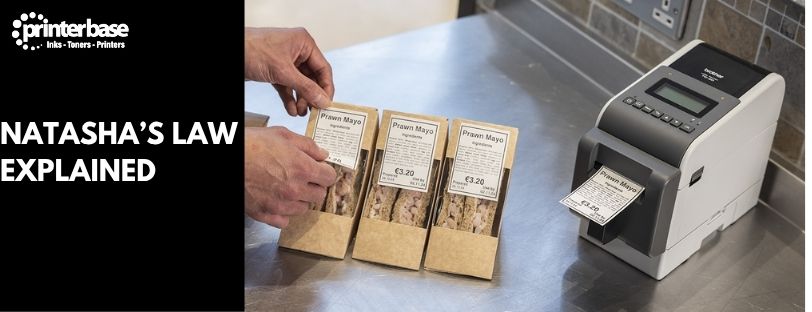
Run a café, bakery, deli or sandwich shop and prepare food on site? Natasha’s Law applies to you. Around one in four people in the UK live with an allergy, and the law exists because a missing line on a label was, in one tragic case, the difference between a safe lunch and a fatal reaction.
This guide covers the legal requirements and the story behind them, then spends most of its time on what matters in practice: printing labels that are legible, food safe and quick enough to keep up with service, and choosing a printer that won’t let you down in a fridge or a busy prep area.
This article is for general information only and doesn’t constitute legal advice. For official guidance, refer to the Food Standards Agency or your local authority.
What Natasha's Law Actually Covers
Natasha’s Law is named after Natasha Ednan-Laperouse, who died on 17 July 2016, aged 15, after eating a baguette bought at a Pret a Manger outlet in Heathrow Airport. Sesame seeds had been baked into the dough, an ingredient the packaging didn’t list and one that wasn’t visible to the eye. Natasha was severely allergic to sesame. She suffered a fatal anaphylactic reaction on the flight to Nice, with no way to get the urgent medical care she needed mid-air.
Natasha’s inquest in 2018 exposed the loophole behind her death: food prepared and packed on the same premises where it was sold didn’t legally need an ingredients list at all. Following a government consultation launched by then Environment Secretary Michael Gove in January 2019, a Statutory Instrument was laid before Parliament that September. Food businesses were given a two-year transition period to prepare, and the law, officially the Food Information (Amendment) (England) Regulations 2019, took effect on 1 October 2021.
It applies to PPDS food: food packed before being offered for sale by the same business, to the final consumer, on the same premises or site, or from a moveable or temporary outlet, such as a market stall or food truck, selling what it packed itself. A sandwich made in the back of a café and placed in the chiller is PPDS. A wrapped bakery item on a shelf is PPDS. A salad packed and displayed in a chilled cabinet is PPDS.
Under the law, every PPDS item must carry:
- The name of the food
- A full ingredients list, in descending order of weight
- Clear emphasis of any of the 14 major allergens within that list, typically in bold or capitals
This applies across England, Wales, Scotland and Northern Ireland, and it’s enforced by local authority environmental health teams as part of routine food hygiene inspections, not a separate food labelling body.
What a Compliant Label Has to Show
There’s no flexibility on the core content. Every PPDS label needs the food name, the full ingredients list in weight order, and the 14 declarable allergens (cereals containing gluten, crustaceans, eggs, fish, peanuts, soybeans, milk, nuts, celery, mustard, sesame, sulphur dioxide/sulphites, lupin and molluscs) picked out clearly wherever they appear.
Font size isn’t fixed in law, but “legible” is a real requirement environmental health officers check for. A 6pt allergen line that technically exists but can’t be read without a magnifying glass won’t hold up to scrutiny. The convention most food safety consultants recommend is to bold every allergen in the ingredients list and add a line such as “For allergens, see ingredients in bold” near it, so it’s obvious at a glance rather than something a customer has to hunt for.
Precautionary statements like “may contain nuts” are allowed alongside the mandatory list, but they can’t replace it, and a separate allergen chart or symbol system isn’t a legal substitute for highlighting allergens within the ingredients list itself. For the full official wording, the FSA’s guidance on Labelling Prepacked for Direct Sale (PPDS) Food Products is the primary source.
Which Food Businesses Does Natasha's Law Actually Cover?
PPDS status depends on how and where food is packed, not what type of business you run, so the same law can apply to one item on your counter and not another sitting right next to it.
Cafés, delis and bakeries are the businesses most affected. Anything made on site, packed in advance and put out for a customer to pick up, a sandwich, a wrapped pastry, a pre-packed salad, is PPDS and needs a full label.
Restaurants generally fall outside Natasha’s Law, because food plated and served to order isn’t repacked. The exception is grab-and-go items sold from the same premises, which are treated the same as a café counter. Restaurants still have to provide allergen information on request, in writing or verbally, and this is checked as part of food hygiene rating inspections regardless.
Takeaways aren’t usually required to produce PPDS labels either, but customers still need to be told about allergens before they order, through a menu, a sign, or a member of staff, and that requirement is enforced just as seriously.
Catering and commercial kitchens serving food in bulk or in covered trays aren’t PPDS unless they’re prepackaging items individually for direct sale.
Online, phone and delivery orders of PPDS food have their own rule: allergen information has to be available before the customer orders, and again in writing at the point of delivery, such as a sticker on the packaging or a printed slip.
A small number of items are exempt regardless of business type, mainly food packed only after it’s ordered, and food made by one business but packed and sold by a different one. None of these exemptions remove the separate legal duty to provide allergen information by some means, they just mean a full PPDS-style label isn’t mandatory.
Where Businesses Actually Go Wrong
Most food businesses understand the law. Where they trip up is turning it into a process that survives a busy Saturday.
The businesses that get this right tend to do four things: keep recipes standardised so ingredient lists don’t drift, hold a digital master list that’s easy to update the moment a recipe changes, print labels on demand rather than in a batch the night before, and train every member of staff to recognise what counts as PPDS in the first place.
Handwritten labels are the most common failure point. They’re slow, they rely on someone remembering every ingredient correctly under pressure, and handwriting that’s perfectly clear to the person who wrote it isn’t always clear to a customer with a genuine allergy. Printed labels remove most of that risk, which is why the vast majority of PPDS-compliant food businesses use a dedicated label printer.
This isn’t a box-ticking exercise either. Defra and the Food Standards Agency gave local authorities £1.5 million in grant funding to support enforcement in the law’s first year, and allergen labelling is now a standard part of environmental health inspections, not a separate add-on check.
Can You Just Use the Office Inkjet or Laser Printer?
Legally, yes, in the sense that Natasha’s Law doesn’t specify a printer type. If the label shows the food name, full ingredients and highlighted allergens clearly, it’s compliant regardless of what printed it.
Practically, no. Office printers aren’t built for a kitchen, and it shows fast. Ink smudges and runs when a label picks up condensation from a fridge or steam from a prep area. Adhesive that’s fine on a dry office document often fails to hold on chilled or slightly damp food packaging. Inkjet and laser printers are also slow compared with dedicated label printers when you need forty labels printed in the ten minutes before opening, and toner or ink costs add up fast at that volume. A label that’s unreadable by the time the product reaches the shelf isn’t compliant, whatever it said when it came off the printer.
Summary: Laser and inkjets can be used for Food Labels, but a dedicated label printer is the best option
Why Thermal Label Printers Are the Standard for PPDS
Cafés, bakeries, delis and food retailers have largely settled on thermal label printers. They print instantly with no drying time, the text resists smudging even when handled with slightly wet hands, and they hold up in chilled and refrigerated conditions where ink-based printers struggle. Running costs are lower too, since there’s no ink or toner to replace, and most models have a small enough footprint to sit on a prep counter without getting in the way.
Within thermal printing there are two main types, and the difference matters for compliance planning.
Direct Thermal
Direct thermal printers use heat-sensitive labels with no ink, ribbon or toner involved. They’re the right choice for most small food businesses: fast, compact and cheap to run for labels that only need to last a day or two, which covers the majority of daily PPDS labelling. The trade-off is that direct thermal prints fade over weeks or months of exposure to heat or sunlight, so they’re not the right choice for anything with a long shelf life.
Thermal Transfer
Thermal transfer printers use a ribbon to bond the print onto the label, producing a more durable, longer-lasting result. If food goes into the freezer, or labels need to stay legible for weeks rather than days, thermal transfer is the safer option. It costs slightly more to run because of the ribbon, but for businesses that need that durability, it’s the difference between a label that’s still readable in three weeks and one that isn’t.
Brands Worth Considering
Natasha’s Law doesn’t mandate a brand, but a few manufacturers dominate food labelling for good reason.
Brother label printers, such as the QL and TD ranges, are popular with independent cafés and small bakeries thanks to their compact size, low upfront cost and straightforward software. Zebra thermal and thermal transfer printers, including the ZD and GK series, are the standard choice in higher-volume kitchens and multi-site food retailers where uptime and print consistency matter more than price. Epson label printers, particularly the ColorWorks range, are used less often for PPDS work itself but come into play where full-colour branding on packaging is also wanted, since they print in colour where thermal printers only print in black.
The brand matters less than getting the printer type right first. A well-chosen Brother direct thermal printer will outperform a mismatched Zebra thermal transfer setup if the thermal transfer model is overkill for what you actually need.
Label Design and Software
A printer is only half the setup. You also need somewhere to build and manage the ingredient lists that feed it.
Most food businesses rely on one of: the free driver software bundled with the printer for basic text labels, first-party design software from the printer manufacturer (Brother’s P-touch Editor or Zebra’s ZebraDesigner, for example), or dedicated label software such as BarTender or NiceLabel for businesses managing multiple sites or recipes. Some kitchen management platforms now integrate allergen tracking directly, printing labels as part of the same system that manages stock and recipes.
Whichever route you pick, the software should let you store ingredient lists centrally, auto-highlight the 14 allergens rather than relying on someone remembering to bold them manually, and update instantly across every label the moment a recipe changes. That last point is where a lot of compliance failures start: a recipe changes, the label template doesn’t get updated, and an allergen goes undeclared by accident rather than negligence.
Mistakes That Still Catch Businesses Out
Even with the right kit, the same handful of mistakes recur. Sub-ingredients get missed, an allergen buried inside a sauce, spread or stock rather than added directly. Ingredient lists go stale after a recipe change nobody updated the label for. Text gets shrunk to fit a small label until it’s technically present but not really legible. And paper labels not rated for moisture peel off in the fridge within a day, taking the allergen information with them.
All four are process failures rather than equipment failures, and all four are avoidable with a proper update workflow and food-safe label stock.
Has Natasha's Law Made a Difference?
Before the law, only 37% of people in the UK said they found allergen labelling easy to interpret, and 15% had no confidence in food labels at all, according to Mintel research cited by Natasha’s Foundation. Public backing for a change was overwhelming even then: 88% supported it before it came into force.
Since October 2021, the FSA’s own evaluation found 91% of food businesses are aware of the law and 68% say they have the information they need to follow it. Among people living with a food hypersensitivity, 40% say the law has improved their day-to-day life, an effect that’s been strongest among 18 to 34 year olds ordering food on the go. Roughly 10 people in the UK still die from severe allergic reactions each year, and clearer, consistent labelling is one of the few practical levers that brings that number down.
Our Verdict
For most small food businesses, the setup that works is a direct thermal label printer, food-safe thermal label rolls rated for chilled storage, and label software that updates centrally rather than per-label. It’s the cheapest setup to run, the fastest at the counter, and it removes most of the manual error that causes compliance problems in the first place.
As volume grows, or if products spend real time in the freezer, thermal transfer printers or an integrated labelling system are worth the extra running cost. If your current printer is struggling with smudging, speed or fridge conditions, that’s not a sign you’re doing something wrong. It’s a sign the printer was never built for the job.
Frequently Asked Questions
Q: What does PPDS stand for?
A: Prepacked for Direct Sale. It covers food packed before being offered for sale by the same business, to the final consumer, on the same premises or site, such as sandwiches made in-house and placed in a chiller.
Q: Does Natasha’s Law apply to food made to order, or to restaurants and takeaways?
A: Generally not. Food plated to order in a restaurant, or packed after a takeaway customer has ordered it, falls outside PPDS rules. Those businesses still have to provide allergen information verbally or in writing on request, and it’s checked as part of routine food hygiene inspections either way.
Q: Do delivery and online orders need PPDS labels?
A: The rule is slightly different for distance selling: allergen information must be available before the customer orders and again in writing at the point of delivery, such as a sticker on the packaging, even where a full PPDS label isn’t otherwise required.
Q: Do I need a colour printer for Natasha’s Law labels?
A: No. The law requires legible text and clearly emphasised allergens, not colour. Black and white thermal printers meet the requirement, which is one reason they’re the default choice for PPDS labelling.
Q: Are handwritten labels allowed?
A: There’s no legal ban on handwriting, provided every required element is present and legible. In practice, handwritten labels carry far more risk of missing or illegible allergen information, which is why most businesses have moved to printed labels.
Q: What happens if my labels are wrong or missing allergen information?
A: Environmental health officers can issue improvement notices or, in serious cases involving repeated failures or actual harm, prosecute. Beyond the legal risk, an incorrect allergen label is a genuine safety issue for anyone with a food allergy.
Q: What’s the best printer for a small café?
A: A compact direct thermal printer, such as a Brother TD series model, covers most small café needs: low cost, fast printing and no ink to replace, provided labels don’t need to survive freezer storage.
Q: Can I use my existing inkjet or laser printer for PPDS labels?
A: Legally, if the label meets the content requirements. Practically, most inkjet and laser printers struggle with smudging, adhesion and speed in a food environment, which is why dedicated thermal label printers are the standard choice.
Need Help or More Information ?
If you need help choosing the right label printer for your food business, get in touch through our Contact Us page, call us on 0161 308 5800, or use Live Chat on the main site Monday to Friday. Our team can talk through direct thermal versus thermal transfer for your specific setup.