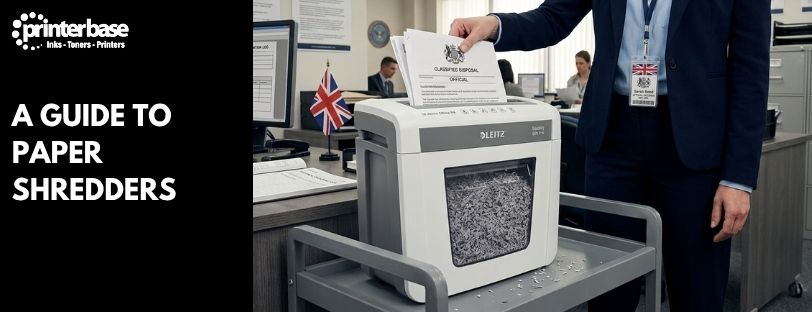
Bin a bank statement whole and anyone who fancies a rummage through your recycling walks away with your name, address and account number. That is all a fraudster needs to get started. A paper shredder closes the gap by cutting documents into strips or tiny particles that nobody can realistically piece back together.
Buying one sounds easy until you meet the jargon. Strip-cut, cross-cut, diamond-cut, micro-cut and a scale running from P-1 to P-7 all appear on the box, and they mean very different things. In this guide, we cover why you need a shredder at home and in the office, how the security levels work, which cut suits which job and the features worth paying for.
Why Your Home and Office Need a Shredder
Most paperwork that lands on your doormat or desk carries personal data. Think bills, bank and credit card statements, payslips, NHS letters, tax forms and even junk mail with your name on the front. Throw them out whole and you hand over the raw material for identity theft. Bin raiding is low-tech, but it still works.
Offices face a bigger risk. Customer lists, invoices, HR files, contracts and price lists all exist as paper at some point, and one stray sheet in an open recycling bin can count as a data breach. Under UK GDPR and the Data Protection Act 2018, you must keep personal data secure and dispose of it properly once you no longer need it. In the most serious cases, the Information Commissioner’s Office can fine an organisation up to £17.5 million or 4% of annual turnover, whichever is higher.
A shredder deals with all of this in seconds. In practice, it helps you to:
- Protect confidential information before it leaves your building or your bin.
- Stop identity theft and fraud at the source.
- Meet your data protection duties when disposing of personal data.
- Clear out old records without worrying about who might read them.
- Show customers and staff that you take their privacy seriously.
How much protection you need depends on what you handle, which is where security levels come in.
Why You Should Shred Scanned and Confidential Documents
Going paperless does not remove the paper. Once you have scanned a letter, invoice or contract, the original still holds every detail, and it will sit in a tray or filing cabinet until someone throws it away. Shredding closes the loop. Otherwise, you end up with a secure digital copy and an unsecured paper one.
Before you feed anything through, run a quick check. Make sure the scan is complete and legible, that it is saved somewhere backed up, and that you are not required to keep the original. Some documents, such as deeds, wills and contracts with wet signatures, may need to stay on paper. If you are unsure, ask your solicitor or accountant first. A good paper shredders routine is simple: scan, check, file the digital copy, then shred.
Retention matters too. A limited company must keep accounting records for 6 years from the end of the last financial year they relate to, according to GOV.UK guidance on company records. After that, the paper becomes a liability rather than an asset. Data protection rules also say you should not hold personal data for longer than you need it, so a regular clear-out is good practice. If you are moving to digital filing, our range of Scanners makes the scanning half of the job quick.
How a Paper Shredder Works
A paper shredder pulls sheets between two rollers fitted with steel cutting blades. The motor drives the rollers, the blades slice the paper, and the pieces drop into a bin underneath. The blade layout decides the cut style. One set of blades gives you strips, while two sets cutting in different directions give you particles.
Smaller pieces mean better security. They also mean more cutting per sheet, so the machine works harder, takes fewer sheets at a time and costs more. Every choice you make from here comes back to that trade-off between protection and convenience.
Understanding Paper Shredder Security Levels
Most shredders are rated to the DIN 66399 standard, which grades machines from P-1 to P-7 by the size of the pieces they leave behind. The P stands for paper, and the standard uses other letters for CDs, cards and drives. Lower numbers mean bigger pieces and weaker protection, while P-7 turns paper into something close to dust.
| Security Level | Cut Type | Maximum Particle Size | Typical Use |
|---|---|---|---|
| P-1 | Strip-Cut | Strips up to 12mm wide | Junk mail and non-sensitive waste paper |
| P-2 | Strip-Cut | Strips up to 6mm wide | Internal documents with little confidential content |
| P-3 | Cross-Cut | Up to 320mm² | Personal paperwork such as bills, letters and statements |
| P-4 | Cross-Cut or Mini-Cut | Up to 160mm² | Confidential business data, customer records and invoices |
| P-5 | Micro-Cut | Up to 30mm² | Financial, legal, medical and HR documents |
| P-6 | Micro-Cut | Up to 10mm² | Highly confidential and commercially sensitive material |
| P-7 | High Security | Up to 5mm² | Government, military and classified documents |
Particle sizes above follow the DIN 66399 figures published by Recycling.com. As a guide, Fellowes says no business should buy below P-4, and it recommends P-5 micro-cut for most situations.
Always shop by P rating rather than by cut name alone. A cross-cut shredder can be P-3 or P-4, and the difference in protection is real. For home use, P-3 handles bills and letters well. Most businesses should start at P-4 and move to P-5 for anything financial, legal or medical.
Types of Paper Shredders Explained
Cut style is the biggest factor in how secure a shredder is, so it is worth understanding each one before you compare prices.
Strip-Cut Shredders
Strip-cut is the basic option. Blades slice each sheet into long vertical strips, roughly 36 to 40 of them per A4 page, and the result rates P-1 or P-2. These machines are quick, cheap and easy to maintain, and they usually swallow more sheets per pass than any other type.
The catch is obvious. A patient person with tape and a free afternoon can put strips back together, and the text often stays readable across a strip. Keep strip-cut for junk mail, packaging and general waste paper, and never rely on it for anything with a name, number or signature on it.
Cross-Cut Shredders
Cross-cut machines use two sets of blades to cut sheets lengthways and widthways, leaving confetti-style pieces. Depending on the model, an A4 sheet ends up in roughly 200 to 400 pieces, and ratings run from P-3 to P-4. That makes reconstruction far harder than with strips, and it is why cross-cut is the usual choice for offices.
They run slower than strip-cut models and take fewer sheets at once, and some need regular oiling. Even so, they suit customer records, invoices, HR paperwork and everyday business documents very well.
Diamond-Cut Shredders
Diamond-cut is a cross-cut variation. Angled blades produce diamond-shaped pieces instead of rectangles, and some manufacturers market this as an extra layer of protection. In reality, security depends on how small the pieces are, not what shape they take. Ignore the marketing and check the P rating on the specification sheet.
Mini-Cut Shredders
Mini-cut sits between cross-cut and micro-cut. At P-4, it turns an A4 sheet into 1,000 or more pieces, according to Fellowes, which is around three times as many as a standard cross-cut. You get a real security upgrade without paying full micro-cut prices, so it suits small businesses that handle account numbers and invoices. Printerbase stocks several, including the Fellowes Automax 80M.
Micro-Cut Shredders
Micro-cut is where security gets serious. At P-5, a single A4 sheet becomes 2,000 or more particles smaller than 30mm², which makes reassembly impractical. Accountants, law firms, medical practices and financial groups favour it, and it is a sensible choice for anyone working under UK GDPR who wants extra margin.
The trade-offs are speed, capacity and price. Micro-cut machines take fewer sheets per pass, run more slowly and cost more than cross-cut equivalents. For confidential paperwork, though, the extra cost is usually worth it.
High-Security Shredders
P-6 and P-7 machines sit at the top of the scale. They cut each sheet into more than 6,000 pieces, and GBC puts a P-7 machine at around 15,600. The pieces measure under 10mm² at P-6 and under 5mm² at P-7. Government departments, defence contractors and research facilities use them, and the price and low throughput make them overkill for almost everyone else.
Other Types of Shredder Worth Knowing
Cut style is only half the story. Many shredders add features aimed at particular workloads.
Auto-Feed Shredders
Load a stack of paper, close the lid and walk away. Auto-feed models handle 100 to 500 sheets or more in a single session, and they save a huge amount of time in offices that shred in bulk. They also remove the temptation to overfeed a manual machine, which is the main cause of jams.
Continuous-Duty Shredders
Most shredders need a rest after a few minutes of work. Continuous-duty models run for extended periods without a cool-down, so they suit shared offices and busy departments where several people use one machine.
Heavy-Duty and Commercial Shredders
Built for demanding environments, these machines take staples, paper clips, credit cards, CDs and DVDs, and some manage cardboard too. They cost more, but they offer high capacity and a long working life. Hand-powered shredders also exist, and they are handy for portable or occasional use where you have no power supply.
Essential Shredder Features to Look For
A good shredder does more than cut paper. When you compare models, look closely at the following.
Sheet Capacity
This is how many sheets the machine takes in one pass. Personal shredders often manage between 5 and 12, while office machines go much higher, and Printerbase stocks models from 5 sheets up to 750. Buy for your busiest day, not your average one.
Anti-Jam Technology
Paper jams are the biggest source of shredder frustration. Anti-jam systems detect overfeeding and stop or reverse the motor before the blades clog. If several people will use the machine, treat this as essential rather than optional.
Bin Capacity
A bigger bin means less emptying. As a rule of thumb, personal shredders come with 10 to 20 litre bins and home office models with 20 to 30 litres. Offices should look at 30 to 60 litres, while commercial use starts at 60 litres and above.
Run Time
Run time is how long the shredder can work before it overheats and needs to rest. Short run times are fine for the odd letter at home. Offices want extended run times, and busy departments should look at continuous duty.
Multi-Media Shredding
Plenty of models also destroy credit cards, CDs, DVDs, staples and paper clips. Check what the machine accepts before you buy, because not every model takes discs or plastic, and some use a separate slot for cards.
Safety Features
Look for automatic shut-off, touch sensors, safety locks and child-safe mechanisms. Homes with children or pets need these most, but they are useful in any workplace.
Which Shredder Is Best for Your Needs?
Match the machine to the job, not the other way round. The table below gives a sensible starting point.
| Where You Shred | Recommended Level | Features To Look For |
|---|---|---|
| Home | P-3 Cross-Cut | Small bin, safety features, 8 to 12 sheet capacity |
| Home Office | P-4 Cross-Cut | Anti-jam, credit card slot, 20 to 30 litre bin |
| Small Business | P-4 Mini-Cut or P-5 Micro-Cut | Extended run time, anti-jam, larger bin |
| Large Office | P-4 or P-5 | Auto-feed or continuous duty, 60 litre bin or more |
| Finance, Legal and Medical | P-5 Micro-Cut | Auto-feed for volume, quiet running |
| Government and Regulated Industries | P-6 or P-7 High Security | Heavy-duty build, high-security certification |
If you are torn between two levels, go for the higher one. Your paperwork will only grow, and a shredder that struggles or falls short of your obligations is a false economy. Browse our full range of paper shredders to compare capacities, bin sizes and security ratings side by side.
Common Shredder Mistakes to Avoid
Many people buy a shredder that does not match their workload or their risk. Watch out for these:
- Choosing security on price alone, then finding the machine is not rated for the documents you handle.
- Ignoring run time, which leaves you waiting for the motor to cool halfway through a pile.
- Buying too small a bin and emptying it every few minutes.
- Overlooking anti-jam features, especially in a shared office.
- Underestimating future volume, so the machine is too slow within a year.
- Using strip-cut for confidential documents, when a determined person could rebuild them.
Conclusion
A shredder is one of the cheapest ways to protect your own identity and your customers’ data. The right choice comes down to three things: how sensitive your paperwork is, how much of it you shred, and how many people share the machine. Cut style and P rating cover the first, while sheet capacity, run time and bin size cover the other two.
For most homes, a P-3 cross-cut machine does the job. Businesses should start at P-4 and step up to P-5 micro-cut where finance, legal or personal data is involved, while government-grade P-6 and P-7 models stay in specialist hands. Whichever you pick, make shredding a habit. Scan what you need, keep what the law requires, and shred the rest before it reaches the bin.
Frequently Asked Questions
What Is the Most Secure Type of Shredder?
Micro-cut and high-security shredders give the highest protection. P-7 is the top level and turns each sheet into thousands of tiny pieces, which is why governments use it for classified material.
Is a Cross-Cut Shredder Secure Enough for Business Use?
Yes, if it is rated P-4. A P-4 cross-cut shredder suits most businesses that handle confidential paperwork such as customer records and invoices. For financial or medical documents, step up to P-5 micro-cut.
What Is the Difference Between Cross-Cut and Micro-Cut Shredders?
Micro-cut machines produce far smaller particles, more than 2,000 per A4 sheet against roughly 200 to 400 for cross-cut. That makes reconstruction close to impossible. In return, micro-cut models are slower, take fewer sheets and cost more.
Is Diamond-Cut More Secure Than Cross-Cut?
Not necessarily. Diamond-cut is a cross-cut variation with diamond-shaped pieces, and security depends on particle size rather than shape. Compare the P rating on each model to judge real protection.
Can Paper Shredders Destroy Credit Cards?
Many can, although not all. Some models also take CDs, DVDs and staples, while others handle paper only. Check the specification before you buy, particularly if you plan to shred cards or discs.
What Security Level Do I Need for GDPR Compliance?
UK GDPR does not name a specific shredder level. However, most organisations that handle personal data choose P-4 or P-5 for confidential paperwork. Higher-risk data, such as medical or financial records, is better suited to P-5.
Should I Shred Documents After Scanning Them?
Usually, yes, once you have checked the scan is complete and backed up and you are sure you do not need the original. Some legal documents must stay on paper, so ask a solicitor or accountant if you are unsure.
Are Auto-Feed Shredders Worth It?
They are, if you shred large volumes. You load a stack and leave the machine to work, which saves time and cuts down on jams. For the odd letter at home, a standard manual-feed model is enough.
How Often Should I Maintain My Shredder?
It varies by model, so follow the manual. In general, empty the bin before it fills, clear dust from the blades and oil the cutters if the manufacturer says so. Regular care keeps performance up and extends the machine’s life.
Need Help or More Information ?
If you need any further help or more information, reach out to us by leaving a comment below or through one of the many ways on our Contact Us page.
Alternatively you can contact us by Phone on 0161 308 5800 or by Live Chat on our main Website Monday to Friday and our team will be happy to help or answer with any questions you might have.
You can also find all the various ways to connect with Us at the bottom of this page. Please share this post if you found it helpful.