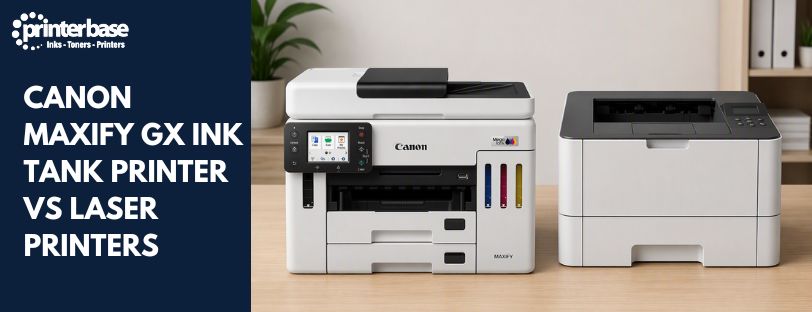
Refillable ink tanks now match laser printers on speed and running costs, and beat them on price per page. That is forcing businesses to rethink a decision that used to be automatic.
Laser printers have dominated office printing for decades, prized for speed, reliability and cheap mono running costs. Canon’s MAXIFY GX range, built around refillable MegaTank ink bottles, closes much of that gap and undercuts laser on colour costs by a wide margin.
This guide compares Canon MAXIFY GX ink tank printers against laser printers on running costs, energy use, print quality and maintenance, so you can work out which suits your business.
What Is a Canon Business Ink Tank Printer?
Canon’s Business Ink Tank printers, including the MAXIFY GX range, use large refillable ink reservoirs instead of cartridges. You top the tanks up from ink bottles instead of swapping cartridges every few hundred pages, which cuts cost per page and reduces how often you need to touch the printer.
The MAXIFY GX range spans eight models, from the compact GX1050 for home offices and sole traders up to the GX7150, a dual-tray, high-volume model built for busy offices. Every model uses business-grade pigment ink, chosen for sharp text and smudge resistance rather than photo output, and every model supports duplex printing plus wired and wireless networking.
Canon rates some MAXIFY GX printers for page yields in the tens of thousands before a refill is due, depending on the model and how heavily you print. That yield figure is the main reason ink tank printers have started replacing laser printers in offices that used to default to toner.
Canon MAXIFY GX vs Laser Printers: Key Differences Explained
The two technologies differ in how they handle ink, power and maintenance. Here is how Canon MAXIFY Ink Tank printers compare to laser printers from their running costs and consumables, energy consumption and efficiency, print quality, maintenance requirements and environmental impact.
Running Costs and Consumables
Ink tank and laser printers use completely different consumables, and that difference is where most of the cost gap comes from.
Canon MAXIFY GX
- Refillable ink bottles instead of cartridges
- Very low cost per page, including colour
- Fewer parts to replace over the printer’s life
- Refilling takes minutes rather than a service call
Laser Printers
- Toner cartridges, plus drums, transfer belts and fusers on many models
- Cheap mono running costs, but colour toner costs more
- More consumable types to track and reorder
- Component wear can add unplanned costs over time
Businesses printing a mix of colour and mono documents tend to see the biggest savings from switching to ink tank technology, since colour toner is where laser printers cost the most per page.
Energy Consumption and Efficiency
Laser printers heat toner onto the page using a fuser unit, which needs to warm up before it can print and draws power throughout the print run. Canon’s MAXIFY GX printers use inkjet technology, so there is no fusing stage and no warm-up delay.
Canon MAXIFY GX
- Lower power draw, with no fuser unit
- Minimal warm-up time before the first page
- Lower electricity costs over the printer’s life
Laser Printers
- Higher power draw from the heat-based fusing process
- Warm-up delay before printing starts
- Energy costs add up in offices that print constantly
Print Quality
For presentations, brochures, leaflets and other colour-heavy documents, Canon’s inkjet technology has the edge. It reproduces vibrant colours, smooth gradients and fine graphic detail more convincingly than laser toner.
Canon MAXIFY GX
- Strong colour reproduction and detail
- Sharp output on marketing and customer-facing documents
- Business-grade pigment ink resists smudging on handled paper
Laser Printers
- Consistent colour output for standard office graphics
- Reliable results on everyday business documents
Black and White Document Printing
Laser printers used to have a clear lead on black and white text, but modern MAXIFY GX models have closed most of that gap. Pigment ink produces crisp, smudge-resistant text at speeds that hold up against entry and mid-range laser printers, so the difference on invoices and reports is now marginal for most offices.
Maintenance Requirements
Downtime costs businesses more than the price of the consumable itself. Ink tank printers simplify maintenance by cutting the number of parts that wear out.
Canon MAXIFY GX
- Refill ink tanks as needed, no cartridge swaps
- Fewer replaceable components overall
- Less packaging waste from consumables
Laser Printers
- Toner, drum and fuser replacements on a rolling schedule
- Occasional service call-outs for worn components
- More consumable stock to manage
Environmental Impact
Refillable ink systems produce less packaging waste than a steady stream of toner cartridges. The power saving goes further than just skipping the fuser: ink tank printers do not use heat or high-voltage fuser units to bond ink to the page, so typical electricity consumption (TEC) stays low. The Canon MAXIFY GX6150, for example, draws around 20W during operation, while colour laser printers spike sharply during the thermal fusing stage.
Laser printers remain reliable workhorses, but their consumables, toner, drums, fusers and belts, add up to more waste over a comparable print volume. For businesses tracking sustainability targets, that is a meaningful difference over the life of a printer.
Comparison Table: Canon MAXIFY GX vs Laser Printers
| Feature | Canon MAXIFY GX | Laser Printer |
|---|---|---|
| Warm-up time | No warm-up needed | Requires warm-up time |
| Running costs | Very low, with refillable ink bottles | Low for mono, higher for colour |
| Consumables | Refillable ink bottles, no cartridges | Toner, drum, fuser, belt |
| Power usage | Low, no heat-based fusing | Higher, due to heat |
| Colour quality | Excellent for graphics, reports and marketing materials | Good for standard business graphics |
| Text quality | Sharp text from business-grade pigment ink | Excellent for crisp mono documents |
| Waste | Lower, thanks to high-yield refillable bottles | More consumables to replace over time |
| Best for | Home offices, small businesses, schools, hybrid workers and regular colour printing | High-volume mono document printing |
Canon MAXIFY GX vs Laser Printers: Which Is Right for Your Business?
Small Businesses
Low running costs keep day-to-day printing expenses predictable, and refillable tanks mean fewer surprise reorders.
Home Offices
Professional-quality output without paying laser prices for toner replacements.
Schools and Education
Refillable ink suits environments with heavy, regular colour printing, from worksheets to displays.
Estate Agents
Sharp colour output for property brochures and customer handouts.
Accountants and Professional Services
Consistent, reliable output for reports and client correspondence, with a low cost per page on high print volumes.
Hybrid Workers
Office-quality printing at home, without a laser printer’s size or running costs.
Verdict
Laser printers used to be the default choice for business printing. That is no longer automatic. Canon’s MAXIFY GX range now matches or beats laser on running costs, colour output and energy use, while laser retains an edge for high-volume, text-only workloads in large offices.
For most small businesses, home offices, schools and hybrid workers, a Canon Business Ink Tank printer works out cheaper to run and easier to maintain than an equivalent laser printer.
Frequently Asked Questions
Are Canon MAXIFY GX printers cheaper to run than laser printers?
Yes, in most cases. Refillable ink bottles cost significantly less per page than laser toner, especially for colour printing, and there are fewer consumable parts to replace over the printer’s life.
How often do I need to refill a Canon MAXIFY GX ink tank?
It depends on the model and your print volume, but Canon rates some MAXIFY GX printers for tens of thousands of pages between refills, well beyond what a typical toner cartridge manages.
Are Canon Business Ink Tank printers good for busy offices?
Yes. Higher-end models like the GX6550 and GX7150 are built for high-volume, multi-user environments, with dual paper trays and automatic document feeders designed for daily use.
Can a Canon MAXIFY GX printer fully replace a laser printer?
For most small businesses, home offices and schools, yes. Laser printers still hold an edge in very high-volume, text-only environments, but the gap has narrowed considerably.
Do Canon MAXIFY GX printers use pigment or dye ink?
Pigment ink. Canon chose pigment specifically for business documents, since it produces sharper text and resists smudging better than dye-based ink.
Which Canon MAXIFY GX model is best for a small business?
It depends on volume and functions needed. The GX3050 suits everyday business printing for hybrid teams, while the GX6150 and GX6550 handle higher-volume, multi-user office printing. Our 8 Best Canon MAXIFY Business Ink Tank Printers blog post has a full model-by-model breakdown.
Need Help or More Information ?
If you need any further help or more information, reach out to us by leaving a comment below or through one of the many ways on our Contact Us page. Alternatively you can contact us by Phone on 0161 308 5800 or by Live Chat on our main Website Monday to Friday and our team will be happy to help or answer with any questions you might have. You can also find all the various ways to connect with Us at the bottom of this page. Please share this post if you found it helpful.