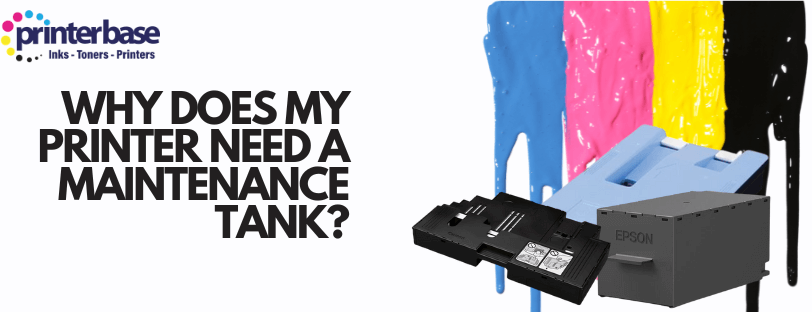
Your printer wastes ink on purpose. Every time it runs a cleaning cycle, checks its nozzles, or prints a photo right to the edge of the page, some ink never reaches the paper. It has to go somewhere, and that somewhere is the maintenance tank.
If you’ve never had to think about it, that’s normal. Most people only find out their printer has one when a warning message appears saying it’s full. Here’s what it actually does, why it fills up, and what happens if you ignore it.
What Is A Maintenance Tank?
A maintenance tank is a small container inside your printer packed with absorbent pads. Manufacturers call it different things: a maintenance cartridge, a maintenance box, or a waste ink tank. Its job is to catch and hold ink that the printer expels during its own upkeep, rather than letting it pool inside the case.
You’ll find one in most inkjet printers. They matter most in ink tank models like Epson’s EcoTank range or Canon’s MegaTank and MAXIFY GX series. These printers draw ink straight from refillable tanks rather than sealed cartridges, so they run more frequent, larger cleaning cycles. That means the maintenance tank works harder to keep pace. If you’re weighing up one of these models, What Is An Ink Tank Inkjet Printer? is worth reading first.
What Does A Maintenance Tank Actually Do?
Catching Overspray From Borderless Prints
Printing right to the edge of the page, for a photo or a poster, means the print head has to spray slightly beyond the paper on at least one side to guarantee full coverage. That excess ink lands in the maintenance tank instead of inside the printer.
Collecting Waste From Cleaning Cycles
Printers clean their print heads automatically, sometimes every time you switch them on, to clear dried ink and stop the nozzles clogging. Each cleaning cycle flushes a small amount of ink through the head and into the tank. Nozzle checks work the same way, and so does the priming that happens when you fit a new cartridge or refill a tank for the first time.
Protecting The Printer’s Internal Components
Without somewhere for that ink to go, it would spread across the print head, drive belts, sensors and circuit boards. A leak like that doesn’t just look bad. It can knock out a sensor or short a board, and that usually means a repair bill rather than a simple part swap.
How Do You Know When It’s Full?
Most printers monitor their own maintenance tank and warn you before it overflows. Depending on the brand, you’ll see something like “Waste Ink Tank Full”, “Maintenance Box Near End of Service Life”, or a flashing warning light on the control panel. Some models stop printing altogether rather than risk a leak, even if there’s plenty of ink left in the cartridges.
Before a warning message appears, watch for print quality dropping off instead: smudges, streaks, faded patches, or missing lines that don’t clear up after a normal cleaning cycle. That can mean the tank is close to full and the printer can’t complete its cleaning routine properly.
How Long Does A Maintenance Tank Last?
Manufacturers usually rate a maintenance tank against the same page-yield assumptions they use for ink, based on roughly 5% page coverage. In practice, how long yours lasts depends on what you print. Photos, banners, borderless prints, and anything ink-heavy fill the tank faster than ordinary text documents. Printers left unused for long stretches also run more cleaning cycles once you switch them back on, because dried ink takes more effort to clear.
Some maintenance cartridges are built to last a long time. Canon’s MC-G04, used across its G-series ink tank printers, is rated for around 10,000 pages of cleaning cycles before it needs replacing, well ahead of what you’d get from an ordinary cartridge.
What Happens If You Ignore The Warning?
Ignoring a full maintenance tank warning doesn’t just risk a mess. Printers are designed to stop working once the tank is full, as a safeguard against ink leaking into the case. Push past that and you risk ink overflowing onto internal components, print heads clogging with dried ink that’s harder to clear, a shorter lifespan for the printer as a whole, and a repair bill instead of a low-cost replacement part.
A maintenance tank is a cheap part to replace compared with any of that.
Replacing A Maintenance Tank
Whether you can replace it yourself depends on the printer. Most EcoTank, MegaTank, and WorkForce models keep the maintenance tank in a small rear or front-access compartment designed for the job, no tools needed. Slide the old one out, drop the new one in, and the printer resets its own counter.
Older or entry-level printers sometimes build the waste ink pad into the case instead. That means it isn’t something you can swap out at home. If your printer falls into that category and you’re getting a full-tank warning, you’ll need a service visit rather than a replacement part. Epson’s own guidance covers this split well for its range.
Genuine maintenance tanks are available from the manufacturer, and compatible alternatives, such as compatible Epson maintenance boxes, usually cost a fraction of the price and work just as well. Whichever you buy, don’t try to keep printing regardless of the warning. It’s there to protect the printer, not just to sell you a part.
Disposing Of A Used Maintenance Tank
A used maintenance tank still holds wet ink, so don’t just put it in with general waste. Most manufacturers run a take-back or recycling scheme for used cartridges and maintenance tanks. Your local household waste recycling centre will usually accept them as electronic waste too. Check with your council or the manufacturer’s own recycling page before disposing of one, and keep an eye out for How To Refill Ink On Epson EcoTank Printers if you’re due a refill at the same time.
Frequently Asked Questions
What Is A Printer Maintenance Tank Called On Different Printers?
Manufacturers use different names for the same part. Epson calls it a maintenance box, Canon a maintenance cartridge, and some HP and Brother models refer to it simply as a waste ink tank. They all do the same job.
Can I Just Empty And Reuse My Maintenance Tank?
No. The tank isn’t a reservoir you can empty out, it’s packed with absorbent pads that soak up the ink permanently. Once they’re saturated, the only fix is a replacement.
Why Does My Printer Need One If I Never Print Borderless Photos?
Cleaning cycles and nozzle checks happen automatically, whether or not you print borderless. Every printer runs these maintenance routines to stop the print head clogging, and all of that waste ink goes to the same place.
Will My Printer Stop Working If The Maintenance Tank Is Full?
Yes, in most cases. Printers are designed to stop rather than risk an ink leak once the tank reaches capacity, even if the ink cartridges themselves are still full.
How Much Does A Replacement Maintenance Tank Cost?
Genuine tanks vary by brand and model, but compatible alternatives are widely available and typically cost well under £20.
Do Laser Printers Have A Maintenance Tank?
Not in the same way. Laser printers don’t use liquid ink, so they don’t need a waste ink tank, though they do have their own consumable parts, such as waste toner boxes and fuser units, that wear out and need replacing.
Can I Reset The Maintenance Tank Counter Without Replacing It?
A handful of printers track ink volume with a software counter rather than a physical sensor, and on some models that counter can technically be reset without swapping the part. We wouldn’t recommend doing this yourself, though, since it risks ink genuinely overflowing inside the printer once the pads are saturated. Replacing the tank is the safer option.
Need Help or More Information ?
If you’re not sure which maintenance tank your printer takes, or you’d rather have someone check for you, contact us and our team will help you find the right part. You can also reach us by phone on 0161 308 5800 or via Live Chat during office hours.