
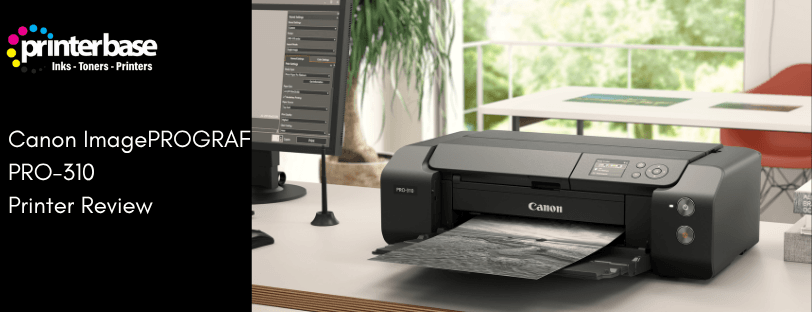
The Canon imagePROGRAF PRO-300 became a modern classic among A3+ photo printers, praised for its colour accuracy, reliability and compact footprint. The new Canon imagePROGRAF PRO-310 steps into its shoes with updated Lucia PRO II pigment inks, extended panoramic print lengths of up to 1.8 meters, and refined handling for glossy, baryta and fine art papers.
In this in-depth Canon imagePROGRAF PRO-310 review, we explore real-world usability, print quality, running costs, and how it compares with both the outgoing PRO-300 and key rival photo printers. We also link to an exceptionally detailed technical review by Keith Cooper at Northlight Images, offering expert insights into colour management, profiling and long-term print performance. Together, these perspectives should help you decide whether the PRO-310 deserves a place in your studio or home workspace.
Canon imagePROGRAF PRO-310 Overview
Canon’s imagePROGRAF PRO-310 is a 12 inch (A3+) pigment ink photo printer with a 10 colour Lucia PRO II ink set. It sits between the dye based PIXMA PRO-200S and the larger A2 PRO-1100 in Canon’s line up.
Key Features:
- 10 Lucia PRO II Pigment Inks including Photo Black, Matte Black, Grey, Red and a Chroma Optimizer for improved gloss uniformity and reduced bronzing on shiny media.
- Maximum Printing Size A3+ (13 x 19″) sheets, with a panoramic print length up to 1.8 meters long for banners.
- Two paper Feeds: A main top tray for everyday papers and a rear single sheet paper path for heavy or fine art media up to 380gsm.
- Connectivity: USB, Network (Ethernet) and WiFi, plus support for Apple AirPrint and Mopria
- Print Technology: 4,800 x 2,400 dpi inkjet printhead with 7,680 nozzles for very fine droplet control.
Prints on the Canon PRO-310 can last up to 200 years under the right conditions, as well as much better abrasion resistance than inks used in the previous models, which is important if you archive prints, or sell them to be handled or framed.
Who Is The Canon imagePROGRAF PRO-310 For?
The Canon imagePROGRAF PRO-310 is perfect for anyone needing to print high quality graphics and photo’s such as:
- Fine Art and Landscape Photographers who want to sell large, archival prints or panoramic scenes
- Wedding and Portrait Photographers printing display pieces or high value wall-art
- Illustrators and Digital Artist who need colour accurate prints on textured media
- Teachers and Studios that want proofing quality prints without stepping up to A2, roll-based or Large-Format printers
Design, Build Quality and Connectivity
Compact Large Format Design
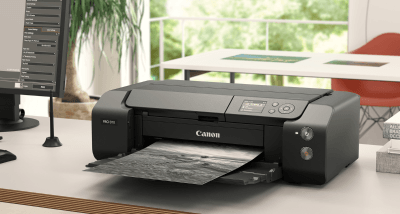
At first glance, the PRO-310 looks almost identical to the PRO-300, and that’s a deliberate design choice. It is a torpedo shaped, low profile printer that is 639(w) x 379(d) x 200mm (h) with all the trays closed and roughly doubles its depth once you extend the input and output trays.
For a 13 inch pigment printer it counts as compact, though you will still want dedicated desk space, especially if you regularly feed heavy art stock from the rear.
Controls & Ease Of Use
The Canon imagePROGRAF PRO-310 uses a simple control panel rather than a full touchscreen. Which on paper may sound disappointing – but it’s important to keep in mind that most professional-level photos will be printed from a desktop using Canon’s free Professional Print + Layout connect software, or directly from your photo editing app.
The panel does have some handy features, such as cleaning cycles and nozzle checks, or quick media changes and important status messages.
Connectivity Options
The Canon imagePROGRAF PRO-310 includes the standard USB, Network and WiFi connectivity, but also supports Apple AirPrint, Mopria and PictBridge.
Lucia PRO II Pigment Inks & Print Quality
Colour Print Quality
Canon’s Lucia PRO II ink set is the main technical advancement. These are the same inks used in the larger PRO-1100, meaning the PRO-310 effectively brings the highest quality inks into a more compact printer.
Lucia PRO II inks are improved with:
- Extremely wide colour gamut, especially in deep reds and saturated blues, helped by dedicated Red, Photo Cyan and Photo Magenta inks.
- Excellent shadow detail, with deep but still open dark tones on both glossy and matte media.
- Very smooth gradations in skies, skin tones and subtle backgrounds, with virtually no visible banding at normal viewing distances.
Gloss & Bronzing Control
Bronzing and gloss differential have historically plagued pigment printers on shiny papers. With the Canon imagePROGRAF PRO-310, Canon use a Chroma Optimizer that lays a clear coat over the printed area to even out reflectivity
Compared to the PRO-300, this improves:
- Better gloss uniformity on high gloss and lustre papers
- Noticeably reduced bronzing in strong side light
- Slightly higher DMax on glossy media, giving deeper blacks
These improvements are most obvious on large, high contrast prints, such as night cityscapes or high gloss fashion work
Black & White Printing
For monochrome specialists, the Canon imagePROGRAF PRO-310 is a very capable black and white printer. It uses Grey plus both Matte Black and Photo Black, which allows Canon’s driver based B&W mode to create neutral prints with minimal colour casts.
Compared to the PRO-300, the PRO-310 delivers a slightly improved Maximum Density for black prints, and modestly broader colour gamut, which helps with deep shadows and rich, subtle toning
If you use Canon’s dedicated Black and White mode in the driver, or through Professional Print & Layout you can:
- Choose warm or cool tone biases without resorting to split toning in Photoshop or Lightroom
- Reduce metamerism under mixed lighting
- Achieve very neutral, exhibition ready black and white prints with minimal trial and error.
Media Handling and Panoramic Printing
Everyday and Fine Art Media
The Canon imagePROGRAF PRO-310 supports a wide range of paper types:
- Plain and coated office papers for day to day printing
- Canon and third-party photo gloss, semi gloss and lustre
- Textured and smooth fine art matte papers
- Canvas and heavyweight stocks via the rear feed
The top tray can hold around 100 sheets of A4, or 50 sheets of A3 plain paper, while the single-sheet multipurpose feed is designed for single sheets of heavy, or thicker media up to 380gsm.
Panoramic and Long Prints
One of the biggest upgrades over the PRO-300 is the maximum printable length. The Canon imagePROGRAF PRO-310 can print up to 1.8 meters long, allowing one of the longest panoramic printing lengths available on a desktop printer.
The PRO-310 does not support paper rolls, this is a sheet-fed only printer. However, these sheets are easy to feed through the printer, to create panoramics and ultra-wide landscapes using Canon’s Professional Print & Layout software.
This makes the Canon imagePROGRAF PRO-310 attractive for:
- Panoramic seascapes and cityscapes
- Long banners for exhibitions, or client representations
- Multi-image layouts stitched into a single strip
Performance, Speed & Running Costs
Print Speeds
The PRO-310 is not a fast document printer and it is not trying to be. an A3+ photo with a border takes around 4 minutes, 15 seconds in high quality mode, which is average for a professional photo printer, but far slower than a typical office inkjet or laser printer.
For it’s role as a photo and fine art printer, the print speeds feel appropriate. Dry times feel quick with the pigment inks, so you can usually handle prints after a short weight without smudging.
Ink Capacity and Costs
The cartridges in the Canon imagePROGRAF PRO-310 are relatively small, with around 14ml of ink per cartridge, and the printer uses 10 of these. Luckily, each is interchangeable, so there’s no need to replace all of the inks, if only a single one has run out.
Pros:
- Fine control of colour balancing with many dedicated colours
- Good photo yield from colour cartridges
Cons:
- The matte black cartridge runs out quicker, especially when printing a lot of dense matte images
- Replacing all 10 inks at once can become expensive
As with most pigment ink-based printers, running costs heavily depend on the image content, paper choice and print sizes. For photographers who sell their artwork, the cost per print is usually justifiable when balanced with print pricing, but hobbyists should factor in a regular budget for ink.
If you are unsure about pigment vs. dye based options on cost or quality, read our blog post Is it Better to Print your Photos with Dye or Pigment Based Ink?
Maintenance and Clogs
Pigment ink-based printers can clog if left unused for prolonged amounts of times. But to minimise the risk of clogs happening, Canon have included a few failsafe’s to the PRO-310:
- Automatic nozzle checks and recovery routines
- Cleaning cycles that target specific channels
It’s recommended to print every week or two, as this will minimise the risk of inks drying inside the printer. Extended idle periods without use will trigger more cleaning cycles, which use ink, so it’s wise to schedule occasional small prints if you’re not regularly printing.
Canon imagePROGRAF PRO-310 Vs. PRO-300 & PRO-10s
PRO-310 Vs. PRO-300
The PRO-310 is a refinement of the PRO-300, rather than a complete redesign. These are the key differences:
- New Lucia PRO II set of inks, which matches the PRO-1100
- Improved lightfastness and abrasion resistance
- Longer maximum print length up to 1.8 meters
- Slightly improved maximum ink density and colour gamut, especially on glossy media
If you already own a PRO-300 that still has plenty of life left, the jump to the PRO-310 is evolutionary, not revolutionary. We recommend upgrading if:
- You’re selling high end prints where longevity is a selling point
- Wanting to print on the longest panoramic sizes (1.8 Meters)
- Working heavily on glossy paper and want the best possible finishes
If you are moving on from an older dye-based printer, the upgrade is far more dramatic in terms of longevity and overall quality.
PRO-310 Vs. PRO-10S
The leap from the older Canon PIXMA PRO-10S to the new Canon imagePROGRAF PRO-310 is far more substantial than the refinement seen between the PRO-300 and PRO-310. The PRO-10S was a capable A3+ pigment printer in its time, but several generations of ink technology, print-head design and media handling now separate the two.
Key Differences:
- New Lucia PRO II pigment ink set offering dramatically improved lightfastness, colour stability and abrasion resistance
- Higher maximum black density (DMax) and a visibly wider colour gamut, especially on glossy, baryta and metallic papers
- Significantly faster print speeds thanks to an updated print engine and more efficient ink laydown
- Support for long panoramic printing up to 1.8 meters, which is something the Canon PIXMA PRO-10S could not do
- Improved media handling, particularly with thicker fine-art papers that the older PRO-10S struggled with
- Modern connectivity and software support, ensuring better compatibility with Windows, macOS and Canon’s Professional Print & Layout software
If you are upgrading from the PRO-10s, the move to the newer PRO-310 is a major step up, rather than a subtle refinement. You will see noticeably better colour accuracy, deeper blacks and smoother shadow detail, along with far superior print longevity thanks to the newer Lucia PRO II pigment set. The PRO-310 also runs much faster, handles fine-art papers more reliably and adds the ability to print panoramas up to 1.8 meters, something the PRO-10S couldn’t do. For anyone selling prints or wanting a more modern and dependable workflow, the PRO-310 represents a clear generational upgrade.
Verdict
The Canon imagePROGRAF PRO-310 feels like a printer designed by people who genuinely understand how photographers print. It takes everything that made the PRO-300 so well loved and improves the areas that matter most when you care about the final image on paper.
The move to LUCIA PRO II pigment inks brings reassuring gains in print longevity and surface durability, particularly noticeable on glossy and baryta papers. Black density is a little deeper, colours feel richer, and the ability to print panoramas up to 1.8 meters long adds a creative option that many landscape and architectural photographers will appreciate.
If you enjoy the printing process, value consistent gallery-quality results, and regularly work with fine art or specialist photo papers, the Canon imagePROGRAF PRO-310 is an easy recommendation. It is equally at home or in a serious enthusiasts setup or a professional studio, and it feels like a printer you can really on for years, rather than sessions.
For those who want to go even deeper into the technical side, we have also included a link to Keith Cooper’s thorough review at Northlight images. His analysis of colour management, profiling and long-term print behaviour is an excellent companion to our own real-world testing.
FAQ
For many users the differences are incremental but meaningful. The PRO-310 inherits Lucia PRO II inks from the PRO-1100, giving better abrasion resistance, improved lightfastness and slightly deeper blacks, plus the ability to print up to 1.8 meters long. If you’re selling prints, work heavily on gloss papers or want better panoramic prints, the upgrade is worth it. If you are happy with your PRO-300 and mostly print smaller pieces, you can safely wait.
For black and white prints, the Canon imagePROGRAF PRO-310 is excellent. With grey, photo black and matte black inks, and a dedicated B&W (Black and White) mode in Canon’s driver and Professional Print & Layout (PPL) software, you can create neutral or gently toned black and white prints with high black density and minimal colour casts, giving a slight edge over the Canon imagePROGRAF PRO-300.
The PRO-310 supports plain office papers, photo gloss, semi gloss, lustre, baryta, matte and textured fine art papers, as well as canvas in certain thickness ranges. The top tray is for lighter stocks and the rear feed for heavy or thick media. You can also use cut strips from roll paper to create long panoramic prints up to 1.8 meters. Always check Canon’s media guidelines and your paper supplies ICC profiles for the best results.
No. While it can produce very sharp text, it is extremely slow with documents and has no automatic duplexing or scanner. Reviews measure roughly one black or two colour pages of text per minute. It is designed as a specialist photo and art printer. You should pair it with a separate office printer for routine jobs.
Based on information from Canon, their Lucia PRO II inks should last up to 200 years under optimal storage and display conditions, thanks to UV resistant pigments and improved abrasion resistance. Real world longevity will depend on paper choice, glass or acrylic protection and exposure to light, heat and pollutants, but pigment prints from the PRO-310 are suitable for archiving and commercial fine-art use.
If you are still weighing up which technology suits you, it may be helpful to read an in-depth comparison, such as our Is It Better To Print Your Photos With Dye or Pigment Based Ink blog post
Need Help or More Information ?
If you need any further help or more information, reach out to us by leaving a comment below or through one of the many ways on our Contact Us page.
Alternatively you can contact us by Phone on 0161 308 5800 or by Live Chat on our main Website Monday to Friday and our team will be happy to help or answer with any questions you might have.
You can also find all the various ways to connect with Us at the bottom of this page. Please share this post if you found it helpful.