

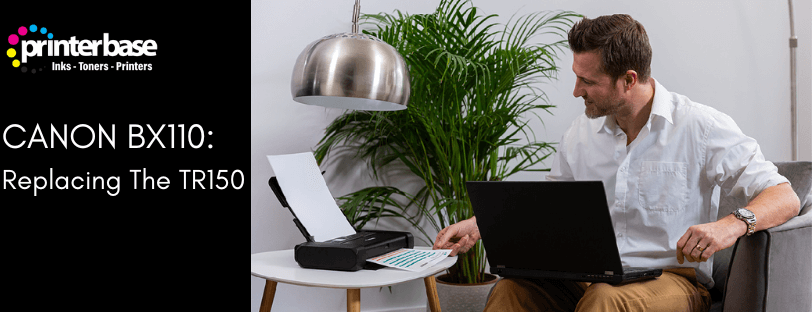
If you’re searching for a replacement to the Canon PIXMA TR150, chances are you already know exactly what you want from a portable printer. The Canon TR150 built a strong reputation for compact A4 printing, true mobile portability and dependable performance for professionals on the move. Now Canon has introduced the Canon MAXIFY BX110, a model positioned as a natural development of the TR150 concept. But what exactly has changed? And just as importantly, what has stayed the same?
This guide gives you a practical, easy-to-understand breakdown of the Canon MAXIFY BX110, focussing on real-world improvements, familiar features and who should consider upgrading
Improvements To The Canon MAXIFY BX110
The BX110 is not a ground-up redesign. Instead, it is a thoughtful progression of the TR150, retaining what users loved while fixing areas where modern connectivity and security standards have evolved.
These are the standout improvements:
- Enhanced Wireless Security
One of the most significant updates is the additional WPA3 and TLS support. These are becoming standard in 2026 and beyond, particularly for business environments. If you rely on secure WiFi connections in hotels, shared offices or enterprise networks, this is a meaningful upgrade that ensures smoother and more reliable authentication. - Improved Connectivity Options
While the Canon PIXMA TR150 already offered good wireless performance, the BX110 improves stability and compatibility with modern devices. For remote workers, field service teams and event professionals, this means fewer drops, smoother print jobs and faster device handshakes. - Updated User Interface and Setup Experience
Although still minimalist, Canon has refined the user interaction flow, making initial setup faster and everyday tasks more straightforward. The printer feels more aligned with 2026-era printers rather than a holdover from older generations.
A Comparison: Canon PIXMA TR150 and Canon MAXIFY BX110
Here’s an at-a-glance look at how the two models compare:
| Feature | Canon TR150 | Canon BX110 (Replacement) |
|---|---|---|
| Portability | Portable A4 printer, lightweight design | Same portable A4 format, similar footprint |
| Battery Design | Battery-first portable printer, or available without battery | Battery-first design only |
| Paper Capacity | 50‑sheet rear feed | Same 50‑sheet rear feed |
| Scanner | No scanner | No scanner |
| Connectivity | Standard WiFi connectivity | Improved connectivity, better wireless stability |
| Security | Older wireless security standards | Upgraded WPA3 + TLS support |
| Ink Compatibility | Uses PGI‑35 / CLI‑36 cartridges | Compatible with existing PGI‑35 / CLI‑36 cartridges |
| Target User | Mobile professionals needing compact printing | Same audience, plus those needing modern security |
| Availability | Discontinued | View Canon MAXIFY BX110 |
What Stays the Same Between the TR150 and BX110
Canon clearly understands its mobile-printing customer base. Instead of reinventing the wheel, they kept all the features that made the TR150 so successful.
- True Portable A4 Printing
Just like the TR150, the BX110 remains a genuine portable A4 printer. It fits in a backpack or laptop bag and is designed for professionals who need document output anywhere. - Battery-First Design
Canon continues its battery-powered approach. The Canon BX110 includes a high-capacity external battery, allowing you to print on the go without relying on mains power. This is essential for delivery drivers, surveyors, real estate agents and event staff. - 50-Sheet Paper Feed
The compact but practical 50-sheet tray is unchanged. It hits the sweet sport between capacity and portability. - No Scanner
Like the Canon TR150, the Canon MAXIFY BX110 is a print-only device. Canon keeps the focus on what mobile workers really need. if scanning is important to you, you will still rely on smartphone scanning apps or a desktop scanner where available.
Who Should Upgrade to The Canon MAXIFY BX110?
The Canon MAXIFY BX110 is a smart upgrade for users who:
- Print on the go in workplaces with strict WiFi requirements
- Need improved wireless stability
- Want a modernised interface, with updated security
- Already own the Canon PIXMA TR150/WB, inks or accessories
- Require a futureproof portable printer for the next several years
However, if your Canon PIXMA TR150 is still working perfectly and you only print occasionally, you may not feel the need to upgrade immediately. The Improvements are revolutionary rather than transformational.
Should Canon PIXMA TR150 Owners Upgrade?
If your PIXMA TR150 is still working well and you only print occasionally, you may not need to upgrade. However, there are a few reasons to consider the MAXIFY BX110
- If you need stronger wireless security, or more flexibility in how you connect
- You are refreshing your laptop and phone and need a printer that matches the latest WiFi and mobile standards
Read our Canon MAXIFY BX110 Review post to help you decide if an upgrade is needed
Verdict
If you have been relying on the TR150 or a similar portable printer, the Canon MAXIFY BX110 offers a natural and welcome upgrade. Canon has carefully preserved the strengths of the TR150 while updating the areas that matter in 2026: connectivity, security and user experience. For users who need dependable mobile printing, the BX110 is the most relevant and futureproof choice in Canon’s portable range
Need Help or More Information ?
If you need any further help or more information, reach out to us by leaving a comment below or through one of the many ways on our Contact Us page.
Alternatively you can contact us by Phone on 0161 308 5800 or by Live Chat on our main Website Monday to Friday and our team will be happy to help or answer with any questions you might have.
You can also find all the various ways to connect with Us at the bottom of this page. Please share this post if you found it helpful.
