

Finding the right home printer can feel overwhelming, but we’ve made it simple with our Printerbase picks. We’ve brought together the best-selling and top-reviewed models that suit all kinds of home needs, whether you’re working remotely, tackling university projects, getting creative with home crafting, or just printing out homework and activity sheets for the kids. A reliable printer has become a household essential, and when it comes to home use, the two main choices are laser and inkjet printers.
What Is An Inkjet Printer?
Inkjet printers are popular for low-volume and colour printing. They are usually cheaper to buy and come with a set of ink cartridges, allowing you to print right out of the box. Replacement inks are slightly pricey, making inkjet printers expensive to run, depending on your printing habits. A common issue with inkjet printers is the ink drying up due to intermittent use. To avoid this, we recommend printing every two weeks at least or buy a laser printer.
Ink Tank Printers
Ink tank printers are a version of inkjet printers which use refillable tanks in the printer, rather than cartridges. This is done for a much lower running cost whilst still giving vibrant prints. If you’re printing off a lot of images or looking for a space-saving printer, an inkjet or inktank would be the best printer option.
What Is A Laser Printer?
Laser printers are perfect for work-from-home scenarios or high-volume printing. They have a lower cost-per-page compared to an Inkjet printer, also toner for a laser printer doesn’t dry up over time. This makes laser printers better for intermittent usage. If you’re printing a large amount of text-based documents or rarely using the printer, a laser would be the best option.
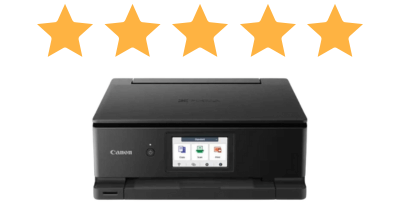
Specifications:
- Print, Scan & Copy
- USB & WiFi Connectivity
- 372 x 345 x 142(WxDxH)
- CD/DVD Printing
- Up To 15 Pages-Per-Minute
- Borderless Printing
- Automatic 2-Sided Print
- 10.8cm LCD Screen
Reasons To Buy:
- Print From SD Card
- Free 2-Year Warranty
Reasons To Avoid
- No 2-Sided Scanning
The number one spot of our best home printers goes to the Canon PIXMA TS8750. This small and mighty inkjet printer comes with a 10.8cm touchscreen and even can print directly from an SD card with no desktop involved. It is an incredibly versatile printer, whether you’re printing documents or family photos. The addition of a pigment black ink ensures text is crisp and clear whilst keeping the photo print quality high. Also, USB and WiFi connectivity makes it possible to print directly from any device with ease. These features along with direct-to-disc print make a highly versatile printer perfect for any home.
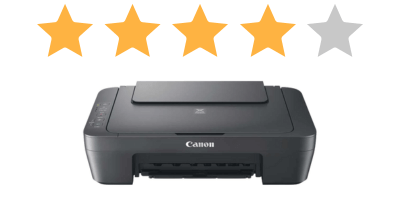
Specifications:
- Print, Scan & Copy
- USB Connectivity
- 426 x 306 x 145mm (WxDxH)
- Up To 8 Pages-Per-Minute
- 2 Ink Cartridges (Black & Colour)
Reasons To Buy:
- Cheapest A4 Printer
- Compact Size
- Simple To Setup And Use
- 2 Year Warranty
Reasons To Avoid:
- USB Connectivity Only
- 2 Ink Cartridges Instead Of 4
- No Double-Sided or Borderless Print
The Canon PIXMA MG2551S is one of the smallest and most affordable inkjet printers available. These are easy to set up and designed to be simple & basic. Featuring a dual ink-cartridge system for black and colour prints. Making them perfect for the occasional document or image print. This printer has no WiFi or Ethernet connectivity, meaning it is limited to PC and Laptop connections only. Plus, having no double-sided printing options would make them impractical for those printing long documents.
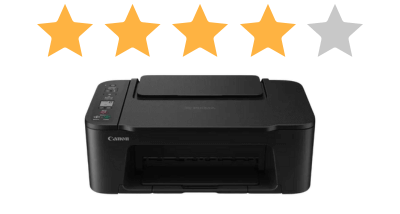
Specifications:
- Print, Scan & Copy
- USB & WiFi Connectivity
- 435 x 327 x 145mm (WxDxH)
- Borderless Printing
- Up To 7 Pages-Per-Minute
- 3.7cm Mono LCD Display
Reasons To Buy:
- Simple To Setup And Use
- Small Size
- Free 2-Year Warranty
Reasons To Avoid
- Borderless printing is limited to 13x18cm, 10x15cm or 13x13cm
- 2 Ink Cartridges Instead Of 4
- No Double Sided Print, Scan or Copy
An affordable multifunction inkjet printer ideal for everyday home printing. The Canon PIXMA TS3750i all-in-one printer delivers reliable print, scan and copy functionality in a compact design that fits neatly on most home desks. Although it doesn’t offer double-sided printing or scanning, its wireless connectivity makes printing from tablets and smartphones possible. Designed for simplicity and value, the Canon PIXMA TS3750i is a budget-friendly home printer that covers all the essential features needed for casual home use.
Specifications:
- Print, Scan & Copy
- USB & WiFi Connectivity
- 445 x 340 x 167mm (WxDxH)
- 6 Ink System
- Up To 3.9 Pages-Per-Minute
- Borderless Printing
- InkTank Technology
Reasons To Buy:
- Home Photo Printer
- Low Running Costs
- Print From Alexa
- Free 3-Year Warranty
Reasons To Avoid
- InkTank Refills Can Get Messy
- No Double-Sided Print, Scan Or Copy
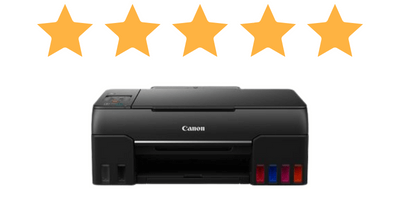
Ideal for printing great quality photos at home, the Canon PIXMA G650 inkjet printer has a six-ink system to give a high colour accuracy compared to its competition from other MegaTank printers. Thanks to Canon MegaTank technology, the inks are capable of up to 3,400 6×4″ prints from a single set of ink bottles, making it one of the cheapest to-run photo printers available. The Canon PIXMA G650 also has USB and WiFi connections as standard, partnering well with the Canon PRINT app for mobile devices, plus the addition of Alexa and Google Assistant compatibility makes it possible to print using nothing but your voice. Register this printer online within 30 days of purchase and claim a free 3-year warranty.
Specifications:
- Print, Scan, Copy & Fax
- USB, Network & WiFi Connectivity
- 435 x 355 x 250mm (WxDxH)
- Mobile Managed Printer
- Up To 20 Pages-Per-Minute
- 6.8cm Touchscreen
Reasons To Buy:
- Fully Manage The Printer From The Brother iPrint App
- Small Size
- Minimalist Design
Reasons To Avoid
- No 2-Sided Print, Scan Or Copy
- Expensive Running Costs
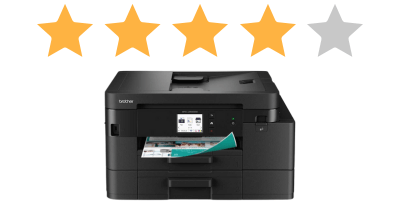
Print from anywhere, anytime with the Brother DCP-J1200W, perfect for those with a busy lifestyle who need quick document printing. However, compromising double-sided print, scan & copy to keep the size of the printer small does leave some must-have features missing. This fully mobile-managed and small printer is one of Printerbases best home printers thanks to its simple usability, appealing design and mobile capabilities. If you’re looking to do fast home documents without a PC or Laptop this printer would be perfect.
Specifications:
- Print, Scan, Copy & Fax
- USB, Network & WiFi Connectivity
- 460.3 x 337.5 x 233 (WxDxH)
- 225 Sheet Paper Tray
- HP Plus
- Automatic 2-Sided Print
- 6.86 cm Touchscreen
Reasons To Buy:
- Amazon Alexa & Google Assistant Connectivity
- High Print Speeds
- Register For HP+
Reasons to Avoid:
- Expensive To Run Without Instant Ink
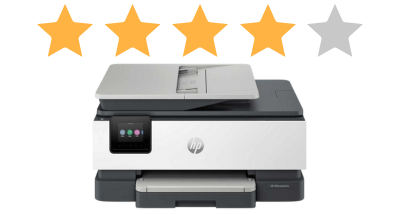
Built for use on HP Instant Ink, and with an extended warranty with HP+, the HP OfficeJet Pro 8135e has home printing and small offices covered for all document printing needs. Featuring all the connectivity options found in laser printers, USB, Network (Ethernet) and Wireless capabilities makes this printer great for shared users over multiple devices. Whilst capable of printing photos, this printer is based around homes and small offices with its and high print speeds and small size.
Specifications:
- Print Only
- USB, Network & WiFi Connectivity
- Automatic 2-Sided Printing
- High Print Speeds Up To 25 PPM
- 250 Sheet Paper Tray
Reasons To Buy:
- Home-office laser printer
- 3-Year Extended Warranty
Reasons To Avoid:
- Large Compared To The Competition
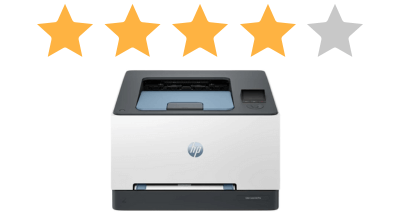
Print with high-quality colours, WiFi and automatic two-sided printing with the HP LaserJet Pro 3202DW laser printer. This heavy-duty home-office printer packs plenty of features into a compact design. Featuring HP Smart mobility and high-grade security solutions ensures your prints are protected even on the go. Built for document printing but highly capable of bulk printing and flyers too.
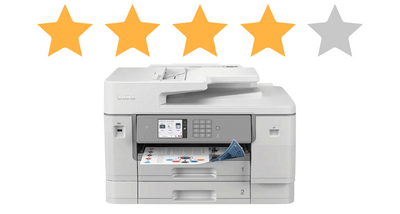
Specifications:
- Print, Scan, Copy & Fax
- USB, Network & WiFi Connectivity
- 576 x 477 x 375mm (WxDxH)
- High Print Speeds Up To 30 PPM
- Automatic 2-Sided Print, Scan & Copy
- 2 x 250 Sheet Paper Trays
- 50 sheet ADF
Reasons To Buy:
- 8.8cm Touchscreen
- Home-Office A3 All-In-One
Reasons To Avoid:
- Trays Stick Out When Printing A3
The Brother MFC-J6955DW inkjet printer offers a premium quality A3 print, scan, copy and fax all-in-one package. Due to being an A3 machine, this does add a lot of size to the printer, which will put some off, especially when used for smaller homes. But being built for use in busy small offices also makes this a great home-office powerhouse for larger documents or plans. Featuring an 8.8cm touchscreen makes navigating the printer easy, whether it’s to print, scan, copy or connect. There is even a built-in page gauge to check ink levels on the printer.
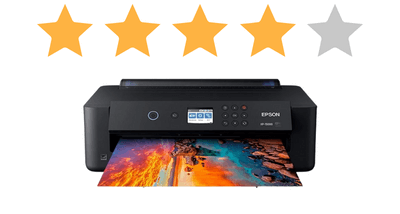
Specifications:
- Print Only
- Print Up To A3
- USB, Network & WiFi Connectivity
- 479 x 370 x 159mm (WxDxH)
- High Print Speeds Up To 29 PPM
- CD/DVD Printing
Reasons To Buy:
- High DPI Up To 5760 x 1440 DPI
- Near Professional Home Photos
Reasons To Avoid:
- Expensive Upfront Cost
- High Running Costs
Produce high-quality, glossy photos from the Epson Expression Photo HD XP-15000, their smallest A3+ inkjet printer. Not only is this printer ideal for photos, but it’s also a highly capable CD & DVD printer thanks to the included disc tray. Considering it’s a photo printer, the XP-15000 has high print speeds capable of up to 29 A4 Pages per minute on standard A4 documents, or 27 seconds per 10 x 15 colour photo. Our most affordable best home printer for photos, the Epson XP-15000 is only beaten by the Epson ET-8550.
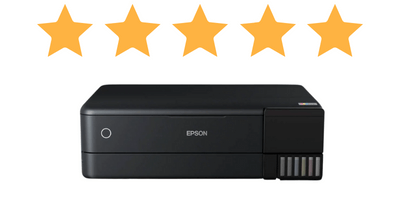
Specifications:
- A3 Print, A4 Scan & Copy
- USB, Network & WiFi Connectivity
- 6 Ink System
- 523 x 379 x 169mm (WxDxH)
- High Print Speeds Up To 32 PPM
- CD/DVD Printing
- Epson EcoTank Technology
Reasons To Buy:
- Print Thick Media Up to 800gsm (1.3mm)
- High-Quality Photo’s At Low Running Costs
- Borderless Print Up To A3
Reasons To Avoid:
- Doesn’t Scan A3
- No 2-Sided Scanning
Print outstanding photos up to A3+ on the Epson EcoTank ET-8550 inktank printer. The best home printer for photos, or those looking to print thick media thanks to the support of up to 800gsm (1.3mm thick), with incredibly low running costs to compliment the printer making this a must-have for the home printer and budding photographer. Despite the scanner only reaching up to A4 documents with no double-sided scanning, the ET-8550 does not disappoint, this is first and foremost a photo printer, with one of the highest print qualities currently available.
Verdict
And there you have it, the Printerbase list of best home printers of 2026. The best home printer for most users is the Canon TS8750, a compact and affordable all-in-one that fits seamlessly into any home, offering a large suite of features, including printing from an SD card and individual ink cartridges. This will meet the basic needs of most users for home use. However, for printing photos, our top recommendation is the Epson EcoTank ET-8550. Despite having a high purchase price, the running costs alone make this a great investment for photographers. Want to see our top printer picks for 2026? Read our “Best Printers” blog post.
Need Help or More Information ?
If you need any further help or more information, reach out to us by leaving a comment below or through one of the many ways on our Contact Us page. Alternatively you can contact us by Phone on 0161 308 5800 or by Live Chat on our main Website Monday to Friday and our team will be happy to help or answer with any questions you might have. You can also find all the various ways to connect with Us at the bottom of this page. Please share this post if you found it helpful.
FAQ’s
What Should I Consider When Buying A Home Printer?
When choosing a home printer, think about how often you’ll be printing, what you’ll print (documents or photo’s), connectivity options, like USB, WiFi, Network (Ethernet), running costs and whether you need a multifunction printer to scan and copy. These factors will help decide the best printer for your needs.
What's The Difference Between Inkjet and Laser Printers?
Inkjet printers are great for high-quality colour prints and photo’s, plus most models are smaller than lasers, making them ideal for families, creatives and home users. On the other hand, laser printers use larger toner cartridges, they’re typically and more cost-effective for text-heavy documents, perfect for heavier use and frequent printing.
Read out blog post Laser Printers Vs. Inkjet Printers to learn the differences in more detail
Do I Need An All-In-One (Multifunction Printer) For Home Use?
If you plan to scan, copy or occasionally fax documents in addition to printing, an all-in-one (Multifunction) printer is wort it. For basic printing needs only, a single-function printer can be a simpler and cheaper option.
Are Ink Tank Printers Better Than Cartridge Printers?
Ink tank printers such as the Epson EcoTank or Canon G Series of printers typically have a higher upfront cost compared to their inkjet cartridge-based counterparts, but ink tanks have a much lower long-term ink costs due to using refillable ink bottles. Cartridge printers are cheaper initially, but can cost more over time, especially with frequent colour printing.
What Features Should A Family Printer Have?
For family use, look for wireless and mobile printing (Apple AirPrint, Mopria), reliable colour printing, decent print speeds and multifunction features for scanning school work, photos and crafting projects.
Is Photo Printing At Home Worth It?
If you enjoy printing photos often, or a hobbyist photographer it’s worth printing your photo’s at home, especially with dedicated photo printers. This offers higher results than standard printers, and give the full creative freedom to personalise your prints.
