
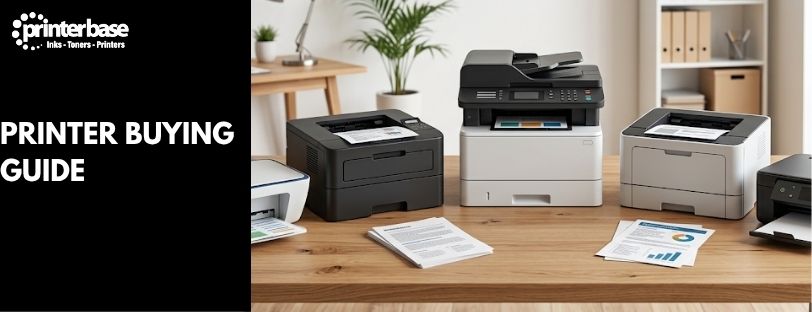
Every printer on the shelf claims to be fast, cheap to run and good enough for photos. Most aren’t all three at once. This guide walks through the decisions that actually matter, from inkjet versus laser through to running costs and connectivity, so you buy a printer that fits how you actually print rather than what the box promises.
What To Think About Before You Buy
Start with how much you actually print, not how much you think you might print one day. A household that runs off the odd school form needs a completely different device to a home office invoicing clients weekly, and both need something different again to a small business printing 500 pages a day. Ask yourself these questions before you look at a single spec sheet:
- How many pages a month? Under 100 pages, almost any printer will do. Over 500, running costs start to matter more than the purchase price.
- Colour or mono? If you only print text documents, a mono laser printer is cheaper to buy and run. If you print photos, presentations or marketing materials, you need colour.
- Who’s using it? One person at a desk has different needs to a shared family printer or an office with five people queuing print jobs.
- Where does it live? Laser printers are usually larger and heavier than inkjets. Measure your desk or shelf before you order.
- Do you need to scan or copy? If so, you want a multifunction printer, not a print-only model.
Inkjet vs Laser vs Ink Tank Printers
This is the first fork in the road, and it decides almost everything else about running costs and print quality.
Inkjet Printers
Inkjet printers spray liquid ink onto the page. They’re cheap to buy, produce excellent colour and photo output, and work well for low-volume home printing. The catch is running costs: standard cartridges don’t hold much ink, so if you print often, you’ll be replacing them regularly. Buying XL or high-capacity cartridges narrows the gap.
Laser Printers
Laser printers fuse toner powder onto the page using heat, rather than spraying liquid ink. A single toner cartridge typically lasts 1,500 to 3,000 pages or more, well beyond what most inkjet cartridges manage, which brings the cost per page down sharply for anyone printing text-heavy documents regularly. They’re faster at churning out plain documents too, though colour laser printers cost more upfront than colour inkjets and don’t match inkjet photo quality.
Ink Tank Printers
Ink tank printers, such as Epson’s EcoTank range or Canon’s MegaTank line, use large refillable ink reservoirs instead of cartridges. You pay more for the printer itself, sometimes two or three times the price of a basic inkjet, but each bottle of ink can print thousands of pages, which brings the cost per page down close to laser printer levels while keeping inkjet colour quality. They suit anyone who prints often enough to justify the higher upfront cost but still wants photo-quality colour.
| Type | Best For | Typical Running Cost | Colour Quality |
|---|---|---|---|
| Inkjet | Low-volume home use, photos | High per page unless using XL cartridges | Excellent |
| Laser | Offices, high-volume text documents | Low per page | Good, weaker on photos |
| Ink Tank | Frequent printing with colour needs | Very low per page, higher upfront cost | Excellent |
Do You Need A Multifunction Printer?
A multifunction printer, also called an all-in-one, combines printing with scanning and copying, and sometimes faxing. If you ever need to scan a document, copy a passport, or digitise old photos, a multifunction model saves you buying a separate scanner. Most now cost barely more than a print-only equivalent, so unless desk space is genuinely tight, there’s little reason to rule one out. Look for an automatic document feeder (ADF) if you regularly scan or copy multi-page documents. Without one, you’re lifting the lid and repositioning each page by hand, which gets old fast in a busy office.
Print Speed And Quality Explained
Print Speed (PPM)
Print speed is measured in pages per minute (PPM), usually quoted separately for mono and colour. Manufacturers test this using plain text at draft quality, so real-world speed on a full-colour document will be slower than the number on the box. As a rough guide, 12-20 PPM suits occasional home printing, while an office churning out reports and invoices all day benefits from 25 PPM or more.
Print Quality (DPI)
DPI (dots per inch) measures print resolution. Standard text documents look sharp at 300-600 DPI, which almost every modern printer manages. Photos need more: look for 1200 DPI or higher if you’re printing images regularly, and pair it with proper photo paper for the best result. A high DPI figure on its own doesn’t guarantee good photos though, the ink or toner quality and paper both play a part too.
Running Costs: The Number That Actually Matters
The sticker price on a printer tells you almost nothing about what it’ll cost you over a year. Two printers priced identically can have wildly different running costs depending on cartridge capacity and page yield. Page yield is the number of pages a single ink or toner cartridge is rated to print, based on standardised industry testing (typically 5% page coverage). A cartridge rated for 1,000 pages costing £20 works out at 2p a page; one rated for 6,000 pages at £45 works out at 0.75p a page, despite the higher price tag. A few ways to keep running costs down:
- Buy XL or high-capacity cartridges where available, they cost more upfront but bring the per-page cost down.
- Consider an ink tank printer if you print more than a few hundred pages a month.
- Check whether your printer supports compatible or remanufactured cartridges, which typically cost less than genuine ones without a major quality drop for everyday printing.
- Use draft or eco mode for internal documents that don’t need to look polished.
Duplex Printing And Paper Handling
Duplex printing means printing on both sides of the page automatically, without you flipping the paper by hand. It’s a genuinely useful feature: it roughly halves your paper use and cuts postage weight if you’re printing anything to send out. Most mid-range and office printers include automatic duplex as standard now, but it’s still worth checking on budget models, some only offer manual duplex, where the printer prompts you to reinsert the paper yourself. Paper handling is the other thing worth checking before you buy. Most home printers are built around A4, but if you print envelopes, labels, A3 documents or photo paper regularly, confirm the printer supports the sizes and tray capacity you need. A larger paper tray means less time spent topping it up, which matters more in a busy office than it sounds.
Connectivity And Mobile Printing
Wi-Fi is standard on almost every printer sold today, letting multiple people on the same network print without a cable in sight. Beyond basic Wi-Fi, a few connectivity features are worth checking depending on how you work:
- Apple AirPrint lets you print directly from an iPhone, iPad or Mac with no extra app or driver.
- Mopria Print Service does the same job for Android phones and Windows PCs, and most modern printers support it. Read our full What Is Mopria Print? article if you’re not sure whether your printer qualifies.
- Wi-Fi Direct connects a device straight to the printer without going through your router, useful if your network drops out or you’re printing somewhere without Wi-Fi at all.
- Network/Ethernet gives a wired, more reliable connection, which matters more in an office than at home.
- USB still ships on nearly every printer as a fallback, and it’s the most reliable option if you just want a direct connection to one computer.
Noise, Energy Use And Sustainability
Laser printers tend to run louder than inkjets, thanks to the fuser heating up and rollers moving at speed. If the printer sits near where you work or sleep, check for a quoted decibel (dB) rating or a dedicated quiet mode. As a rough guide, 40-50 dB is comparable to a normal conversation, while 60 dB and above starts to feel like background office noise. Look for an ENERGY STAR rating if energy use matters to you, it indicates the printer meets recognised efficiency standards for both active and standby power draw. Most major manufacturers, including HP, Canon, Epson and Brother, also run cartridge recycling schemes, so check what your printer’s manufacturer offers before your first cartridge runs dry.
Printer Security Is Worth A Thought Too
A networked printer is another device on your Wi-Fi, and it’s easy to overlook when you’re thinking about security. For home use, make sure the printer’s admin panel is password-protected and sits on a secured network. In an office handling sensitive documents, look for models with secure print or PIN release, which hold a print job until you enter a code at the printer itself, so confidential pages don’t sit in the output tray for anyone to pick up.
Choosing The Right Printer For You
Home And Family Use
Go for an inkjet or ink tank all-in-one with wireless printing. If you print more than a couple of hundred pages a month, an ink tank model like an Epson EcoTank pays for the higher upfront cost within the first year or two.
Home Office
A compact mono or colour laser multifunction printer, such as Brother Laser Printers, handles invoices, letters and the odd colour document without the running costs of an inkjet under daily use. Check for duplex printing and an ADF if you’re scanning contracts or receipts regularly.
Small Business
Prioritise print speed, paper tray capacity and monthly duty cycle, the maximum volume the manufacturer recommends without shortening the printer’s lifespan. A business-grade laser MFP from Canon, Kyocera or Xerox will outlast a consumer model under sustained daily use, and it’s worth asking about Managed Print Service (MPS) if you’re printing at real volume.
Students
A compact mono laser printer covers most coursework and essay printing cheaply. If you also need colour for presentations or design work, a small inkjet or ink tank all-in-one covers both without taking up much desk space in student accommodation.
Frequently Asked Questions
Is inkjet or laser better for home use?
Inkjet suits most homes, especially if you print photos occasionally. If you print several hundred pages a month, a laser printer or ink tank model works out cheaper to run over time.
How long does a toner cartridge last compared to ink?
A laser toner cartridge typically prints 1,500 to 3,000 pages or more, well beyond a standard inkjet cartridge, which often only manages 200 to 500 pages depending on the model and coverage.
Do I need a multifunction printer?
Only if you need to scan or copy. If you only ever print, a print-only model is usually cheaper and takes up less space.
What does duplex printing mean?
Duplex printing means the printer prints on both sides of the page automatically, without you having to flip the paper by hand. It saves paper and reduces postage weight on anything you post out.
Are ink tank printers worth the extra cost?
If you print more than a couple of hundred pages a month, yes. The higher upfront price is usually recovered within a year or two through much lower running costs compared to standard ink cartridges.
What’s a good print speed for an office printer?
25 pages per minute or more suits a busy office. For occasional home printing, 12-20 PPM is generally plenty.
Does a higher DPI always mean better print quality?
Not on its own. DPI affects sharpness and detail, but paper quality and the ink or toner itself also shape the final result, particularly for photos.
Need Help or More Information ?
If you need any further help or more information, reach out to us by leaving a comment below or through one of the many ways on our Contact Us page. Alternatively you can contact us by Phone on 0161 308 5800 or by Live Chat on our main Website Monday to Friday and our team will be happy to help or answer with any questions you might have. You can also find all the various ways to connect with Us at the bottom of this page. Please share this post if you found it helpful.