
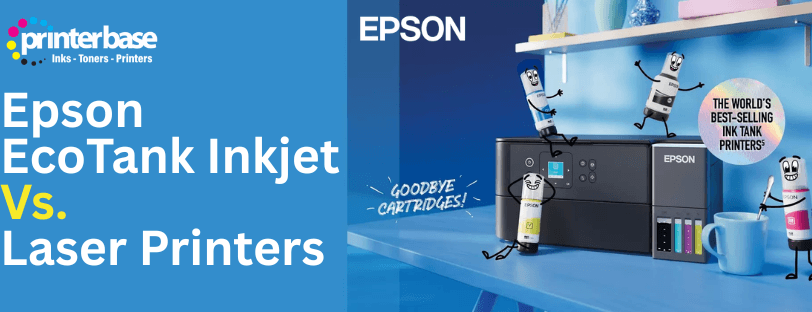
Epson EcoTank inkjet printers have reshaped what people expect from home and office printing. With refillable ink tanks, incredibly low running costs and Epson’s Heat Free printing technology, EcoTank inkjet printers offer a strong alternative to traditional laser printers.
In this guide, we compare Epson EcoTank inkjet printers directly with laser printers so you can make the right choice for your printing needs
What Is Epson EcoTank and How Does It Work?
Epson EcoTank inkjet printers replace traditional ink cartridges with large, refillable ink tanks. These tanks use bottled ink instead of cartridges, which makes EcoTank printers far cheaper to run and significantly more environmentally friendly than cartridge based printers.
EcoTank printers use Epson’s Heat Free Technology. Instead of heating ink or toner, EcoTanks use Micro Piezo printheads and PrecisionCore technology, which eject ink mechanically without using heat.
Benefits of Heat Free Printing
- Extremely low running costs thanks to bottled ink
- No warm up time due to Heat Free printing
- Lower energy consumption compared to laser printers
- Reduced waste and fewer consumables
- Cleaner, simpler refilling with no cartridges required
The Epson EcoTank printer range has models suitable for all users including:
- Home users and Families with light use for homework, or basic needs.
- Small, Medium and Large business users where speed and reliability are essential
- Photographers needing high-quality colour photo printing
EcoTank Inkjet vs Laser Printers. Key Differences Explained
Running Costs and Consumables
Epson EcoTank inkjet printers are designed for users who want the lowest possible cost per page. A single set of EcoTank ink bottles can last for thousands of pages, lasting much longer than traditional ink cartridges and often undercutting toner costs in laser printers.
Laser printers require toner cartridges, plus drums, fusers and transfer belts. These extra components add to long term expenses and maintenance.
- EcoTank: Only bottled ink needed. No heat, minimal part wear.
- Laser: Multiple consumables that must be replaced over time.
Power Consumption and Efficiency
Because EcoTank printers do not use heat, they use far less power than laser printers, which need heat to fuse toner to paper, resulting in higher energy bills and slower warm up times.
- EcoTank: Instant printing with no warm up.
- Laser: Requires warm up time and uses more electricity.
Print Quality
- EcoTank: Exceptional colour vibrancy, great for home offices, marketing materials and photo printing. Text quality is sharp and accurate.
- Laser: Excellent text quality for large volumes of document-based printing. Colour lasers perform well for graphics but not for photo output.
Environmental Impact
Epson EcoTank printers generate significantly less waste. The ink bottles produce a fraction of the plastic waste of disposable cartridges, and Heat Free printing reduces energy consumption and part replacements.
Comparison Table. EcoTank Inkjet vs Laser Printer
| Feature | Epson EcoTank Inkjet | Laser Printer |
|---|---|---|
| Warm Up Time | Instant start with Heat Free printing | Requires warm up time |
| Running Costs | Ultra low with bottled ink | Low for mono, higher for colour |
| Consumables | Ink bottles only. No cartridges | Toner, drum, fuser, belt |
| Power Usage | Very low | High due to heat |
| Colour Quality | Excellent for photos and graphics | Good for business graphics |
| Best For | Home offices, Small/Medium businesses, families, photo printing |
High volume mono printing |
Should You Choose EcoTank Inkjet or Laser?
In the past, there was a clear difference between choosing an Inkjet, or Laser printer. However, with modern technology, the line between each of these printer types has been blurred.
Choose Epson EcoTank If You:
- Want the lowest printing costs possible
- Print colour documents or photos regularly
- Prefer refillable ink instead of replacing cartridges
- Want quieter, cooler and more eco friendly operation
- Value simplicity and low maintenance
Choose Laser If You:
- Print very high volumes of mono text
- Need smudge resistant toner output
- Prefer traditional office printer speed profiles
Verdict
Epson EcoTank inkjet printers offer exceptional value thanks to ultra low running costs, refillable ink tanks and Heat Free technology. They provide outstanding colour quality, fast performance and sustainability advantages, making them a strong choice for home users, families, students and businesses alike. Laser printers still have a place for heavy document-based workloads, but EcoTank printers provide a more economical and environmentally friendly solution for most users.
FAQ's
Heat Free printing is Epson’s print method that ejects ink mechanically without using heat. This reduces power use, warm up time and maintenance.
Yes. Epson EcoTank inkjet printers use ink bottles, which offer extremely low cost per page and far fewer consumables, making them cheaper than both colour and mono laser printers in most situations.
Yes. Epson’s WorkForce EcoTank models offer fast speeds, strong duty cycles and very low running costs.
Not with regular use. Epson printheads are designed to stay primed. But we still advise printing at least a page a week to maintain top performance.
No. Epson EcoTank printers use inkjet technology, which typically offers better photo quality than their laser counterparts. Some models in the EcoTank range are dedicated photo printers, which offer far better photo reproduction than laser, or standard inkjet inkjet printers.
Need Help or More Information ?
If you need any further help or more information, reach out to us by leaving a comment below or through one of the many ways on our Contact Us page.
Alternatively you can contact us by Phone on 0161 308 5800 or by Live Chat on our main Website Monday to Friday and our team will be happy to help or answer with any questions you might have.
You can also find all the various ways to connect with Us at the bottom of this page. Please share this post if you found it helpful.