
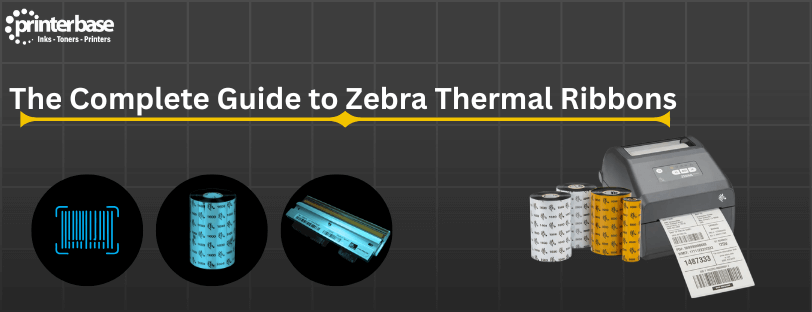
When it comes to thermal transfer printing, Zebra is one of the most trusted names in the industry. Whether you’re printing shipping labels, retail tags, product barcodes or industrial compliance labels, choosing the correct Zebra thermal ribbon is essential for achieving consistent durability and clarity. In this blog, we will see how Zebra thermal ribbons work, the differences between ribbon types, how to select the right type for your media and the most important tips to ensure longevity and performance from your Zebra label printer. This guide is designed for anyone using Zebra desktop, industrial or mobile printers and aims to simplify the process of selecting and using thermal ribbons effectively.
Understanding Zebra Thermal Ribbon Types
Thermal transfer printing relies on the chemical formulation of the ribbon to achieve the best print quality. Zebra has three main ribbon types, each designed for different surfaces, durability requirements and operating conditions.
Wax Ribbons
Wax ribbons are the most common and cost-effective thermal ribbon. They are ideal for porous and semi-gloss paper labels. Best For:
- Delivery labels
- Retail labels
- Pick and pack operations
- Low abrasion environments
Wax ribbons melt at lower temperatures, making them suitable for high-speed printing. They provide crisp text and barcodes, but only moderate resistance to chemicals and weathering.
Wax-Resin Ribbons
Wax-Resin ribbons give a balanced blend of print quality and durability Best For:
- Shelf-Edge labels
- Pharmaceutical packaging labels
- Inventory management
- Short-term outdoor or warehouse-exposed labels
These ribbons transfer at slightly higher heat levels and have improved resistance to scratching, moisture and withstand chemical exposure better than wax ribbons
Resin Ribbons
Full resin ribbons deliver the highest durability and chemical resistance Best For:
- Lab sample labels
- Industrial asset tags
- Chemical drum labels
- Harsh or outdoor environments
Resin ribbons fuse to synthetic label materials such as polyester and polypropylene, creating highly durable prints that withstand abrasion, chemicals and extreme conditions
Key Factors To Consider When Buying Zebra Thermal Ribbons
Choosing a Zebra ribbon goes beyond selecting wax or resin. Here are additional factors that significantly impact performance.
Ribbon Size and Orientation:
Ensure the ribbon width is slightly wider than your label. This protects your printhead from exposure and reduces abrasion. You will also find two ribbon orientations:
- Coated Side Out (CSO)
- Coated Side In (CSI)
Please Note: Most Zebra printers use CSO ribbons. Always check your printer specifications before ordering.
Printer Model Compatibility
Zebra thermal ribbons come in sizes specific to desktop, industrial and mobile printers. Using incompatible ribbon lengths or core sizes affects tension and print quality.
Print Speed and Heat Settings
Higher speed printing requires more sensitive ribbon coatings. Check compatibility charts for the best temperature and speed to reduce smudging
Common Problems and How To Fix Them
Faded or Patchy Printing
This usually indicates incorrect heat settings or mismatched ribbon and labels. Increase print darkness or switch to the correct ribbon type
Smudging or Rubbing Off
If your labels smudge easily, you may be using a wax ribbon on a synthetic material. Upgrade to wax-resin or resin
Ribbon Wrinkling
This happens when ribbon tension is misaligned. Make sure the ribbon is correctly threaded and matched to the correct core size
Maintenance Tips to Extend Ribbon and Printhead Life
- Clean your printhead every time you change the ribbon
- Store ribbons in a cool, dry place
- Avoid touching the ribbon surface
- Always use labels that match your ribbon grade
- Do not exceed recommended printer speed
These simple habits help maintain high print quality and extend the life of your printer.
Conclusion
Selecting the best Zebra thermal ribbon does not need to be complicated. By understanding the three ribbon types, identifying the correct match for your label material and using the proper printer settings, you can achieve high-quality, durable labels that support your needs. Whether you print simple shipping labels or industrial tags, Zebra ribbons provide the reliability and performance required for professional results
Need Help or More Information ?
If you need any further help or more information, reach out to us by leaving a comment below or through one of the many ways on our Contact Us page. Alternatively you can contact us by Phone on 0161 308 5800 or by Live Chat on our main Website Monday to Friday and our team will be happy to help or answer with any questions you might have. You can also find all the various ways to connect with Us at the bottom of this page. Please share this post if you found it helpful.