
Is it better to print photos with an Inkjet or Laser printer is a question we get asked often. We’ve already explored various topics on printing and scanning photographs. While there are many things to take into account, we wanted to look at whether inkjet or laser printers are better for printing photos. Both have their benefits and a lot comes down to what your specific needs are and what exactly you want to achieve.
In this guide, we look at the key differences between inkjet and laser printers to help you to decide which one is the best for high-quality photo printing
Differences Between Laser and Inkjet
First, a quick rundown on the difference between inkjet printers and laser printers.
Laser printers use toner. Toner is a powder, which when heated is fused to the page.
Inkjet printers – on the other hand – use liquid ink, which doesn’t require heat to affix it to the page. While each inkjet printer works slightly differently, essentially the ink is fired at the page in hundreds of tiny dots to make up the full picture.
Why Inkjet Printers Usually Produce Better Photo Quality
Inkjet printers have always been the go-to choice for photographers, and for good reason. Their technology is suited perfectly to capturing delicate tonal ranges, saturated colours and fine detail.
How Inkjet Technology Improves Photo Dtail
Inkjet printers work by spraying microscopic droplets of liquid ink onto the page. This gives them several important advantages for photo printing:
- Ability to produce smooth gradients such as bright skies and dark shadows
- Excellent colour depth and realistic tonal transitions
- Far wider range of compatibility with specialist photo paper
- Support for pigment and dye-based inks for different finishes, and increased longevity
- Better black density and subtle mid-tone control
Inkjet printers can also layer colours in a way that toner cannot replicate, which results in richer, more natural photographic output.
Inkjet Paper Options for the Best Photo Finish
Inkjet printers are compatible with a huge range of premium photo papers, including:
- Glossy photo paper
- Lustre and semi-gloss finishes
- Matte and fine-art textured media
- Canvas and high-GSM papers
This flexibility is essential when printing exhibition-quality artwork or personalised creative projects.
Can Laser Printers Print Photos? Understanding Their Limitations
Many customers assume that because colour laser printers are great for documents, they will also be suitable for photo printing. But the reality of this is quite different.
Why Laser Technology Is Not Optimised for Photographs
Laser printers use heat to fuse powder-based toner onto the page. This gives them fantastic precision for text, diagrams and basic graphics, but introduces several drawbacks for photos:
- Toner particles cannot blend smoothly, causing grainy textures
- Limited colour range compared to liquid ink
- Incompatibility with glossy and coated inkjet photo papers
- Less subtlety in highlights and shadow detail
- A noticeable “flat” or matte appearance even on colour prints
Laser photo printers are perfectly serviceable for documents, presentations or quick office use. But they simply cannot achieve the soft gradients, deep blacks and vibrant colour reproduction of a dedicated inkjet photo printer.
When Laser Printers Are a Good Option
Laser printers do offer several benefits. Just not specifically for photography.
Laser printers are ideal for:
- High-volume printing
- Fast office performance
- Crisp text and line-art
- Low running costs
- consistent results for business documents
If you mostly print documents and only need photos occasionally for internal use, a colour laser printer might be perfectly adequate
Cost Comparison. Inkjet Vs. Laser Photo Printing
Costs matter, especially for frequent printing. But with photo printing, the cheapest per-page option does not always provide the best value.
Inkjet Running Costs
Inkjet printers can have higher ink usage due to:
- Cleaning cycles
- Specialist cartridges for photo colours
- Higher ink saturation on photo paper
However, modern ink tank printers such as the Epson EcoTank and Canon MegaTank range of printers massively reduce running costs, making inkjet photo printing far more economical long-term.
Laser Running Costs
Laser printers usually win for document cost-per-page thanks to:
- Long-lasting toner cartridges
- Fewer printhead maintenance cycles
- High-volume efficiency
But colour laser toner is not cheap, and if you try to use a laser for photo output, your cost per usable photo skyrockets simply because the result is inferior. For photos, inkjet is still the better value.
Colour Accuracy and Photo Realism. The Critical Differences
I photography, colour accuracy is everything. Here is how the two technologies compare.
Inkjet Colour Performance
Inkjet printers excel in:
- Wide colour gamut’s
- Vivid saturation
- Smooth highlight roll-off
- Soft shadow recovery
- Precise skin tone reproduction
Many inkjet photo printers use at least 5 ink cartridges for better results, these usually consist of dye-based Cyan, Magenta, Yellow and Black, with an additional pigment black. Some professional photo printers, such as the Canon imagePROGRAF PRO-1100 can take up to 12 ink cartridges
Laser Colour Performance
Laser printers typically suffer from:
- Narrow colour ranges
- Blocky colour patches
- Weak shadow definition
- Less natural blending
For portraits, landscapes and artistic details, this difference is noticeable immediately.
Media Handling. Why paper Compatibility Matters
Printer technology and paper compatibility go hand-in-hand. Choosing the wrong type of printer for photo media leads to poor quality.
Inkjet Paper Compatibility
- Glossy and semi-gloss
- Matte fine-art paper
- Archive -grade paper (cotton rag, baryta, etc.)
- Heavyweight media support, up to 800gsm
This allows users to tailor the finish to the image.
Laser Paper Compatibility
Laser printers are limited to:
- Standard office paper
- Laser-approved coated papers
- Lightweight card stock
- Colour laser gloss (non-photo) sheets
Laser printers cannot use most glossy photo papers because the coatings melt under heat.
Which Printer Type Should You Choose for Photo Printing?
If your priority is high-quality photographs, then the choice is simple.
Choose an Inkjet Printer if:
- You want the best colour accuracy
- You print photos regulalry
- You use premium photo or fine-art papers
- You need true photographic depth and detail
Choose a Laser Printer if:
- Photo’s are secondary to business printing
- You want speed and low running costs for documents
- You rarely print on specialist photo media
For anyone serious about photo output, an inkjet will always give the best results.
Which Printer Type Should You Choose for Photo Printing?
When you’re looking to print photos that look impressive, feel vibrant and want to display them on a wall, or in a gallery, an inkjet printer is the clear winner. Inkjet printer technology is designed to bring out the richness in colours, smooth gradients and subtle details seen in professional photos and artwork.
Choose an Inkjet Printer if:
- You want the best colour accuracy
- You print photos regulalry
- You use premium photo or fine-art papers
- You need true photographic depth and detail
Choose a Laser Printer if:
- Photo’s are secondary to business printing
- You want speed and low running costs for documents
- You rarely print on specialist photo media
For anyone serious about photo quality, an inkjet will always give the best results.
If you love seeing your photos look their best, inkjet printers offer a wider range of customisation options with your prints such as alternative paper types, more finishes and better colour customisation.
Are Inkjet Printers Better for Printing Photos?
If you use coated photo paper, inkjet machines will win hands down. When you put these two things together you’ll see deeper blacks and smoother colour transitions.
Home Photo Inkjet Printers
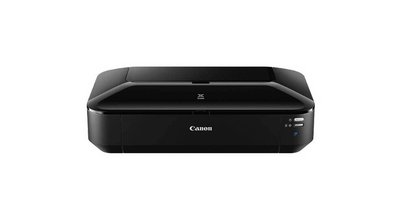
Home inkjet printers are known for their lower output cost and small sizes. They’re versatile too, capable of printing documents and photo’s. Take the Canon PIXMA TS6350a, a desktop sized printer ideal for home photo’s and great quality for framing prints.
Professional Photo Inkjet Printers
If you get one of the professional inkjet printers such as the Epson SureColour SC-P700 and add orange and red inks into the mix then the effect can be dramatic, especially if you’re using high-quality archival paper.
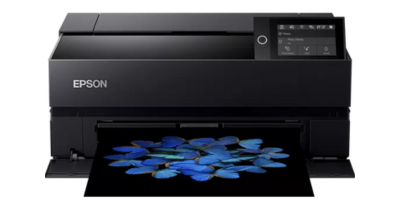
Inkjet printers are particularly great for art reproduction thanks to the great range of colours you can use with an inkjet printer, but you will be looking at a costlier process because of the colour.
Are Laser Printers Better for Printing Photos?
If you’re looking to print colour images in volume on plain paper or card, then this is where the laser/LED printers will be the best choice. Specifically, posters, brochures and other point-of-sale materials will be best printed through a laser printer. If you are using a graphics printer with shiny toner output, with a Postscript driver or a dedicated RIP (Raster Image Processor) then you’ll be able to print high-quality images quickly and at a cost way below that of the inkjet. However, you won’t be able to achieve the same art reproduction finish that you will be able to from an inkjet.
A basic RIP will be found in most printers but some have different profiles depending on the requirements. It isn’t essential, but if the printer has this software, it allows for handling multiple files, file types and sizes. This in turn allows for printing high-volume photos in different sizes and types a much easier process.
Recommended Models:
The Oki C651 is a brilliant example of a laser printer, perfect for marketing material and point of sale posts. Built around printing marketing material from labels and signs through to stickers and banners at a high quality and high speeds.
A Brother DCP-L8410CDW is an affordable office multifunction laser printer. Capable of reaching high speeds while keeping a great print quality.
Xerox VersaLink C410 is a perfect desktop laser printer with a fantastic print quality and a specialised DPI of 1200 x 1200, with 4800 colour quality.
For a large office printer, the OKI Pro 9431DN is built with speed, varied media handling and quality in mind, designed around printing high quality documents and marketing material at great speeds up to 360gsm.
Conclusion
For printing true photographic quality, inkjet printers remain the clear winner. Their superior colour reproduction, paper compatibility, smooth tonal transitions and professional output make them the number one choice for home photographers, creative professionals and small businesses producing high-quality visuals.
Laser printers have a place, but not in the world of high-detail photo printing.
FAQ's
Laser printers can print photos, but quality is usually limited. They are better suited for documents or marketing material, not high-resolution photography.
Laser printers need to use photo paper that’s designed for use in laser printers, these are specially coated to avoid melting when the toner is fused to the paper.
Inkjet running costs can be higher, but modern ink tank systems on printers such as the Epson EcoTank ET-8550 can massively lower running costs.
Yes. Laser printers are significantly faster for large document runs and office workloads.
Inkjet printers, especially those with 6 or more inks are the best choice for home photo printing.
Need Help or More Information ?
If you need any further help or more information, reach out to us by leaving a comment below or through one of the many ways on our Contact Us page. Alternatively you can contact us by Phone on 0161 308 5800 or by Live Chat on our main Website Monday to Friday and our team will be happy to help or answer with any questions you might have. You can also find all the various ways to connect with Us at the bottom of this page. Please share this post if you found it helpful.
