
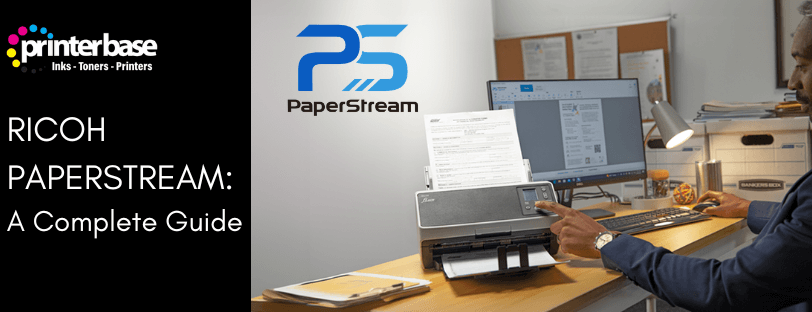
If you scan paperwork regularly, you’ll know how frustrating poor scan quality can be. Crooked pages, faint text and messy backgrounds all slow down your workflow and reduce the accuracy of OCR (Optical Character Recognition)
Ricoh PaperStream is designed to solve those problems.
Developed by PFU (A Ricoh subsidiary), PaperStream is a document scanning and image processing software suite built specifically for Ricoh and PFU fi-series and iX-series scanners. It improves scan quality automatically, helping you capture clearer documents with less manual effort.
In this blog post, we’ll explain what Ricoh PaperStream does, the different PaperStream types and how you can get a 2-week PaperStream Capture Pro free trial from Ricoh
What Is Ricoh PaperStream?
Ricoh PaperStream is a set of tools that improves the way your scanner captures and processes documents. It works with Ricoh’s fi-Series, iX-Series and SP-Series scanners, and PaperStream Capture Pro even works with any TWAIN-compatible scanner, not just Ricoh models
Use Cases:
PaperStream is used in almost all sectors. These are some of the most popular:
- Finance and Accounting. Processing invoices, receipts and client documents
- Healthcare. Digitising patient records and medical forms
- Government. Handling applications, forms and archival materials.
- Legal Services. Capturing case files and contracts
- Logistics. Scanning delivery notes, bills of landing and manifests
Any business with paper-heavy workflows can benefit from PaperStream’s automation and accuracy
PaperStream Key Features
Advanced Image Processing and Enhancement
Image quality is essential for accurate data capture. PaperStream uses intelligent cleanup and optimisation tools to ensure every scanned document is crisp and readable. PaperStream technology automatically removes background noise, corrects skew and enhances text for improved Optical Character Recognition (OCR) accuracy
PaperStream Capture Pro also includes high-speed form recognition and OCR for printed and handwritten text
This is especially useful for dealing with forms, surveys, medical paperwork and handwritten records
Accurate Text & Data Capture
PaperStream software can read printed text, handwritten boxes, barcodes and more, making it easier to extract the data you need
Automated Batch Workflows and Indexing
For businesses processing large amounts of documents, PaperStream helps streamline the entire workflow.
This includes:
- Automated batch scanning
- Barcode and Zonal OCR recognition
- Customisable indexing templates
- Easy distribution into back-office systems
PaperStream makes batch capture simple and efficient, helping businesses build more economical digital workflows.
Workflows can be set up to automatically send documents to third-party applications or internal content management systems, cutting manual processing
Improved Data Extraction and Accuracy
PaperStream Capture Pro provides improved data extraction and indexing options, supporting import of electronic images and multi-station licensing.
The PaperStream platform aims to reduce repeatedly inputting manual data and minimise human error by automating capture tasks.
Its Advanced Image Quality Checker automatically flags documents requiring review and After Scan Correction lets users optimise images without needing to rescan
Integration With Ricoh Scanners and TWAIN Applications
PaperStream integrates seamlessly with Ricoh fi and SP Series scanners, taking advantage of the scanners fast speeds and precision. The more advanced PaperStream Capture Pro can even work with any TWAIN device, providing flexibility for varied scanning environments
The Different Versions of PaperStream Explained
Ricoh PaperStream is not a single piece of software, but a collection of types designed for different scanning needs. Some focus on improving image quality at driver level, while others provide full document capture and workflow tools.
PaperStream ClickScan
PaperStream ClickScan is a simplified scanning interface designed for fast and easy scanning.
It focuses on:
- One-touch scanning
- Minimal setup
- Simple user interface
- Quick saving to preset locations
This version is well suited to shared office scanners or users who only need basic scanning functionality without complex profiles or indexing.
PaperStream IP (Image Processing)
PaperStream IP is the core scanner driver used with Ricoh and fi-series scanners. It replaces the standard TWAIN and ISIS drivers and provides advanced image processing functions
Main features include:
- Automatic colour detection
- Automatic page size detection
- Skew correct and rotation
- Background smoothing
- Text enhancement for OCR
- Noise and streak reduction
PaperStream IP is required for other PaperStream applications to function and is normally included with compatible Ricoh scanners.
PaperStream Capture
PaperStream Capture is Ricoh’s standard document capture application for everyday scanning tasks.
It allows users to:
- Create one-click scan profiles
- Save files as PDF, searchable PDF, JPEG or TIFF
- Send documents to folders, email or document management systems
- Apply automatic separation rules
- Capture data for indexing and archiving
PaperStream Capture is suitable for most office scanning needs and is typically supplied with Ricoh fi-series and iX-series scanners.
PaperStream Capture Pro
PaperStream Capture Pro is the advanced version of PaperStream Capture and is designed for higher-volume and more complex document workflows.
Additional features include:
- Barcode recognition
- Patch code recognition
- Zonal OCR
- Automatic file naming
- Advanced batch separation
- Workflow automation
- Enhanced indexing and data extraction
PaperStream Capture Pro is ideal for organisations that scan large batches of documents, such as invoices, delivery notes, medical records or customer files.
Latest Updates
The biggest update for 2026 is PaperStream AI, which pushes beyond traditional capture:
AI-Driven Document Understanding
Instead of training templates, the PaperStream system uses PFU’s own AI engine to:
- Automatically sort paperwork into categories
- Extract only the relevant information
- Delivery ready-to-use data streams for automation
This dramatically reduces setup time and IT overhead.
Better Accuracy with Less Human Intervention
Ricoh claims PaperStream AI extracts data in seconds, reshaping traditional scanning workflows into intelligent data capture pipelines
Ricoh PaperStream Vs Other Scanning Software
Ricoh PaperStream stands out because it blends great image cleanup, strong OCR and powerful automation into one tool that still works with scanners from multiple brands
Other tools like Adobe Acrobat or basic manufacturer software are fine for simple jobs, but they don’t offer the same level of automation or data extraction. Heavy-duty platforms like Kofax or ABBYY are strong contenders, but they’re usually more expensive and harder to set up.
| Software | Strengths | Limitations |
|---|---|---|
| Ricoh PaperStream | Best‑in‑class image cleanup (iDTC), powerful OCR, TWAIN compatibility, advanced workflow automation, supports high‑volume & enterprise scanning | Subscription required for Pro/Premium features |
| Kofax Express / Kofax Capture | Robust enterprise capture features | Higher cost, complex setup |
| Adobe Acrobat OCR | Good for occasional OCR | Limited automation, not built for bulk scanning |
| Epson Scan / Canon CaptureOnTouch | Great for basic scanning | Less advanced data extraction, limited workflow automation |
| ABBYY FineReader / FlexiCapture | Industry‑leading OCR | More expensive; may require additional integration |
Superior Image quality Without Manual Adjustments
Instead of adjusting contract, brightness or colour levels manually, PaperStream automatically applies the optimal settings for each document. For teams dealing with mixed batches or paperwork at inconsistent qualities, this feature alone can save hours each week
Reliable, Stable and Business-Focussed
Ricoh scanning solutions are trusted across industries that require:
- Consistent image output
- Reliable driver performance
- Compatibility with old and new systems
- Long-term hardware and software support
This makes PaperStream a safe investment for all business sizes.
Try PaperStream Capture Pro for Free
Ricoh offers a free 2-week trial of PaperStream Capture Pro so that businesses can test its advanced capture and automation features before purchasing a licence. The includes access to all of the PaperStream Capture Pro tools, including barcode recognition, zonal OCR, batch separation and workflow options.
What’s Included:
- Full access to PaperStream Capture Pro features
- Barcode & patch code recognition
- Zonal OCR
- Batch separation
- File naming and workflow tools
This gives you the opportunity to see how Capture Pro would fit into your existing document processes and whether the additional automation would provide benefits before committing to buying the software.
How To Download the 2-Week Ricoh PaperStream Capture Pro Trial
The PaperStream Capture Pro trial can be downloaded directly from Ricoh’s official website. You will need to fill out an application form to access the download
Download the Ricoh PaperStream Capture Pro trial
Once installed, the software can be activated in trial mode for a limited time. If you need help choosing the right scanner, or the best PaperStream type for your needs, the Printerbase team can provide advice and support.
Verdict
Ricoh PaperStream is more than scanning software, it’s a complete document capture ecosystem. With automated workflows, industry-leading OCR, seamless integration, and compatibility across all TWAIN devices, it empowers businesses to digitise smarter, faster and with greater accuracy.
FAQ’s
What Is Ricoh PaperStream Used for?
Ricoh PaperStream is used for high-quality document scanning, image optimisation, Optical Character Recognition (OCR), data extraction and automated document workflows
Does PaperStream Work With Non-Ricoh Scanners?
With PaperStream Capture Pro, the software can connect with any TWAIN scanner
Can PaperStream Recognise Handwritten Text?
Yes, PaperStream features advanced Optical Character Recognition (OCR) which can scan non-cursive, handwritten text
Is PaperStream Suitable For Large Batch Scanning?
Yes, its automation tools, barcode reading and indexing templates are designed for high-volume environments
Need Help or More Information ?
If you need any further help or more information, reach out to us by leaving a comment below or through one of the many ways on our Contact Us page.
Alternatively you can contact us by Phone on 0161 308 5800 or by Live Chat on our main Website Monday to Friday and our team will be happy to help or answer with any questions you might have.
You can also find all the various ways to connect with Us at the bottom of this page. Please share this post if you found it helpful.
